How to use Inventory Change for product attribute in Adempiere Retail
Inventory Change for Product Attribute means,Updating the inventory records because of a change in a product’s characteristics or details.
User Access
Who Can Access
- Back Office
- Cashier
- Purchase Manager
- Manager
- Admin
What User Can Do
- Update Product Attributes
- Apply Changes to Inventory Records
- Validate Changes
Pre-Requisite Activities
- Identify the Need for Change
- Verify User Permissions
- Gather Accurate Product Details
- Check Current Inventory Status
- Backup Inventory Data
- Communicate With Relevant Teams
Business Rules
- Authorized Users Only
- Accurate and Verified Data
- Impact on Inventory
- No Stock Movement Allowed During Changes
User Interface
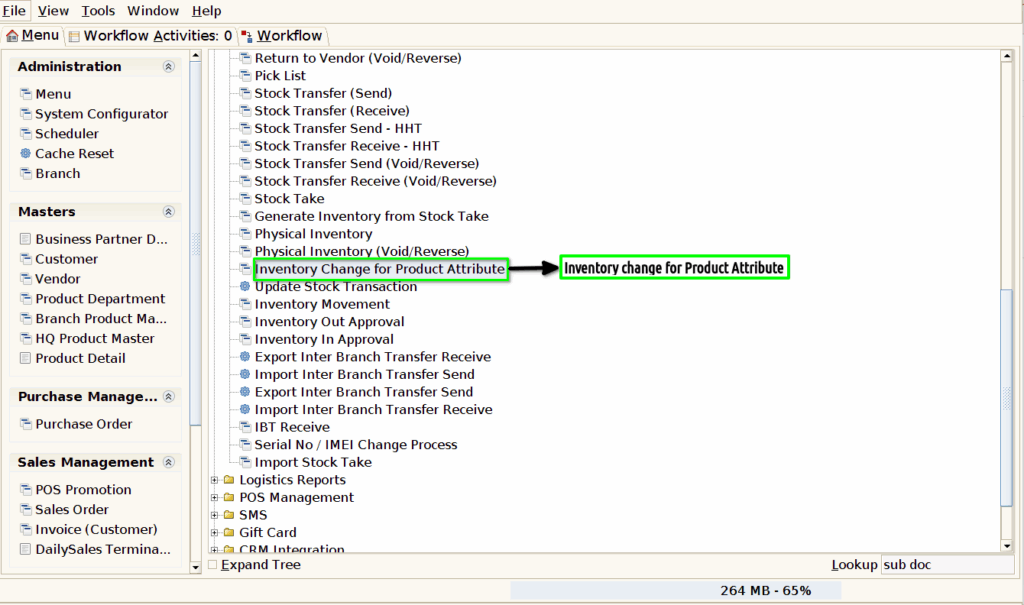
Step 1 : To Select a Branch in Menu.Then to click Inventory change for Product Attribute.
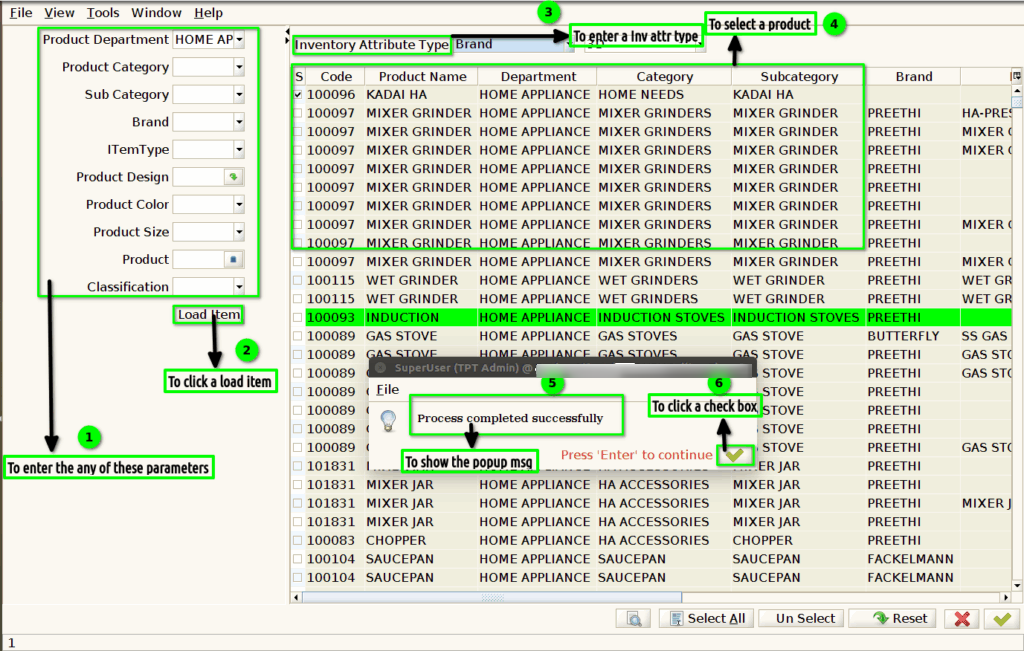
Step 2 :To enter the value from any of the parameters and to click the load items to show the products and to select the product and to enter the inventory Attribute Type and then to click the check box.Once to complete the process to show the popup message process completed or not.Finally to click the check box.