How to view Sales Rep Wise Sales Summary Report in Adempiere Retail
A report that shows the total sales made by each sales representative over a specific period.
User Access
Who Can Access
- Admin
- Head cashier
- Sales Manager
- Manager
What User Can Do
- Evaluate Performance
- Generate Management Reports
- Track Progress
Pre-Requisite Activities
- Sales Data Collection
- Verify Sales Rep Information
- Reporting Period
- Data Validation
Business Rules
- Sales Attribution
- Valid Sales Reps Only
- Reporting Period
- Real-Time Data
User Interface
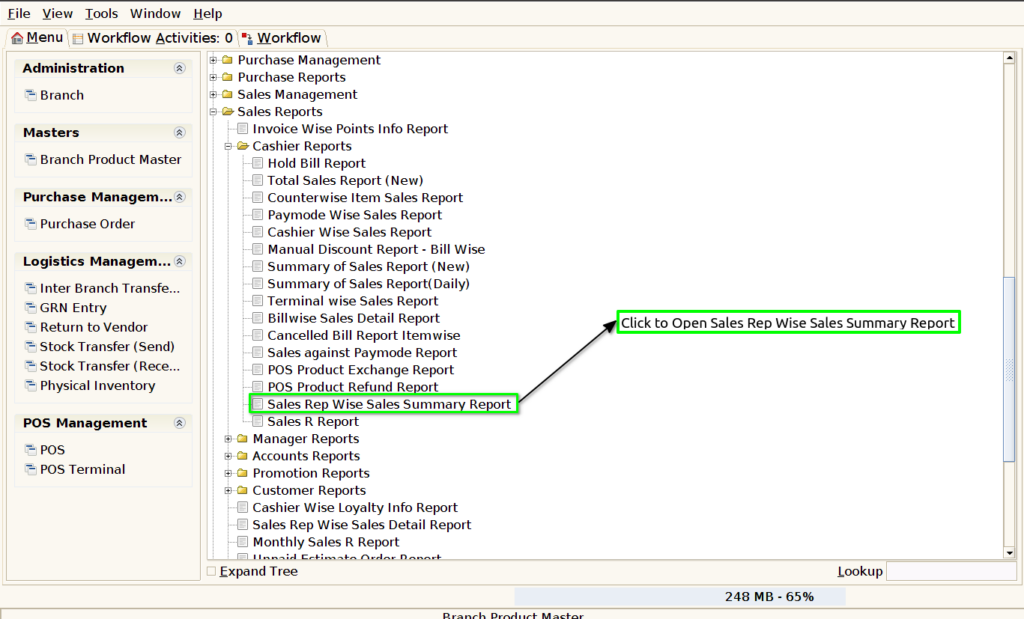
Step 1 : Select ‘Sales Rep Wise Sales Summary Report’ in Menu -> Sales reports > Manager report > Sales Rep Wise Sales Summary Report or Search Sales Rep Wise Sales Summary Report.
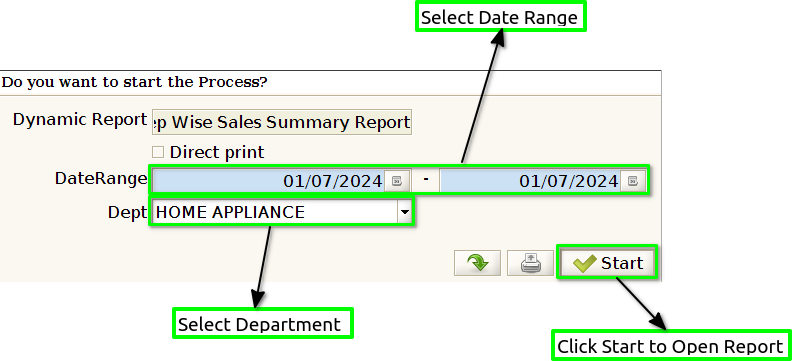
Step 2 : Select the date range and Department to open the Sales Rep Wise Sales Summary Report.
Step 3 : To view a preview of the Sales Rep Wise Sales Summary Report.
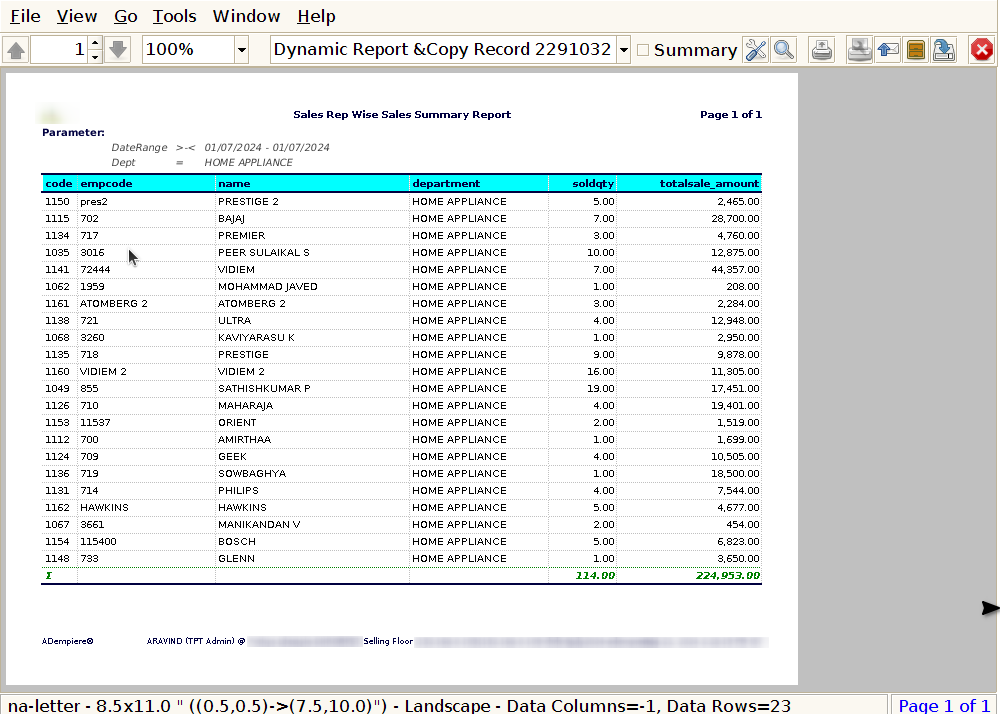
Sales rep Code : This allows the report to provide both the sales rep’s name and their corresponding sales rep code, ensuring accurate and identifiable sales tracking.
Emp Code : This would help in identifying each sales representative not just by their name or rep code, but by a unique employee code. This is especially useful if your system uses an employee code for tracking and reporting purposes.
Name : By adding the Sales Rep Name to the Sales Rep Wise Sales Summary Report, the report becomes more readable and informative, allowing for easy identification of each sales rep and their corresponding sales performance.
Department : By including the Department in the Sales Rep Wise Sales Summary Report, you can organise and segment the sales performance data not only by the sales rep but also by the department they belong to.
Sold Quantity : To include Sold Quantity (the total number of products sold by each sales representative) in the Sales Rep Wise Sales Summary Report, you need to sum the quantity of each product sold in the report.
Total Sales : To show Total Sales in the Sales Rep Wise Sales Summary Report, you would aggregate the total value of sales for each sales representative, typically by summing the sales values for all transactions associated with that representative.
Amount : To show Amount in the Sales Rep Wise Sales Summary Report, it typically refers to the total value of sales or total transaction amount for each sales representative.