How to view Customer Aging Report in Adempiere Retail
A Customer Aging Report shows how long each customer’s outstanding invoices have been unpaid, categorized by time periods (e.g., 0-30 days, 31-60 days, 61+ days).
User Access
Who Can Access
- Admin
- Back Office
- Purchase Manager
- Manager
What User Can Do
- Identify Overdue Payments
- Set Payment Terms
- Export and Share
Prerequisite Activities
- Maintain Accurate Customer and Invoice Data
- Record Payments Promptly
- Update Credit Terms
- Reporting Date
Business Rules
- Include Only Outstanding Invoices
- Calculate Aging Based on Due Date
- User Authorization
- Export Data Integrity
User Interface
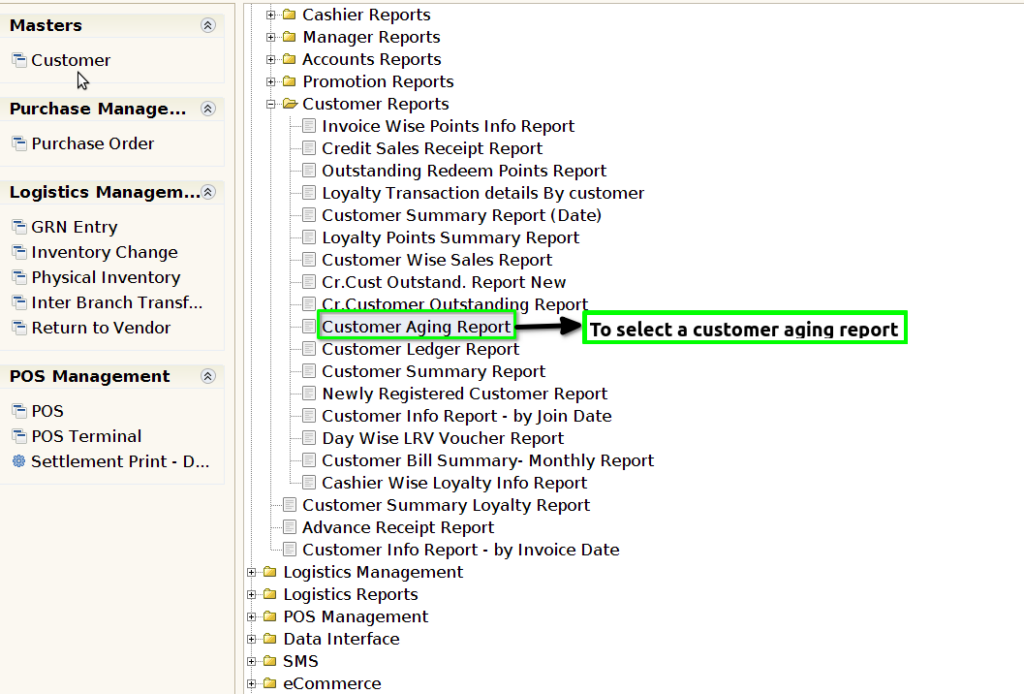
STEP 1: To select a Customer Aging Report.
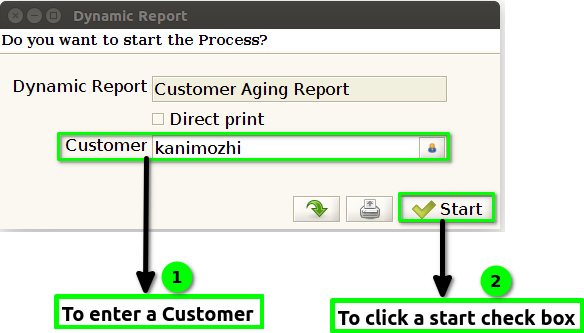
STEP 2: To enter a Customer and to click the start check box to run the process.
STEP 3: Once to complete the process to show the report based on the given data.
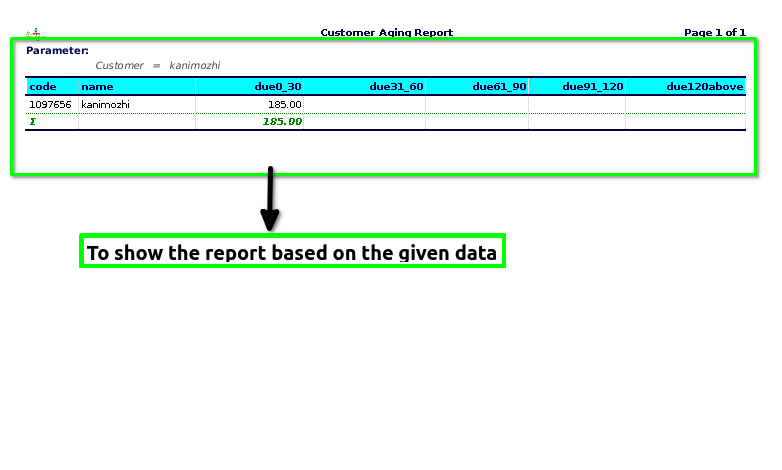
STEP 4: Product code – is a unique identifier assigned to a product to distinguish it from other products.
Product name – is the specific name given to a product to identify and differentiate it from other products.
Due 0-30 -is a financial report that categorizes accounts receivable based on the age of outstanding invoices.
Due 31-60 – refers to a category within an accounts receivable aging report that shows the outstanding invoices from customers that are between 31 to 60 days overdue.
Due 61-90 – refers to the category in an accounts receivable aging report that tracks customer invoices that are 61 to 90 days overdue.
Due 91-120 – is a financial report used to track accounts receivable that have been outstanding for 91 to 120 days, this report helps businesses prioritize follow-up efforts and manage financial risk by highlighting those customers whose payments are significantly overdue (91-120 days).
Due 120 Above -refers to a section of an accounts receivable aging report that highlights invoices or accounts that are past due by 120 days or more.