How to Create Margin Master in ADempiere Retail
Margin discount setup defines automatic discounts based on the margin percentage of a product. Higher-margin products can have higher discounts, which helps control pricing strategies and profitability.
User Access
Who Can Access
- Back Office
- Manager
- Admin
What User Can Do
- Configure margin slabs and assign discount rates
- Apply these rules to product categories or individual SKUs
- Automate discount application during billing or purchase
- Adjust margins based on real-time cost and selling price changes
- Use this for retail pricing logic and promotional planning
Pre-Requisite Activities
- Ensure product cost and selling price are up to date
- Enable discount configuration module in system
- Define slab logic in discount master or pricing engine
- Assign applicable categories or vendor types
Business Rules
- These margin-based discount slabs are examples and can be customised based on business policy.
- Margin =
(Selling Price - Cost Price) ÷ Selling Price × 100 - Margin should be auto-calculated from live price updates.
- Discounts are auto-applied based on defined slabs during sales or PO generation.
- System should flag entries where margin falls outside configured slabs (for manual review).
- Ensure no negative profit is allowed by enforcing margin thresholds.
User Interface
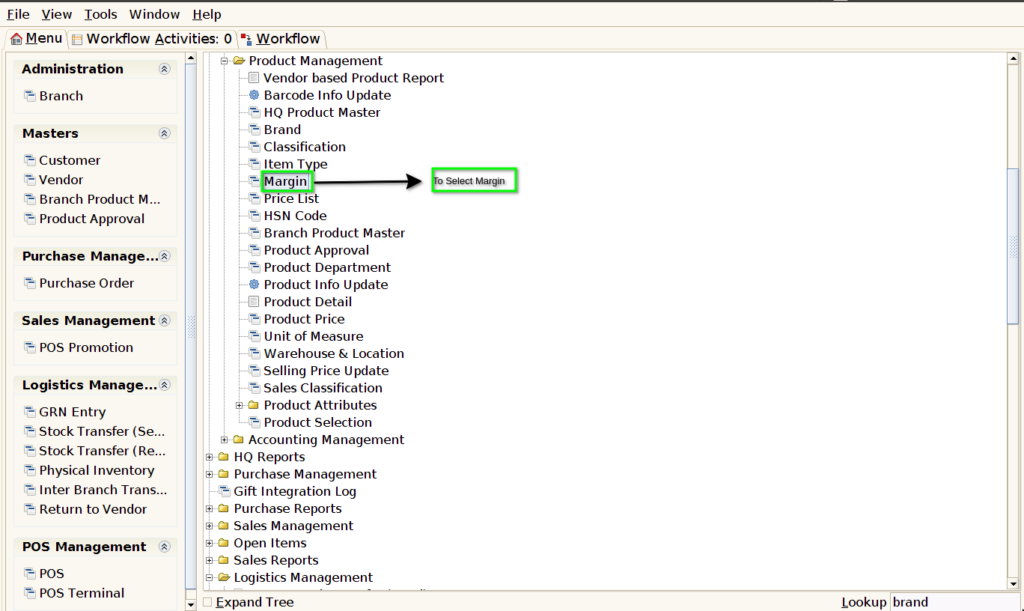
STEP 1: To select the Margin.
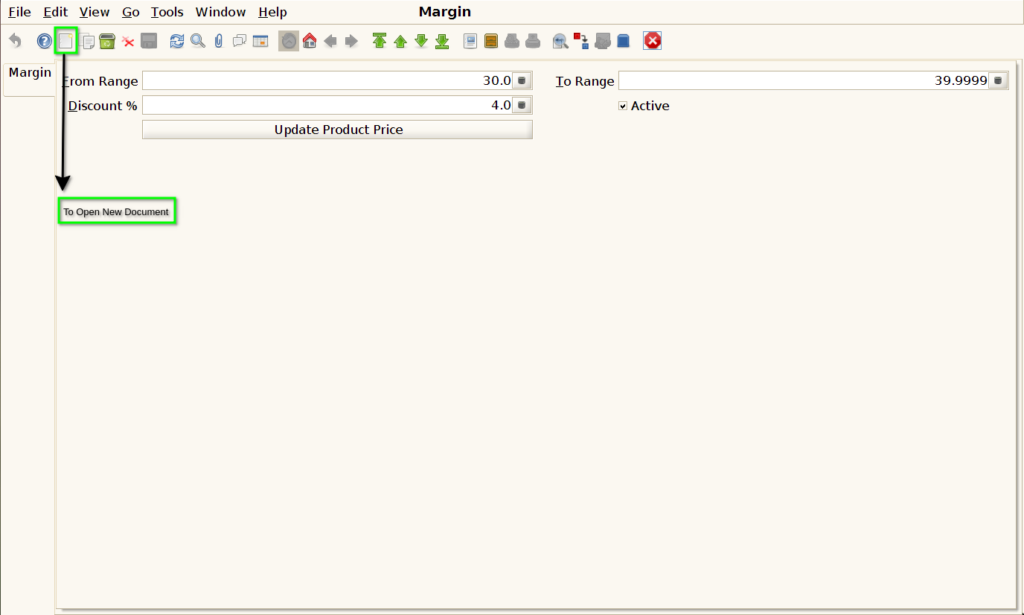
STEP 2: To Open a New Document.
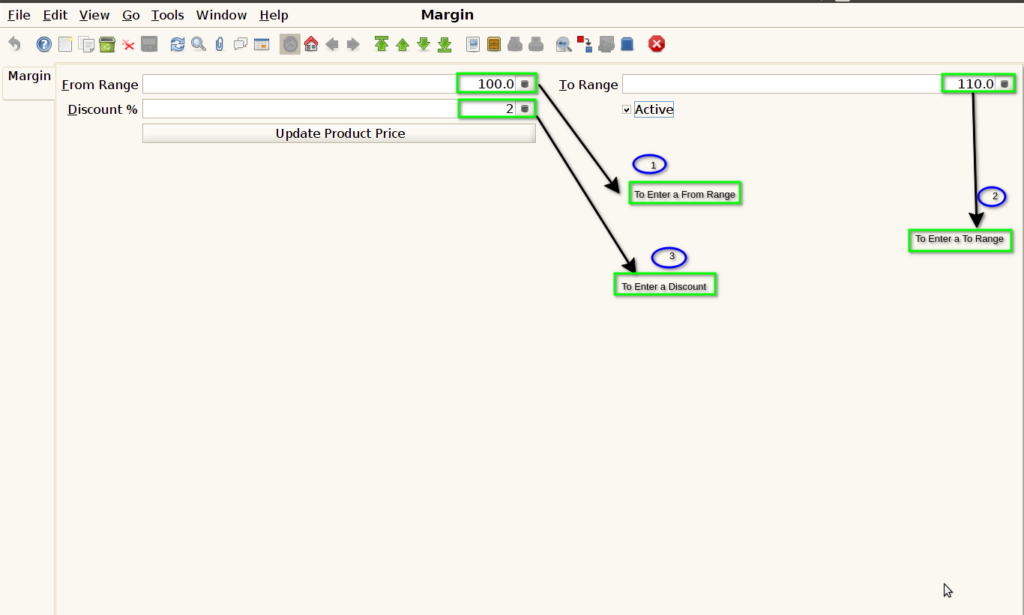
STEP 3: To enter a From Range & To Range.And then to enter Discount.
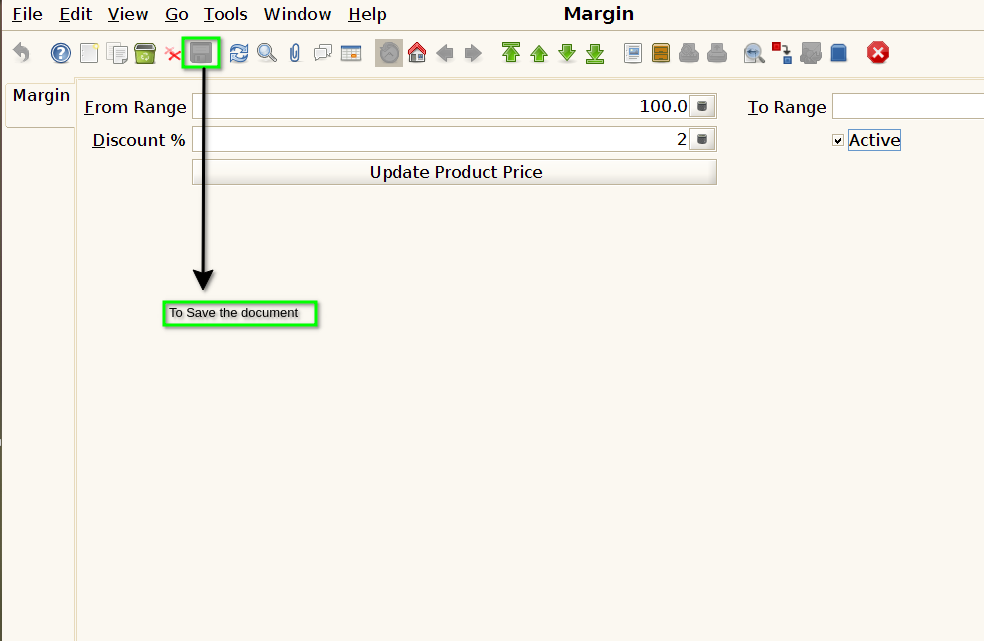
STEP 4: Finally to Save the Document.