How to view PO Fill Rate Report by Product in Adempiere Retail
A report that shows how well purchase orders (POs) are fulfilled for each product.
User Access
Who Can Access
- Admin
- Back Office
- Purchase Manager
- Manager
What User Can Do
- Assess Supplier Performance
- Improve Inventory Management
- Enhance Customer Satisfaction
- Financial Impact Analysis
Pre-Requisite Activities
- Accurate Data Collection
- Data Integration
- Fill Rate Calculation Method
- Establish Reporting Frequency and Distribution
Business Rules
- Data Entry Consistency
- Fill Rate Calculation
- Reporting Period
- Report Access and Security
User Interface
STEP 1: Click Purchase Reports Folder.
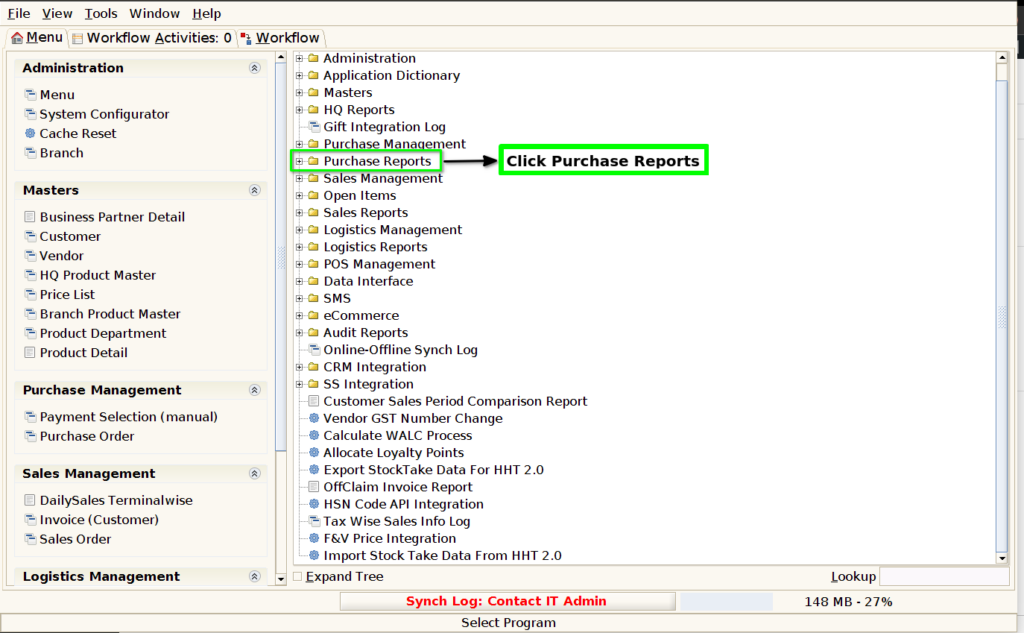
STEP 2: Click PO Fill Rate By Product.

STEP 3: Choose Parameter From Date, To Date and Vendor Mandatory.
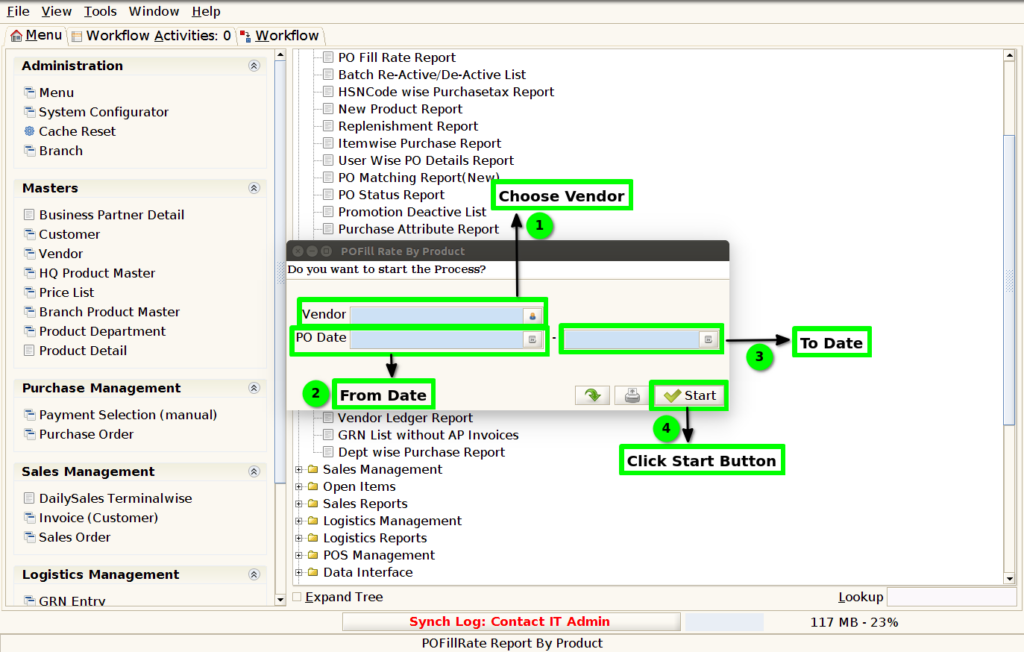
STEP 4: Show Columns Details.
1.Vendor Name.
2.Product Code & Product Name.
3.Purchase Order Quantity.
4.Purchase Order Value.
5.GRN Quantity.
6.GRN Value.
7.Return Quantity.

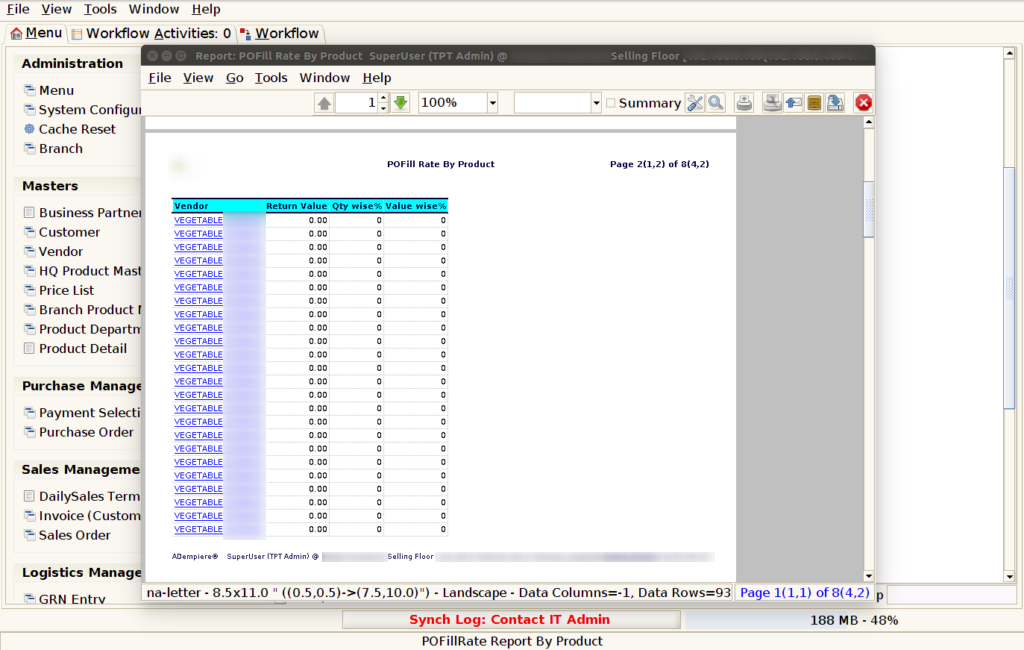
STEP 5: Click Page Down Button Show Columns Details.
8.Return Value.
9.Quantity Wise %.
10.Value wise %.
1.Vendor Name.
Purchase Vendor Name Show the Column.
2.Product Code & Product Name.
Product Code and Product Name Combination.
3.Purchase Order Quantity.
The purchase order quantity (PO quantity) refers to the amount of a product or material specified in a purchase order (PO) that a buyer requests from a supplier. It represents the number of units of goods or services that the buyer intends to acquire.
4.Purchase Order Value.
The Purchase Order (PO) Value refers to the total monetary amount specified in a purchase order document. It represents the cost of the goods or services being ordered from a supplier. The PO value includes the unit prices of each item or service, the quantities being ordered, and any applicable taxes, shipping costs, discounts, or other adjustments.
5.GRN Quantity.
The GRN Quantity refers to the quantity of goods or items that are recorded on a Goods Receipt Note (GRN) when the goods are received from a supplier. The GRN is an important document used in inventory management and supply chain processes to confirm that the goods received match the order placed in terms of quantity, type, and condition
6.GRN Value.
GRN Value refers to the total value of goods that have been received and logged into the system as part of a goods receipt process. It is essentially a record confirming that items have been received, and it typically includes information about the quantity, price, and type of goods delivered.
7.Return Quantity.
Retail & E-commerce: The return quantity refers to the number of items a customer returns after purchasing them. This could be due to reasons like defects, dissatisfaction with the product, wrong item received
8.Return Value.
The GRN return value essentially represents the outcome or response after processing a GRN, whether it’s a success, error, inventory update, or other related results in the context of goods receipt and inventory management.
9.Quantity Wise %.
Part Quantity is the specific amount you’re interested in (e.g., the number of items in a category).
Total Quantity is the total amount or the sum of all quantities you’re comparing against (e.g., the total number of items).
10.Value wise %.
Total Quantity sum of Value in the value %.