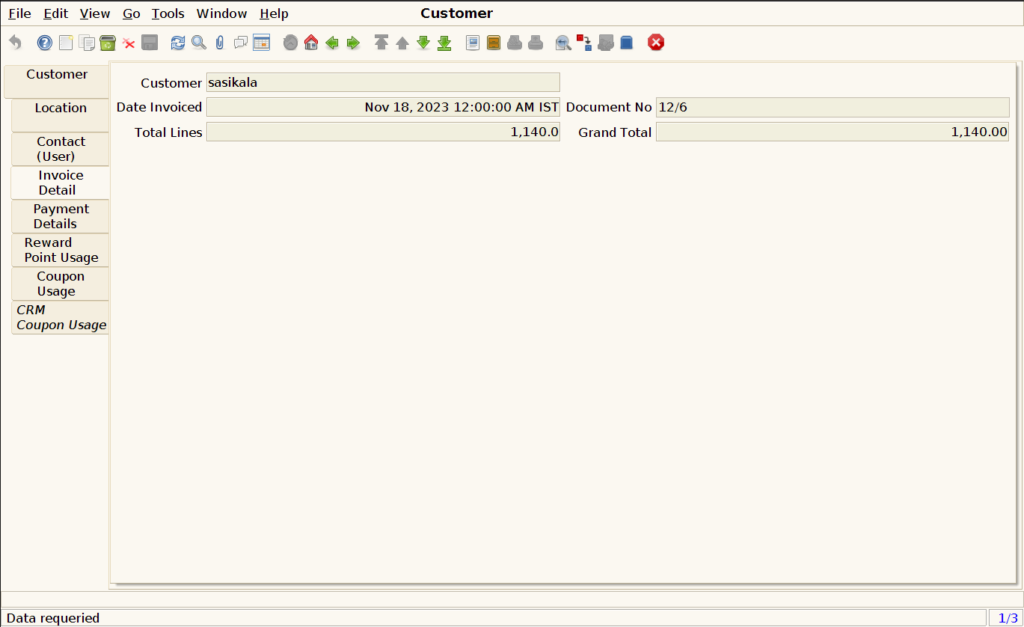
How to view all Invoices using Invoice (Customer) in ADempiere Retail
Invoice Customer View All Invoices means a feature or report that allows a customer or user to see a complete list of all invoices related to that customer’s purchases or transactions.
User Access
Who Can Access
- Admin
- Cashier
- Manager
- Back office
What User Can Do
- View All Invoices
- Check Invoice Details
- Download or Print
- Track Payments
Pre-Requisite Activities
- Customer Account Setup
- Invoice Generation
- Data Accuracy
- User Interface
Business Rules
- Access Control
- Complete Invoice Listing
- Accurate and Updated Data
- Invoice Details Display
- Download/Print Availability
User Interface
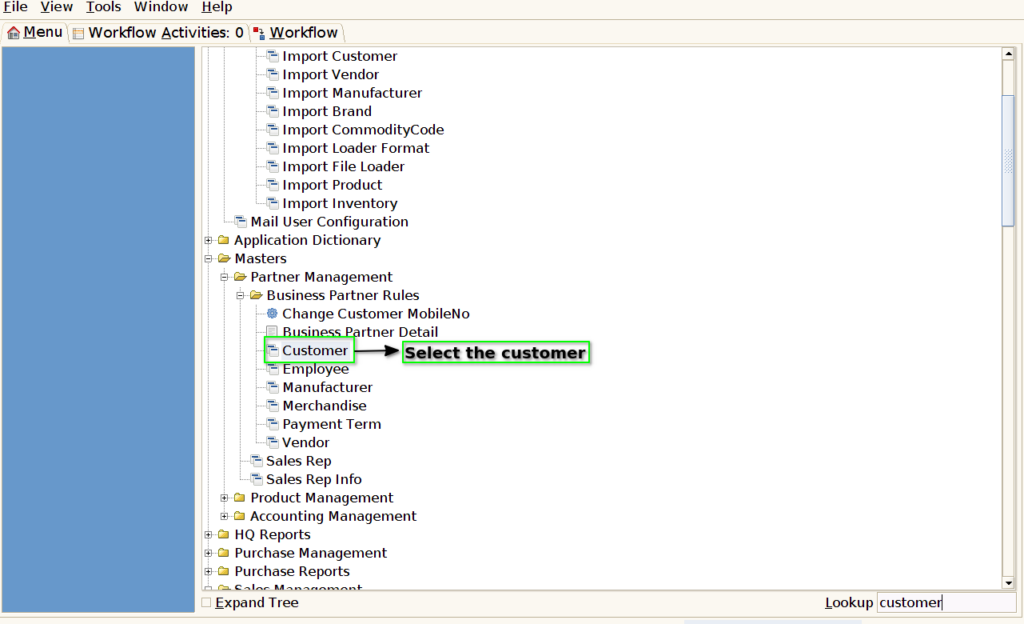
Step 1: Select ‘Customer’ in Menu-> Business Partner Rules -> Customer or Search Customer in Lookup
Step 2: Search the particular customer to view the invoice details

Step 3: Select the Invoice detail tab to view the invoice details

Step 4: User can able to view the all invoice details