How to do HSN Code API Setup in ADempiere Retail
HSN Code API Setup means configuring your system to automatically fetch or validate HSN codes using an API (Application Programming Interface). This helps ensure accurate tax classification for products as per government standards.
User Access
Who Can Access
- Admin
- Cashier
- Back office
- Manager
What User Can Do
- Configure API URL, credentials, and headers
- Enable auto-fetch or validation of HSN codes during product creation or update
- Test API connection and responses
- Sync product master with correct HSN and tax rate
Pre-Requisite Activities
- Obtain API details (URL, key/token) from the HSN provider
- Ensure internet access from the system
- Set up product categories and tax mappings
- Ensure HSN structure (code, description, tax%) is supported
Business Rules
- Only valid HSN codes will be accepted during sync or validation
- HSN API should use secure HTTPS and be authenticated
- If HSN code is missing, product cannot be saved (based on config)
- Product tax rate should match the rate returned by the API
- Users must not override HSN/tax unless authorized
User Interface
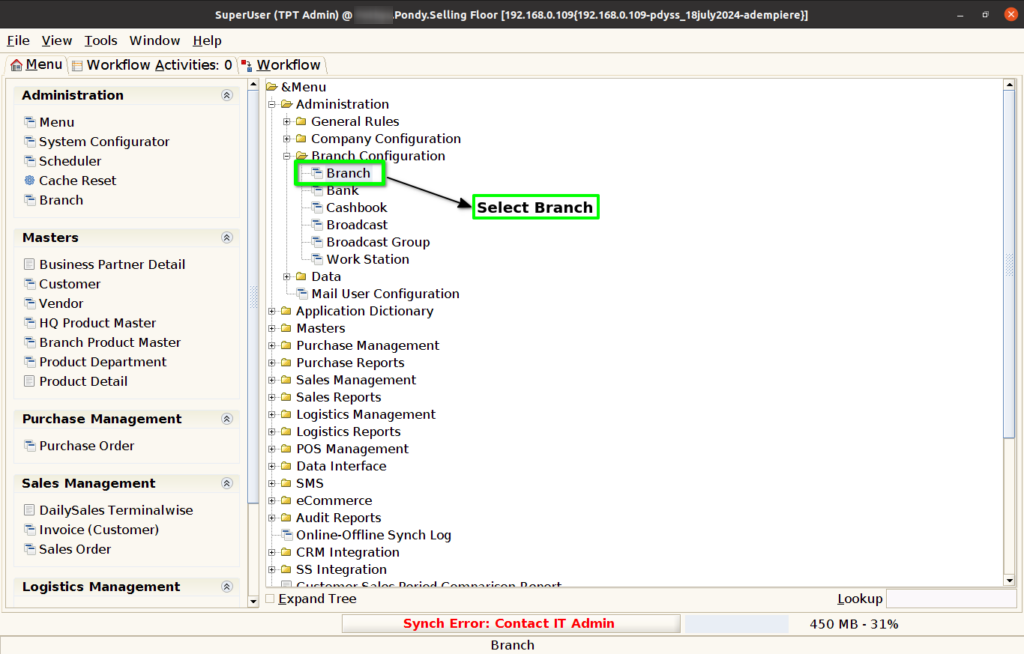
Step 1 : Select ‘Branch’ in Menu Branch Configuration -> Branch or Search Branch in Lookup.
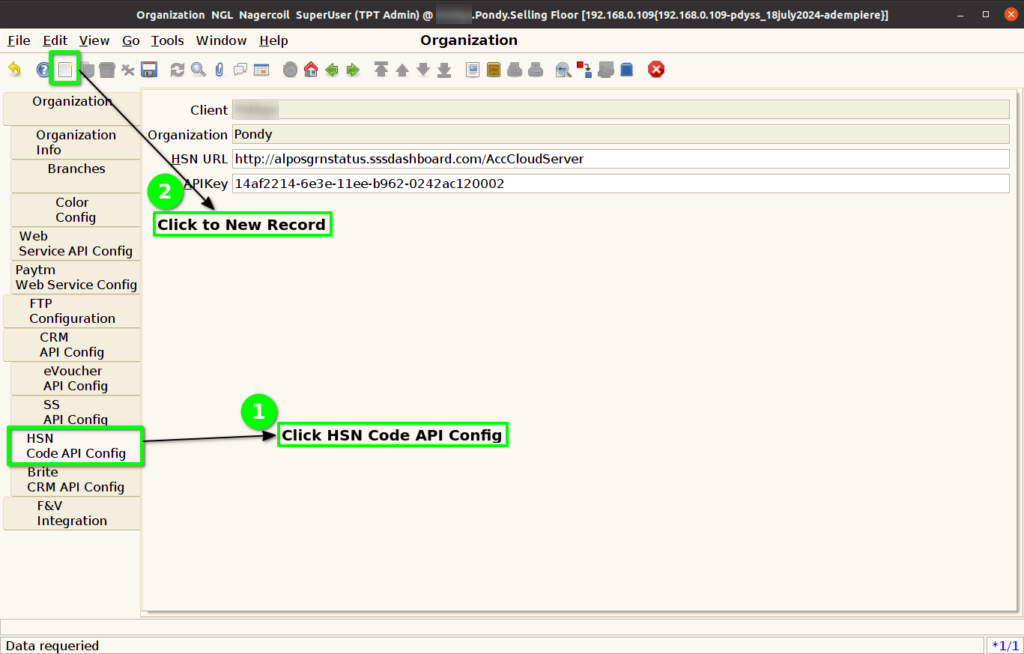
Step 2 : Select Organisation.

Step 3 : Click HSN Code API Config Tab and Click New Button.
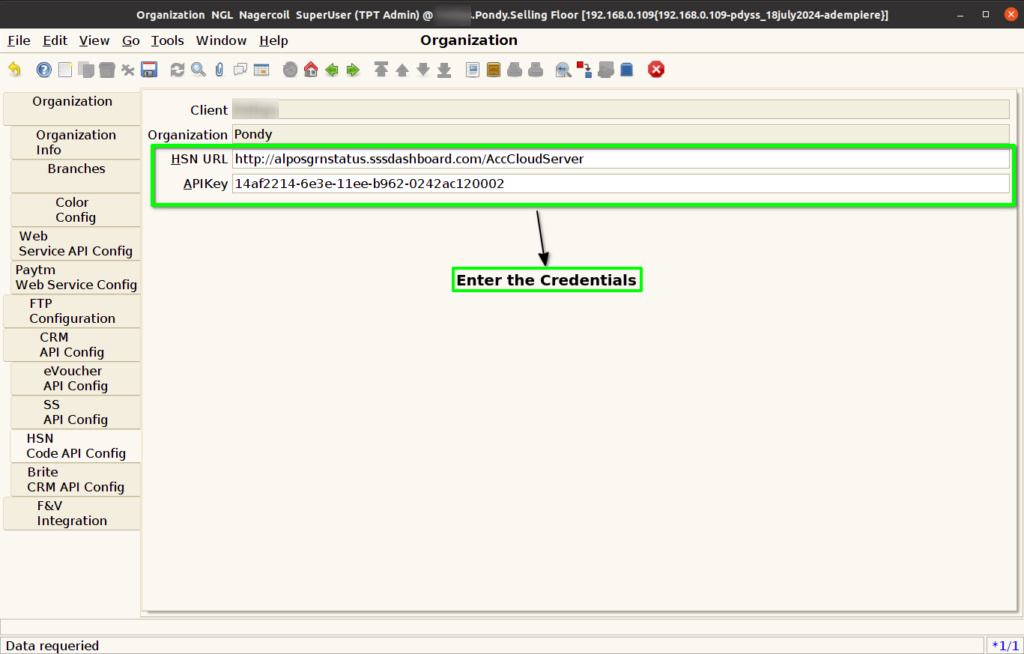
Step 4 : Enter Below Credentials for HSN Code API Config
- HSN URL
- APIKey
Step 5 : Click to Save the Record.
