How to create a Customer in Bill Only Terminal in ADempiere Retail
You can add a new customer directly while creating the bill, but you cannot select an existing customer from a list.
User Access
Who Can Access
- Admin
- Cashier
- Manager
- Back office
What User Can Do
- Create a New Customer While Billing
- Proceed Without Selecting Existing Customers
- Save the New Customer with the Bill
- Enter Minimal Required Details
- Print or Send Invoice to New Customer
Pre-Requisite Activities
- Billing Module Access
- Customer Creation Enabled in Billing
- Basic Customer Data Fields Configured
Business Rules
- New Customer Entry Only at Billing Time
- No Access to Existing Customer List
- Mandatory Customer Details
- Customer Record Auto-Saved with Bill
User Interface
Step 1: In Ls, Enable the Is Customer creation in Bill Only checkbox in the branch screen and save it

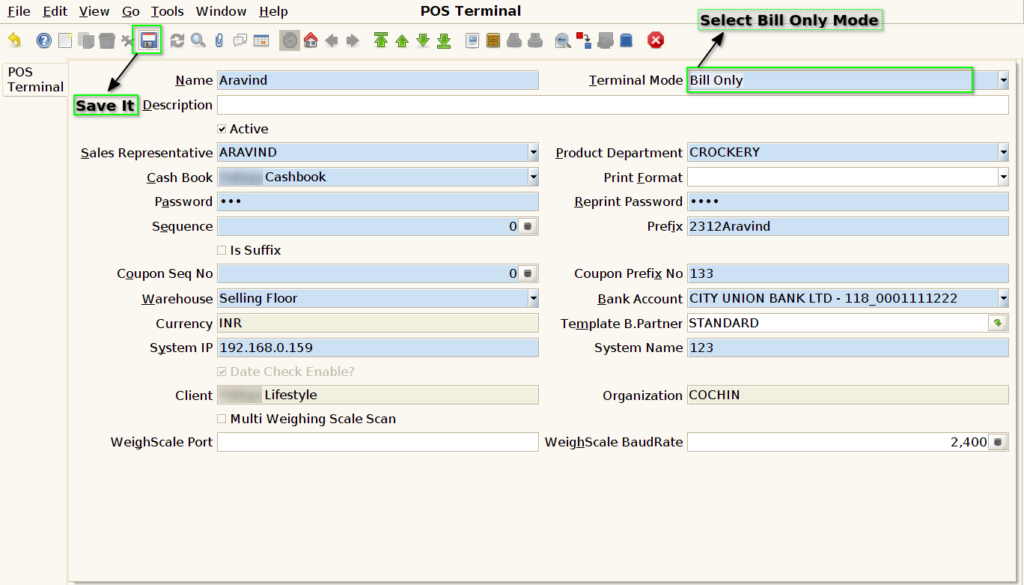
Step 2: Select terminal mode as the bill only mode in the pos terminal screen and save it
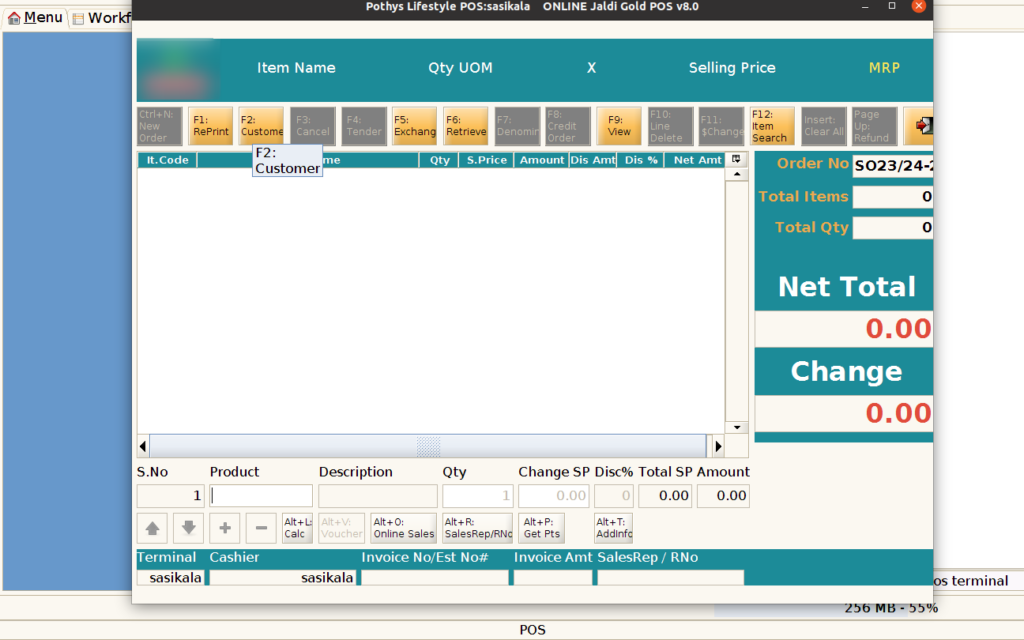
Step 3: In Bill Mode:- Press F2 Customer Button
Step 4: Disable the Is Customer creation in Bill Only checkbox in the branch screen and save it
Step 5: Customer can
