How to run Top Selling Products Synch-SS Process in ADempiere Retail
Top Selling Products Sync refers to the process of automatically identifying and syncing the highest-selling products from the system to other platforms (like POS, dashboard, or mobile app) for visibility, planning, or promotions.
User Access
Who Can Access
- Admin
- Cashier
- Back office
What User Can Do
- Sync product-wise sales data by quantity or value
- Configure sync frequency (daily, weekly, etc.)
- View or export top-selling items list
Pre-Requisite Activities
- Enable product-wise sales tracking in the system
- Set criteria for “Top Selling” (e.g., quantity sold, revenue)
- Integrate relevant sales modules (POS, B2B, eCommerce)
- Configure sync jobs or scheduler for data update
- Ensure network connectivity between systems
Business Rules
- Only completed/valid sales should be considered
- Data must be refreshed regularly for accuracy
- Product visibility should match stock availability
- Sync must avoid duplication and respect data privacy
User Interface
STEP 1: To Click the Top Selling Products Sync.

STEP 2: To enter the Top Count Value and to click the start check box.

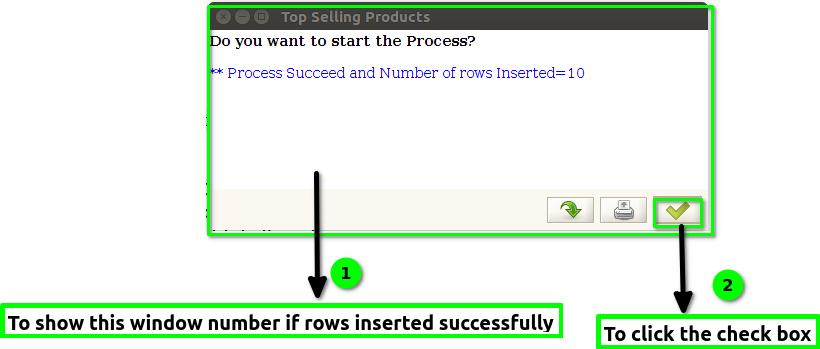
STEP 3: Once to click the start check box to run the process Number of rows Inserted Successfully.