How to view Sales Against Paymode Report in Adempiere Retail
A Sales Against Pay mode Report is a report that shows how much sales were made using different payment methods.
User Access
Who Can Access
- Admin
- Head cashier
- Sales Manager
- Manager
What User Can Do
- Analyze Payment Trends
- Identify Payment Issues
- Financial Reconciliation
- Support Decision Making
Prerequisite Activities
- Payment Mode Setup
- Transaction Recording
- System Integration
- User Training
- Data Validation
Business Rules
- Accurate Pay mode Selection
- Timely Data Entry
- Data Integrity
- Partial Payment Handling
User Interface
Step 1 : Select ‘Sales Against Pay mode Report’ in Menu -> Sales reports > Cashier report > Sales Against Pay mode Report or Search Sales Against Pay mode Report in Lookup.
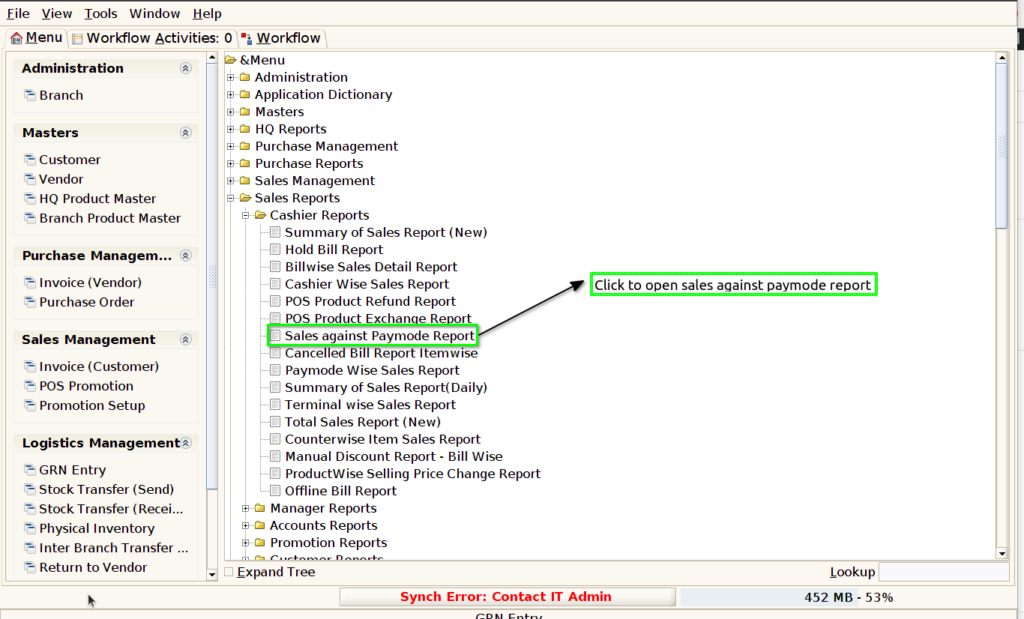
Step 2 : Select the date range and cashier to open the Sales Against Pay mode Report.

Step 3 : To view a preview of the Sales Against Pay mode Report.
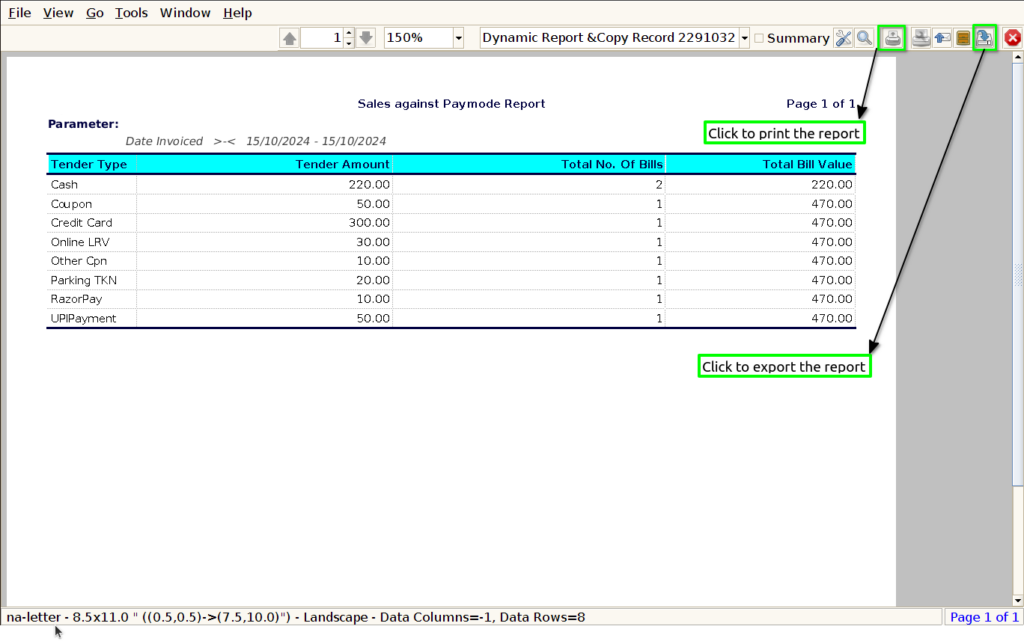
Tender Type : Including the tender type in a Sales Against Pay mode Report is essential for clearly identifying the specific payment methods used in transactions, such as cash, credit card, or digital wallet.
Tender Amount : Displaying the tender amount in a Sales Against Pay mode Report is crucial as it provides a detailed overview of the monetary value associated with each payment method.
Total No Of Bills : Displaying the total number of bills count in a Sales Against Pay mode Report is essential for assessing transaction volume and customer engagement.
Total Bill Value : Including the total bills value in a Sales Against Pay mode Report is crucial as it provides a comprehensive view of the revenue generated through various payment methods.