How to create Invoice (Customer) document in Adempiere Retail
An invoice (customer) is a document that a seller gives to a customer, listing the products or services provided, the amount to be paid, and the payment terms.
User Access
Who Can Access
- Back Office
- Cashier
- Manager
- Admin
What User Can Do
- Review the Invoice
- Request Clarification or Correction
- Make Payment
- Keep the Invoice for Records
- Use it for Returns or Exchanges
Pre-Requisite Activities
- Customer Information Must Be Available
- Product or Service Must Be Sold or Confirmed
- Pricing & Tax Rules Must Be Set
- Payment Terms Must Be Defined
Business Rules
- Invoice Creation Rules
- Customer Rules
- Pricing and Tax Rules
- Payment Terms Rules
- Approval and Authorisation
User Interface
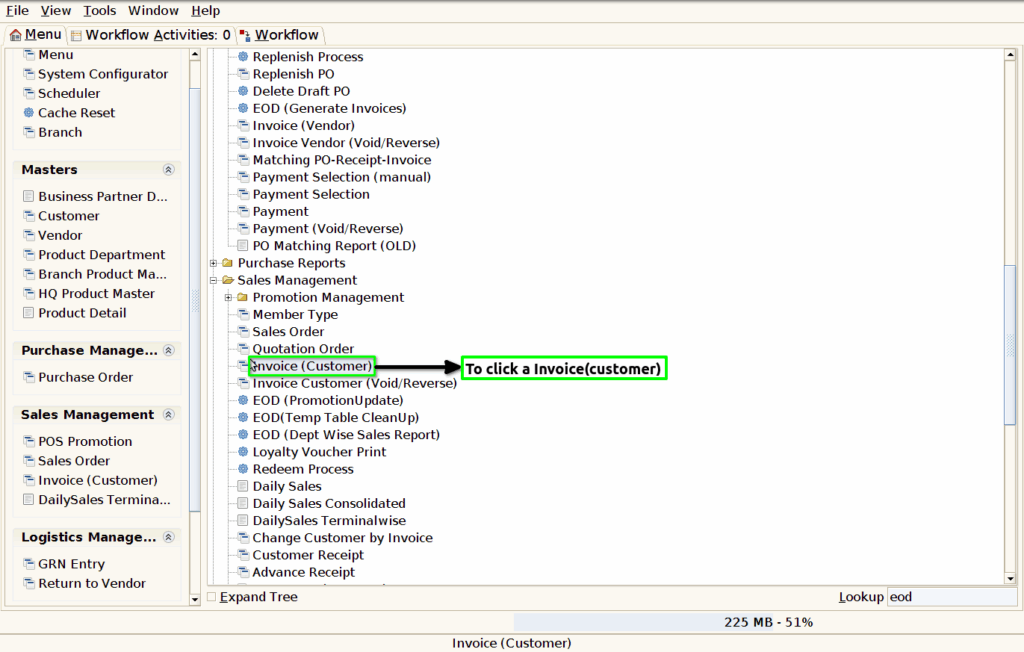
Step 1 : To Select a Branch in Menu.Then to click a Invoice(Customer).
Step 2 :To click a create new record option and to enter a details for Bill Time,Document no,Target Document Type,Business partner,user,price list,Reward points,Sales Representative,Currency,Location,Total lines and Document status.
Approval and Authorization
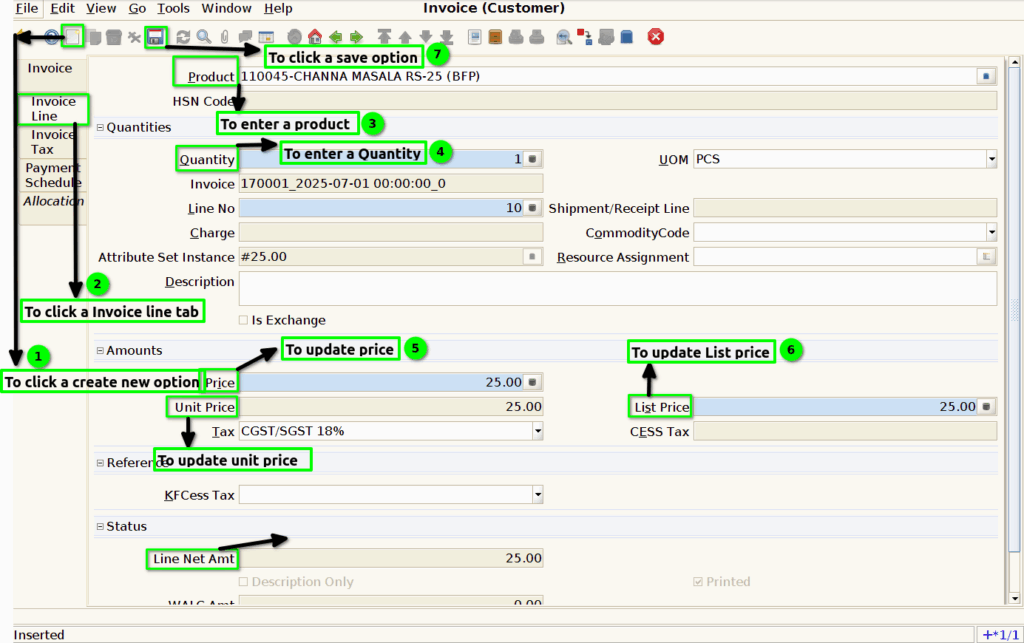
Step 3 :To click a Invoice line tab and to enter a Product ,HSN Code,Quantity,price,unit price,List price and line net amt.Finally to save the Invoice line.
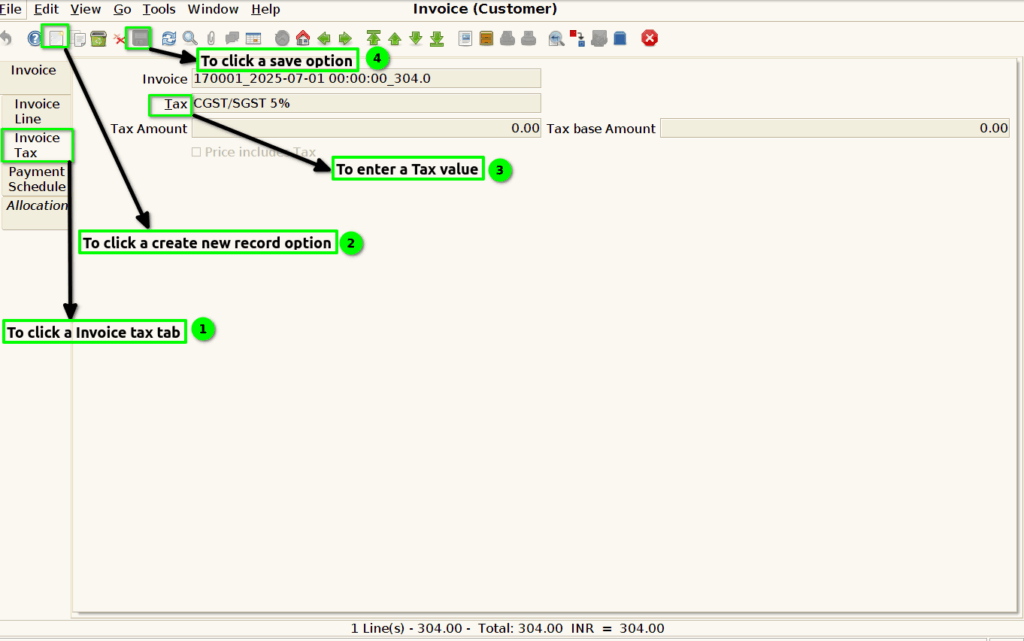
Step 4 :To click a Invoice Tax tab and to create a new record option,then to enter a Tax value and to save the line.
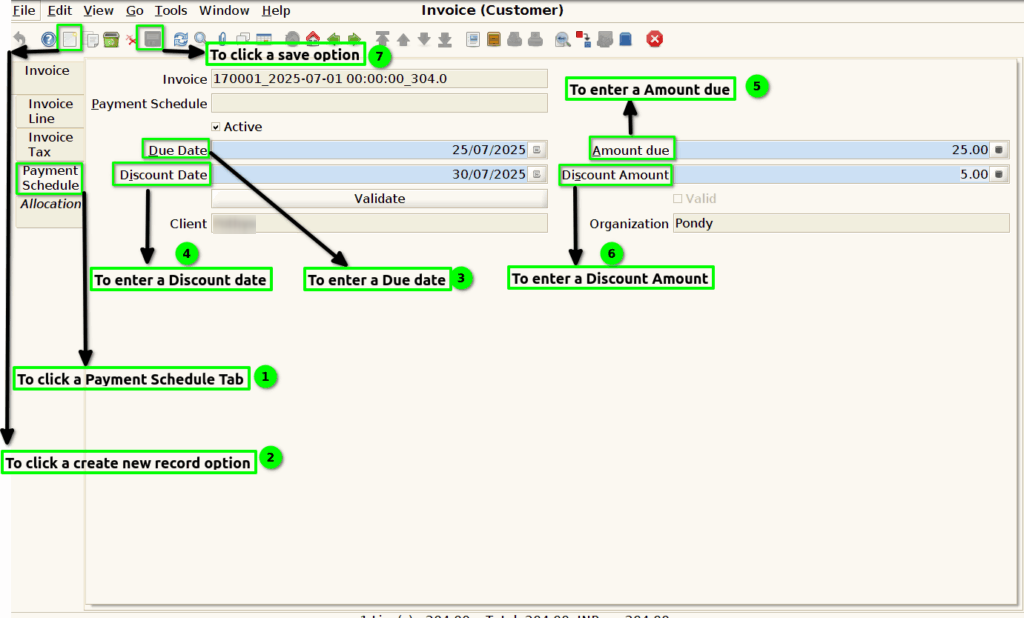
Step 5 :To click a Payment Schedule tab and to click the create new record option,then to enter the values for Due date,Discount Date,Due amount,Discount amt.Finally to save the record.