How to view Purchase Attribute Report in Adempiere Retail
A Purchase Attribute Report shows detailed information about the characteristics (attributes) of your purchases — such as product category, brand, supplier, location, payment terms, or quantity.
User Access
Who Can Access
- Admin
- Back Office
- Purchase Manager
- Manager
What User Can Do
- Analyse Spending Patterns
- Customise Reports for Departments
- Improve Inventory Planning
Pre-Requisite Activities
- Define Relevant Attributes
- Standardise Attribute Data
- Reporting Period and Filters
Business Rules
- Mandatory Attribute Fields
- Standardised Attribute Values
- Timely Data Entry
- Periodic Master Data Review
- Report Filtering
User Interface
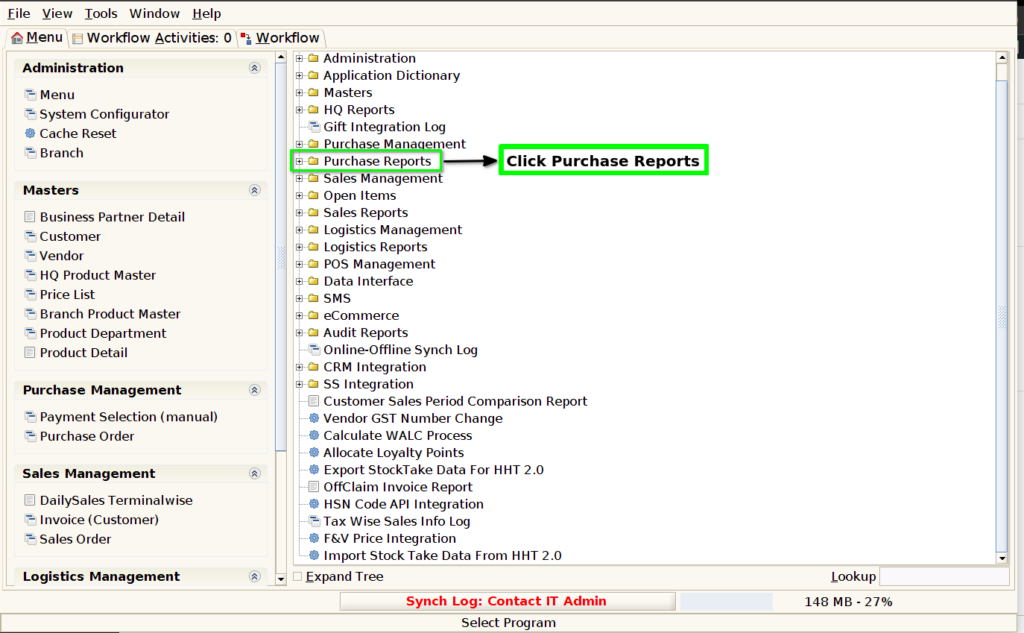
STEP 1: Click Purchase Reports Folder.
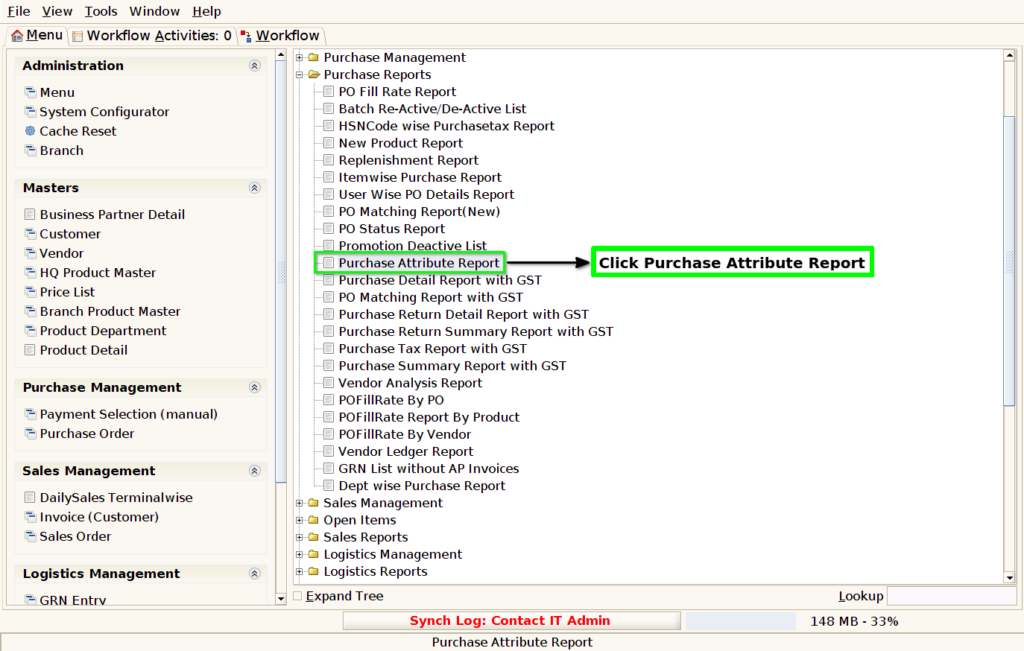
STEP 2: Click Purchase Attribute Report.
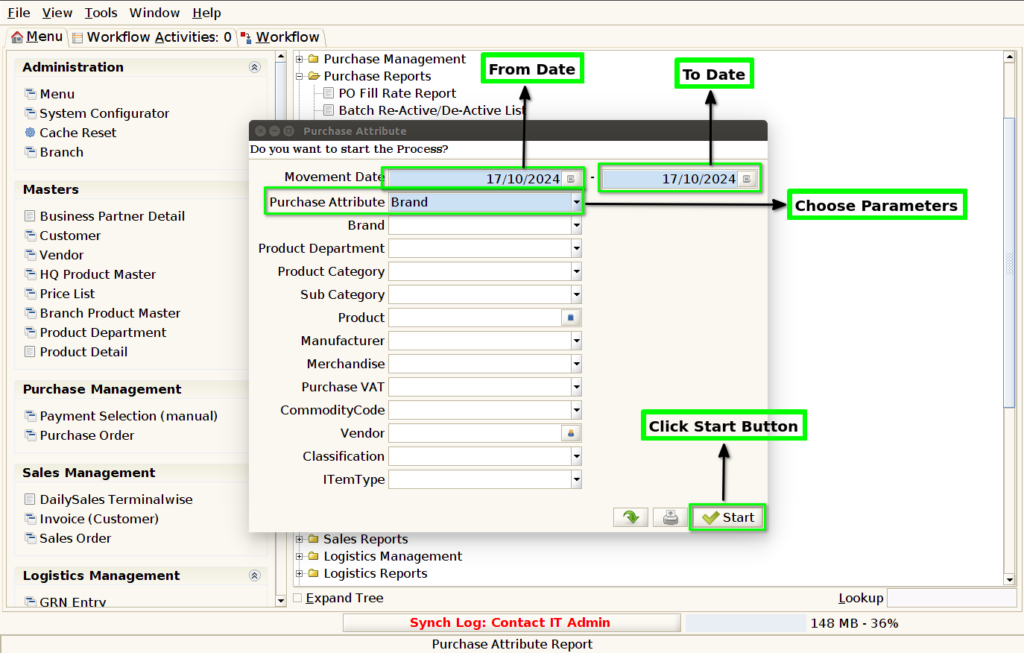
STEP 3: Choose Parameter From Date, To Date and Purchase Attribute Mandatory.
STEP 4: To show the report based on the given details.
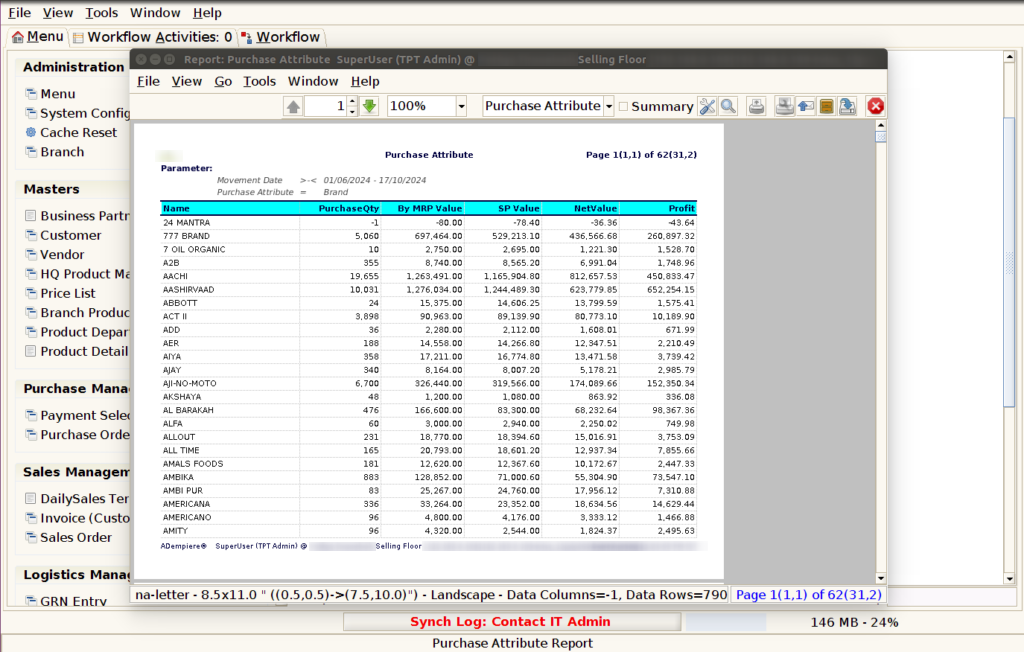
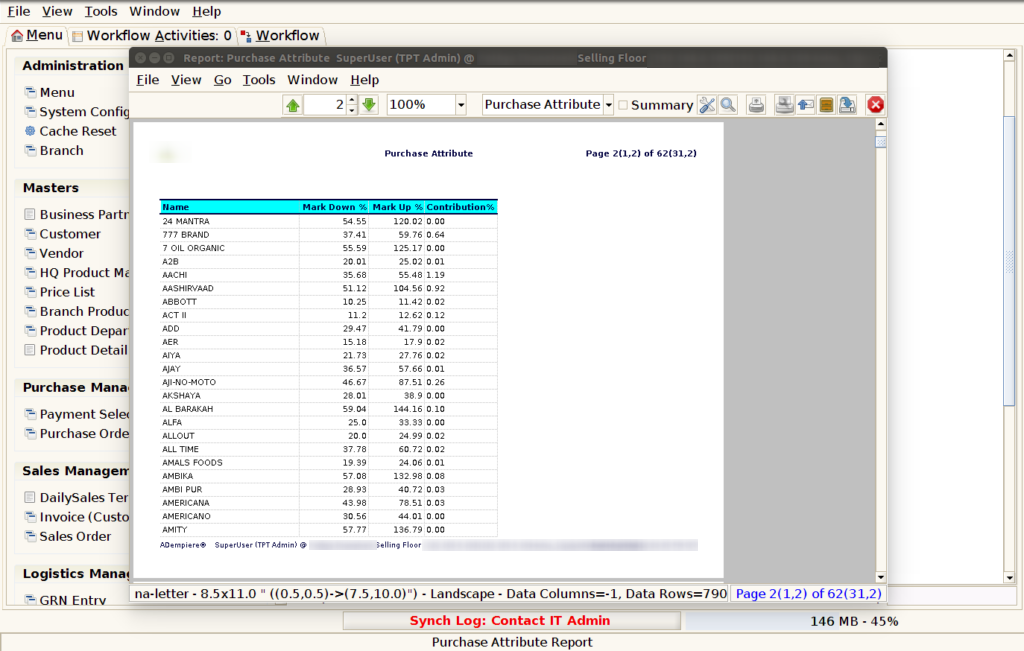
STEP 5: Name– usually refers to the specific name or identifier associated with a product, item, or service being purchased.
Purchase Qty – typically refers to the quantity of items purchased during a specified period or under specific conditions. It is an important metric for businesses to track and analyze procurement activities, providing insights into purchasing patterns, inventory management, and supplier performance.
MRP Value – typically refers to the Material Requirements Planning (MRP) value. MRP is a method used to plan and manage inventory, production, and procurement.
By selling price value – in purchase attribute value could refer to the comparison or relationship between these two prices in a business’s inventory or pricing strategy. For example, it might indicate how the selling price is determined based on the purchase price and any associated markup.
Net Value – typically refers to the total value of a purchase after accounting for any adjustments, such as discounts, returns, taxes, and other factors that may affect the final cost of the transaction.
Profit – typically refers to the difference between the revenue generated from the sale of purchased goods and the cost incurred to acquire those goods.
Markdown% – refers to the percentage reduction in the original selling price of products that are being sold at a discount or markdown. It essentially measures how much the price has been lowered from the original price to the current sale price.
Markup %-(often referred to as markup %) is a measure used to calculate how much more a product is sold for compared to its cost price.
Contribution % – typically refers to the contribution margin percentage, which is a key financial metric used to assess the profitability of a product, business, or project.