How to create Customer Receipt document in Adempiere Retail
A Customer Receipt is a document given to a customer as proof of a completed purchase. It shows details of the items bought, prices, taxes, total amount paid, and the payment method.
User Access
Who Can Access
- Back Office
- Cashier
- Manager
- Admin
What User Can Do
- Review the Receipt
- Keep the Receipt
- Request a Receipt
- Use Receipt for Returns/Exchanges
- Verify Payment Method
Pre-Requisite Activities
- Complete the Sale Transaction
- Confirm Payment
- Customer Information (if applicable)
- User Authorization
Business Rules
- Receipt Generation
- Receipt Content
- Delivery Method
- Customer Privacy
- Cancellation and Returns
- User Authorization
User Interface
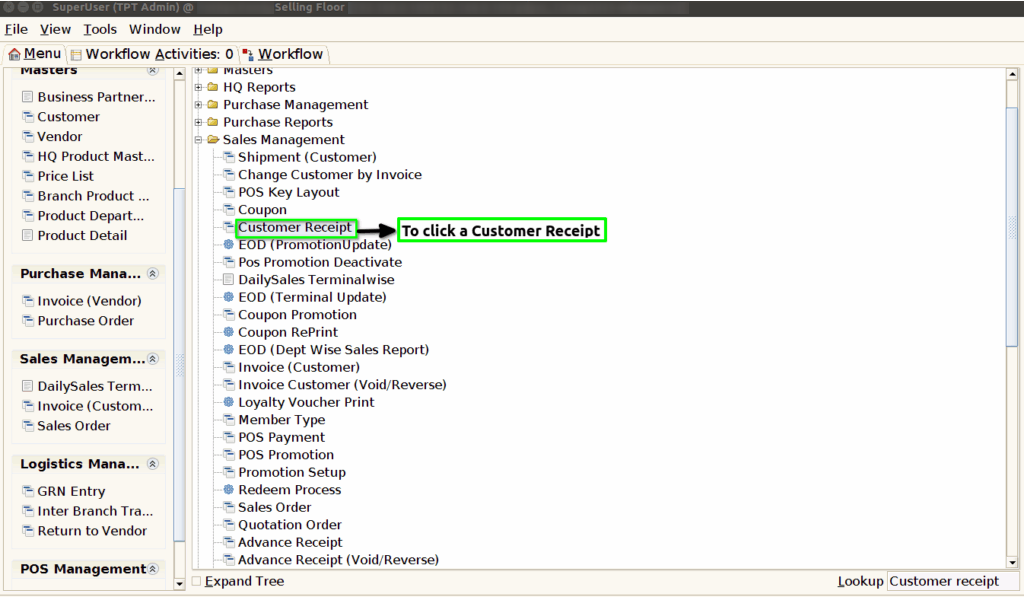
Step 1 : To Select a Branch in Menu.Then to click a Customer receipt.
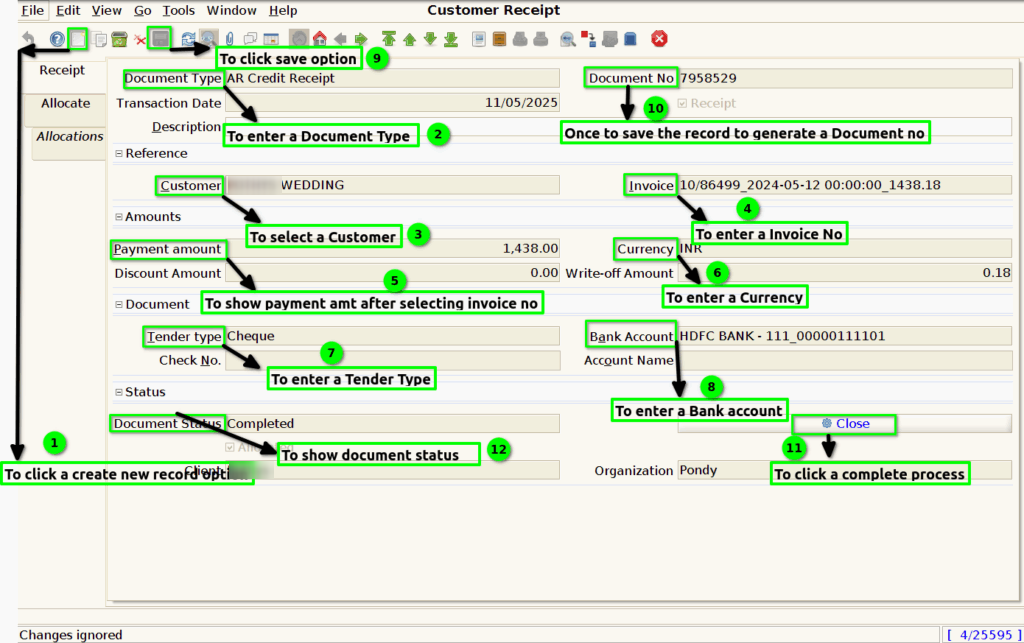
Step 2 : To click a create new record option and to enter the values for Document type,Customer,Payment amount,Invoice,Tender type,Currency,Bank account and then to save the record to default generated Document no.Then to click a complete process once the process will complete the document status will show completed.
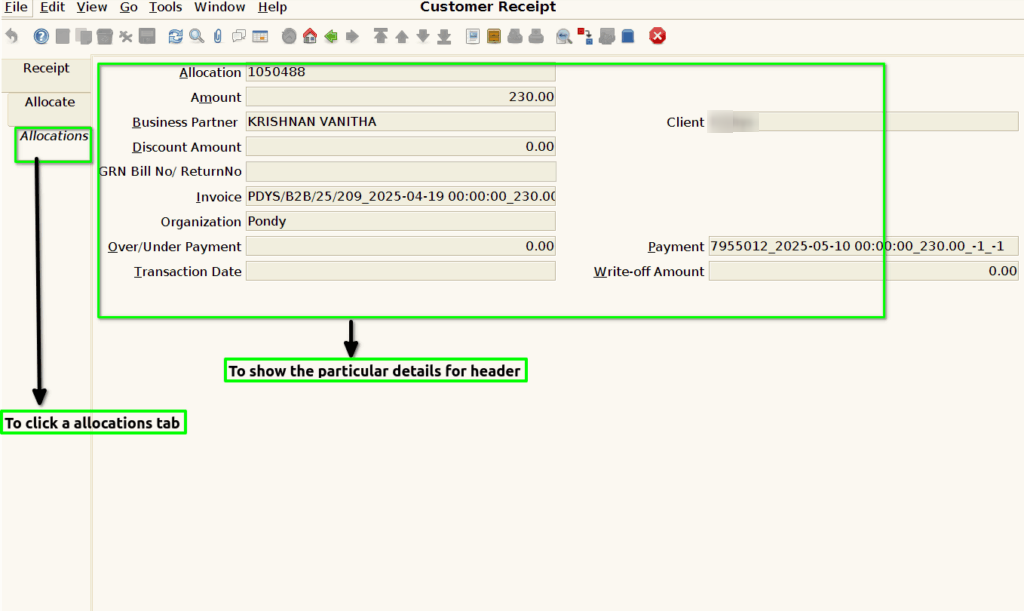
Step 3 : To click a Allocations tab and to show the details for based on header(Receipt tab).