How to view Transaction Detail Report in Adempiere Retail
A Transaction Detail Report is a report that lists all individual sales or financial transactions with full details.
User Access
Who Can Access
- Admin
- Head cashier
- Sales Manager
- Manager
What User Can Do
- Review Individual Transactions
- Analyze Sales or Financial Patterns
- Reconcile Accounts
Prerequisite Activities
- Accurate Transaction Recording
- Payment Mode Setup
- User Roles and Access
- Data Validation and Integrity
- System Integration
Business Rules
- Complete Transaction Data
- Unique Transaction IDs
- Real-Time or Timely Data Entry
- Exclude Cancelled or Voided Transactions
- Reporting Period
User Interface
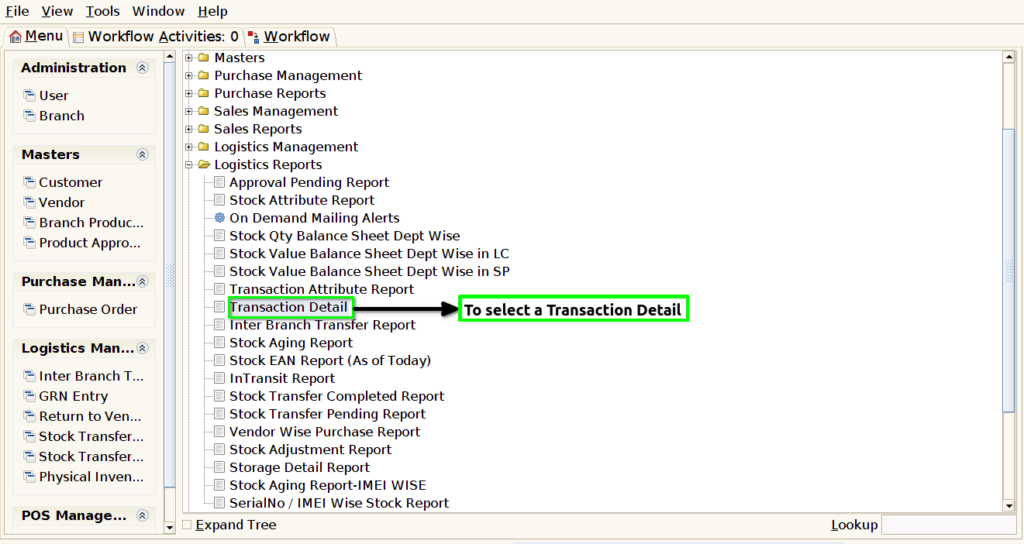
STEP 1: To select a Transaction Detail Report.
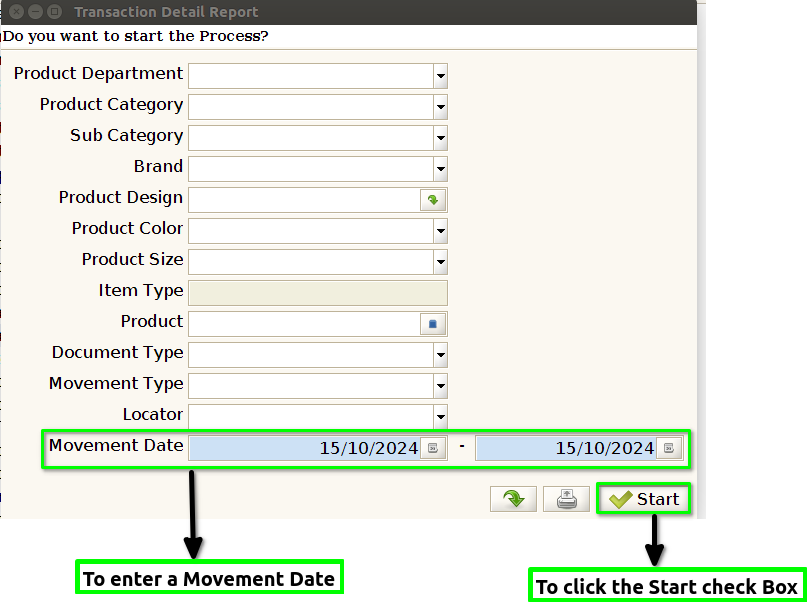
STEP 2: To enter a Movement Date.Movement date field is mandatory.If we choose any parameter to put the value based on our requirements to run the process.
STEP 3: Once to complete the process to show the report based on given parameter.
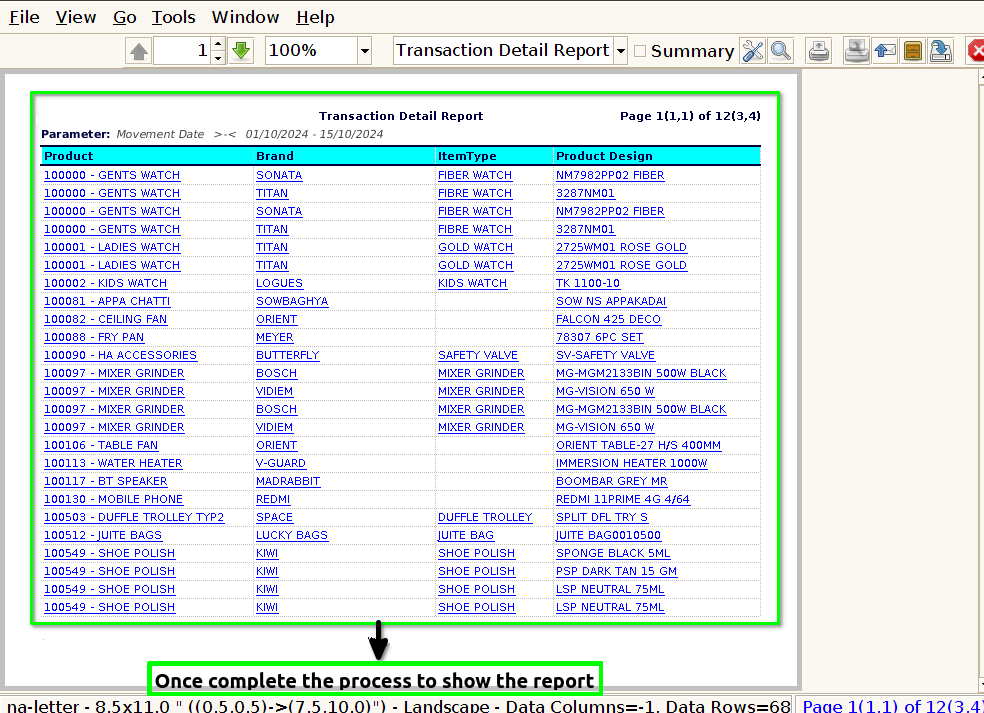
STEP 4: Products include Brand,Item type,Product design,Color,Size,Qty,MRP,Landed cost,Basic cost,Movement Type,Doc type,Total Value & Locator to use these fields in this report.