How to view Inventory Movement in Adempiere Retail
Inventory Movement means,Any action that changes the location, quantity, or status of stock in the system.
User Access
Who Can Access
- Back Office
- Cashier
- Purchase Manager
- Manager
- Admin
What User Can Do
- Transfer Stock
- Receive Stock
- Issue or Dispatch Stock
- Adjust Stock Levels
- Change Stock Status
Pre-Requisite Activities
- Verify User Authorization
- Check Current Inventory Levels
- Identify the Type of Movement
- Confirm Source and Destination Details
- Communicate with Involved Teams
Business Rules
- Authorized Access Only
- Valid Source and Destination
- No Negative Stock Allowed
User Interface
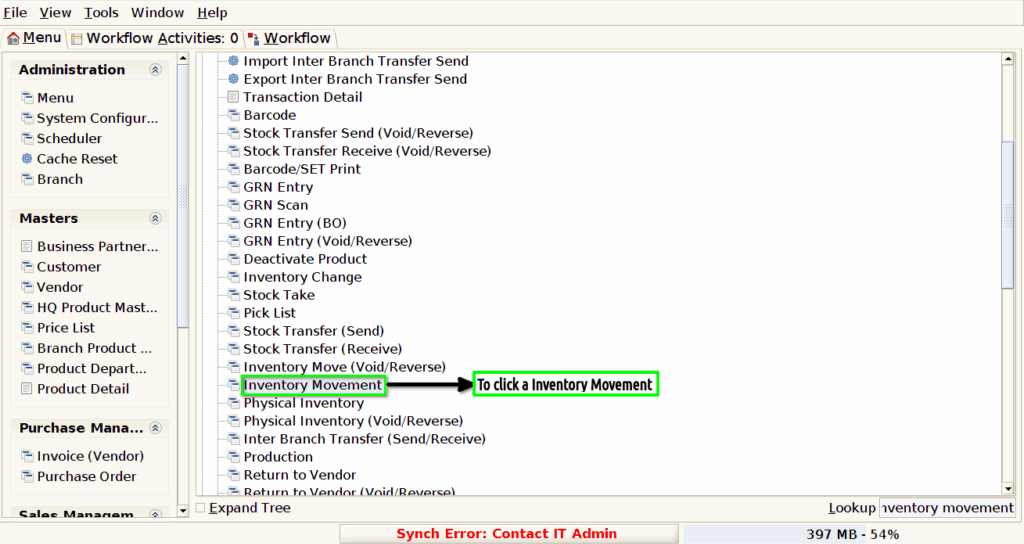
Step 1 : To Select a Branch in Menu.Then to click Inventory Movement.
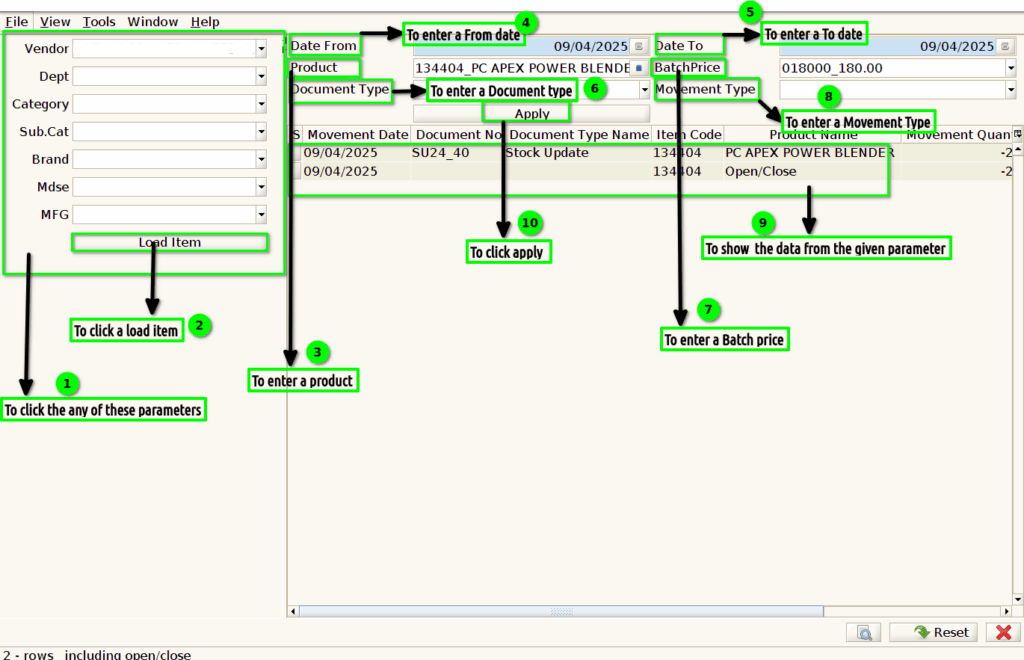
Step 2 :To click any of these parameters in the form and then to click a load item.Once to run the process to show the data.To enter the given data’s and to click apply button.