How to run Calculate WALC Process-SS in Adempiere Retail
WALC (Weighted Average Landed Cost) is the average cost of a product considering all expenses (like purchase price, shipping, taxes, and additional charges). The Calculate WALC Process computes this cost across multiple purchases to get a unified average cost for accurate pricing and valuation.
User Access
Who Can Access
- Admin
- Back office
- Cashier
What User Can Do
- Select a Calculate WALC Process.
Pre-Requisite Activities
- Product must have purchase history
- All charges and costs should be properly recorded against purchase entries
- System configuration for:
- WALC formula
- Applicable charge types
Business Rules
- WALC must include only posted and confirmed purchase transactions
- Each cost component (e.g., freight, tax) must be linked to the product
- System should ignore returns or cancelled purchases
- WALC should recalculate only when new purchases occur
- Previous WALC values must be stored for audit and comparison
- WALC cannot be manually overridden unless permitted by admin
User Interface
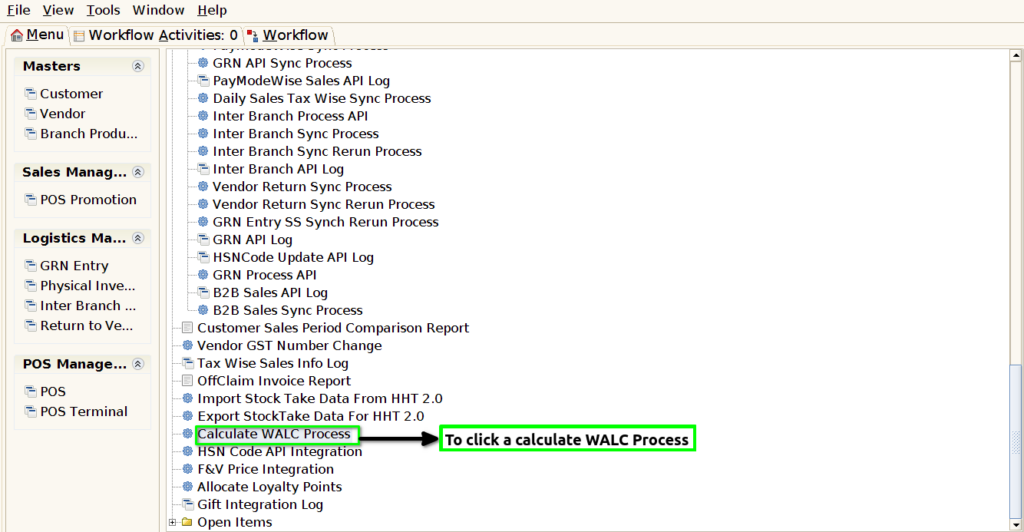
STEP 1: To select the Calculate WALC Process.
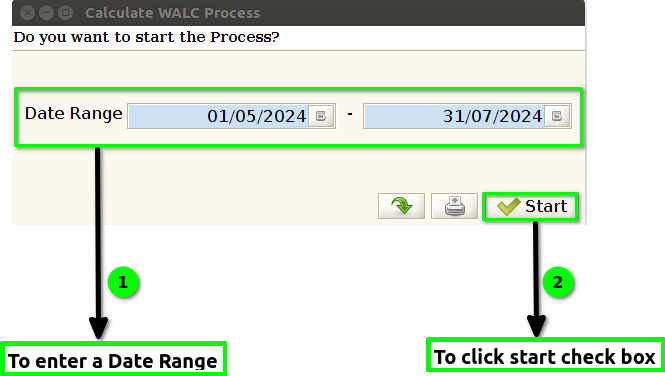
STEP 2: To enter a Date Range & to click the Start check box.
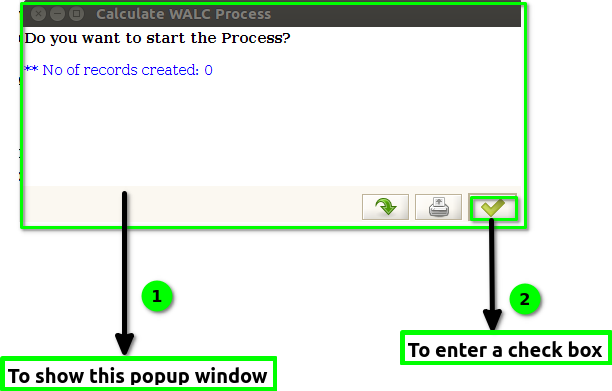
STEP 3: Once to run the process and to this popup window Number Of Records Created count will show.And finally to click the check box.