How to export Inter Branch Transfer Receive document as CSV file for reference no synch to Source Branch in Adempiere Retail
Export Inter Branch Transfer Receive means officially receiving and recording export-related stock that has been sent from another branch, to update the receiving branch’s inventory records accurately.
User Access
Who Can Access
- IT Admin
- Cashier
- Back office
- Manager
What User Can Do
- Verify the incoming shipment
- Check item details
- Update inventory records
Pre-Requisite Activities
- Verify Transfer Documents
- Prepare Receiving Area
- Communicate with Export Team
Business Rules
- Receive Only Approved Transfers
- Verify Before Receiving
- Update Inventory Immediately
- Communication with Sending Branch
User Interface
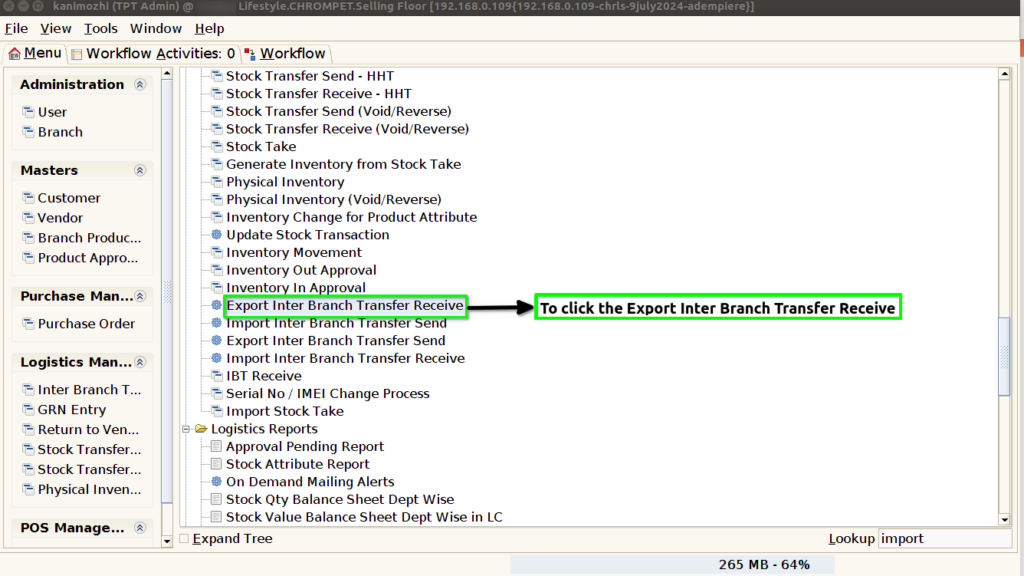
STEP 1: To select the Export Inter Branch Receive.
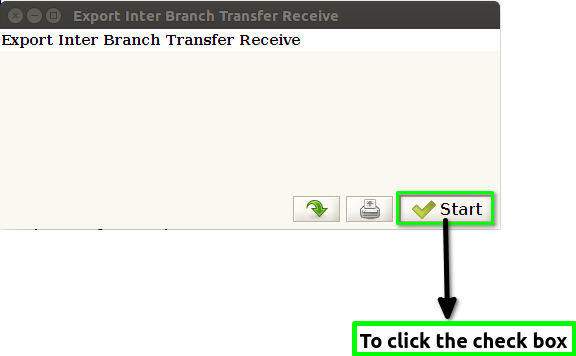
STEP 2: To click the check box and to run the process.
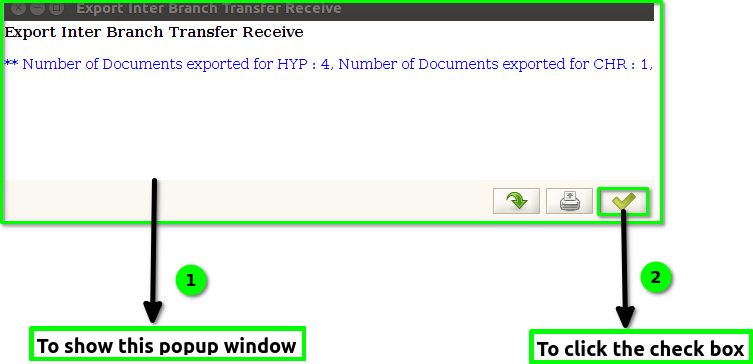
STEP 3: Once to run the process and to show the popup window Number of documents exported location & count will show and finally to click the check box.