How to view Stock Transfer Pending Report in Adempiere Retail
A Stock Transfer Pending Report shows all stock transfers that have been requested but not yet completed or received between locations (e.g., from one warehouse to another or store).
User Access
Who Can Access
- Admin
- Head cashier
- Sales Manager
- Manager
What User Can Do
- Track Pending Transfers
- Verify Transfer Requests
- Update Status
Pre-Requisite Activities
- Enable Stock Transfer Module
- Create and Approve Transfer Requests
- Assign User Roles & Permissions
Business Rules
- Include Only Incomplete Transfers
- Status Updates Are Mandatory
- Item and Quantity Must Be Defined
- User Access Control
User Interface
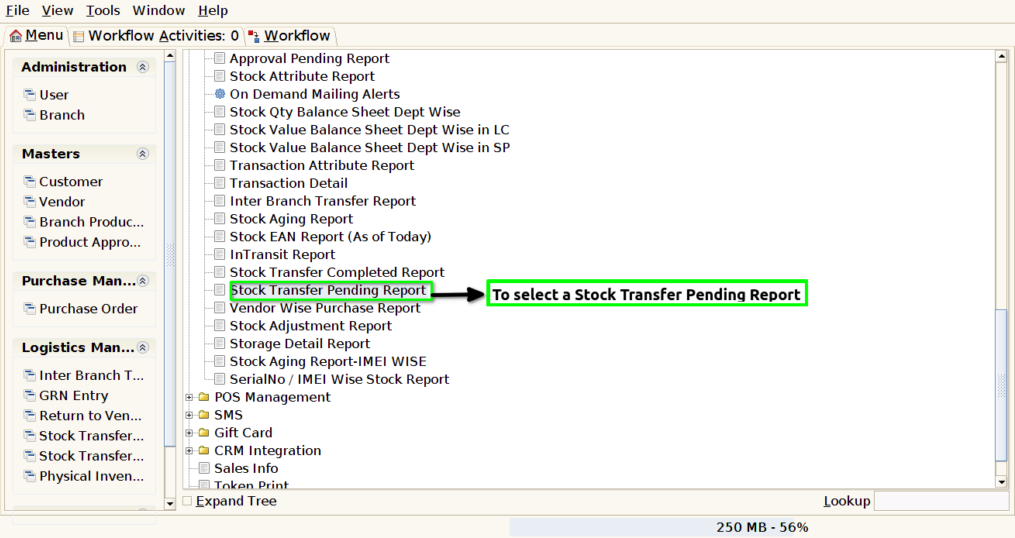
STEP 1: To select a Stock Transfer Pending Report.
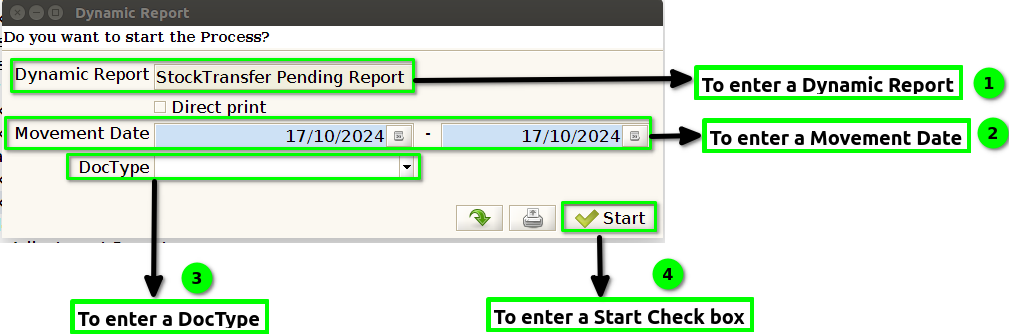
STEP 2: To enter a Dynamic Report default update.To enter a Movement Date and then to enter a doc type. Finally to click the start check box. To run the process.Movement date field is Mandatory.
STEP 3: Once to complete the process to show the report based on given parameter.
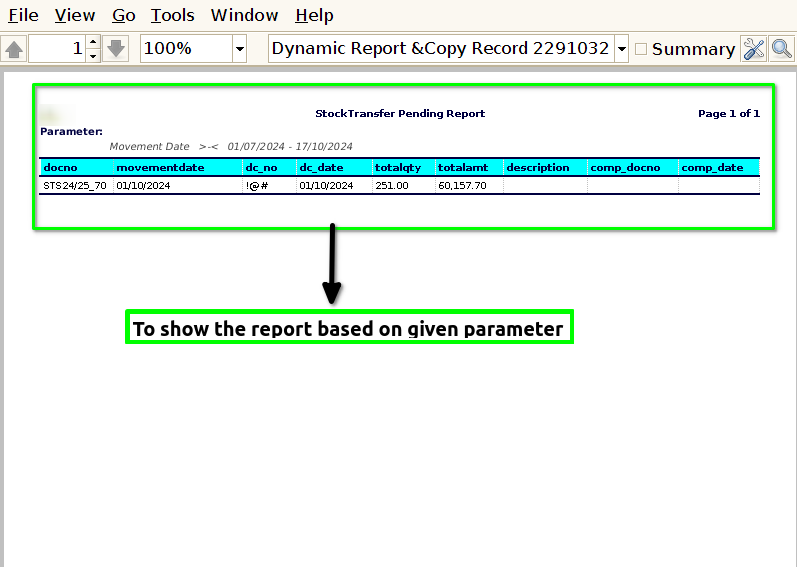
STEP 4: Doc no: Doc No stands for Document Number. It is a unique identifier assigned to a specific document within a system or organization, used to facilitate tracking, retrieval, and management of documents.
Movement date: Movement date refers to the specific date on which an item or inventory is transferred, shipped, or otherwise moved from one location to another within a supply chain or inventory management system.
Dc no & Dc date: DC No stands for Delivery Challan Number, which is a unique identifier assigned to a delivery challan.DC Date refers to the date on which the delivery challan is issued.
Total qty & Total amt: Total Quantity (Total Qty) refers to the overall number of units of a specific item available or involved in a transaction.Total Amount (Total Amt) refers to the total monetary value associated with a specific quantity of items.
Description: A description is a detailed explanation or account of a product, service, or item that provides information about its features, characteristics, and benefits.
Comp doc no & comp date: Comp Doc No refers to the Completion Document Number, which is a unique identifier assigned to a document that signifies the completion of a specific task, transaction, or project.Comp Date refers to the Completion Date, which is the date on which the task, project, or transaction was officially completed.