How to view Sales Penetration Report in Adempiere Retail
The percentage of your target market or customers who have actually bought your products during a specific period.
User Access
Who Can Access
- Admin
- Head cashier
- Sales Manager
- Manager
What User Can Do
- Measure Market Reach
- Plan Marketing & Sales Strategies
- Track Sales Performance Over Time
- Evaluate Product Acceptance
Prerequisite Activities
- Collect Accurate Sales Data
- Maintain Customer Database
- Classify Customers and Markets
- Reporting Period
- Validate Data Accuracy
Business Rules
- Clear Target Market or Customer Base
- Count Only Unique Customers Who Made Purchases
- Accurate Customer Identification
- Segment Data as per Business Needs
User Interface
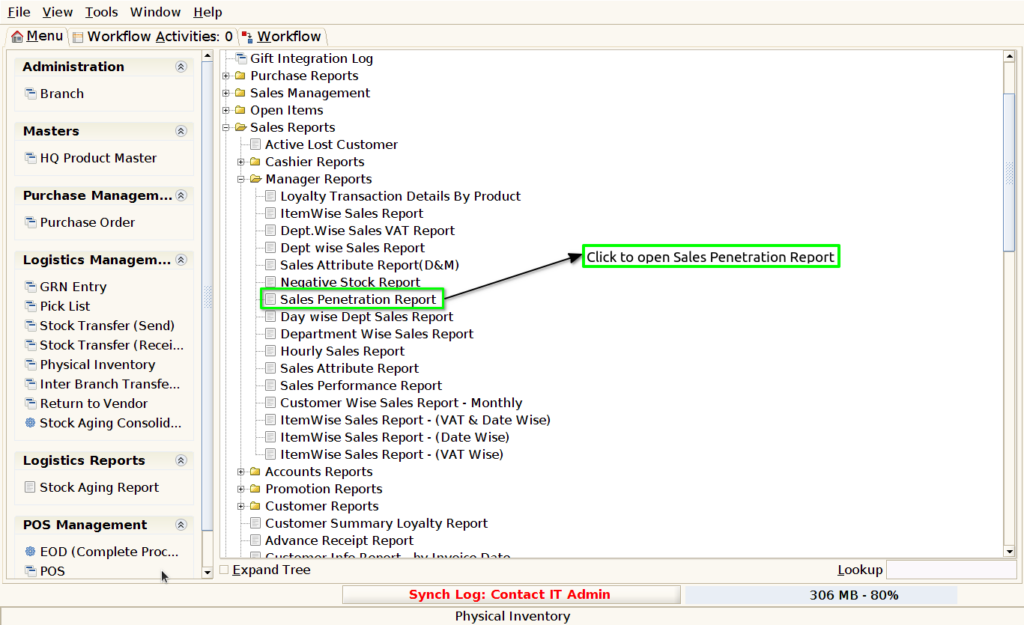
Step 1 : Select ‘Sales Penetration Report’ in Menu -> Sales reports > Manager report > Sales Penetration Report or Search Sales Penetration Report .
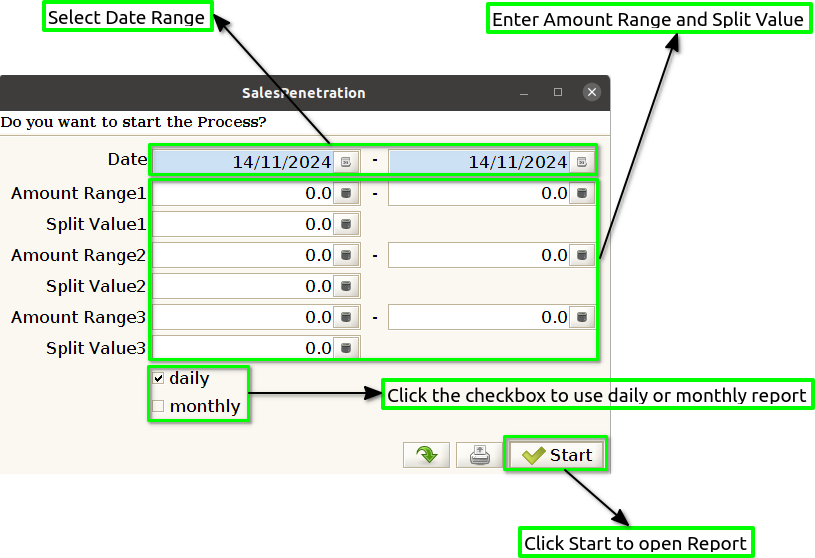
Step 2 : Select the date range ,amount ranges and split value to open the Sales Penetration Report.
Step 3 : To view a preview of the Sales Penetration Report.
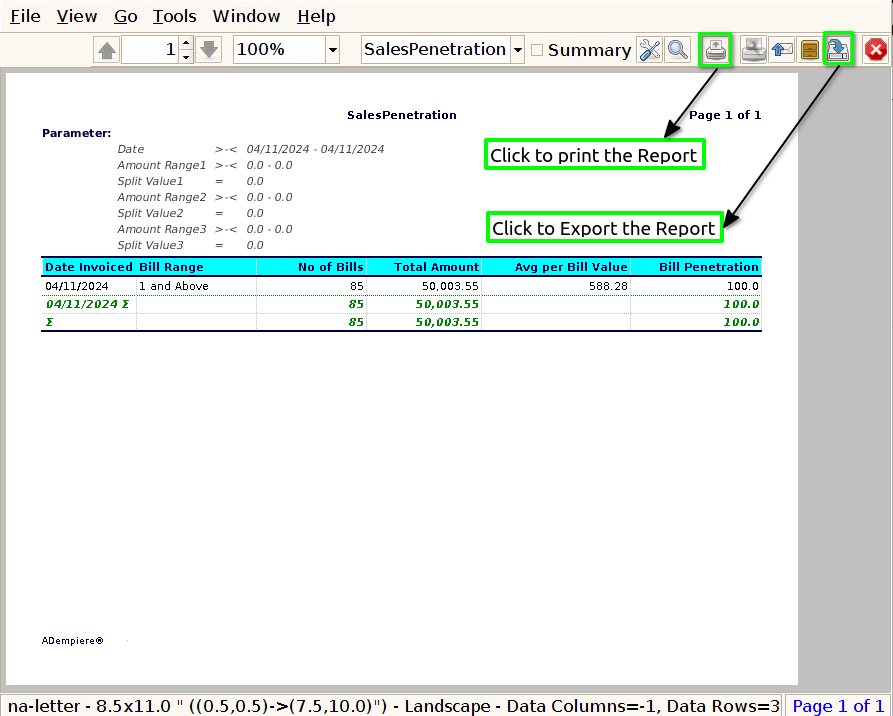
Date Invoiced : To display the date in a Sales Penetration Report, it is important to include clear and consistent time references throughout the report to track performance over specific periods.
Bill Range : To show a bill range in a Sales Penetration Report, you would typically include the range of transaction values (bills) that have contributed to the sales during the reporting period. This can be useful for understanding whether the company is achieving sales penetration through high-value transactions, low-value transactions, or a mix of both.
No of Bills : To show the number of bills in a Sales Penetration Report, you would include data on how many individual sales transactions (or bills) have occurred during the reporting period.
Total Amount : To show the total amount in a Sales Penetration Report, you will typically display the total sales revenue generated during the reporting period.
Bill Penetration : To show Bill Penetration in a Sales Penetration Report, you would calculate how many sales transactions (or “bills”) have been completed relative to the total number of potential sales or target market for a given period.