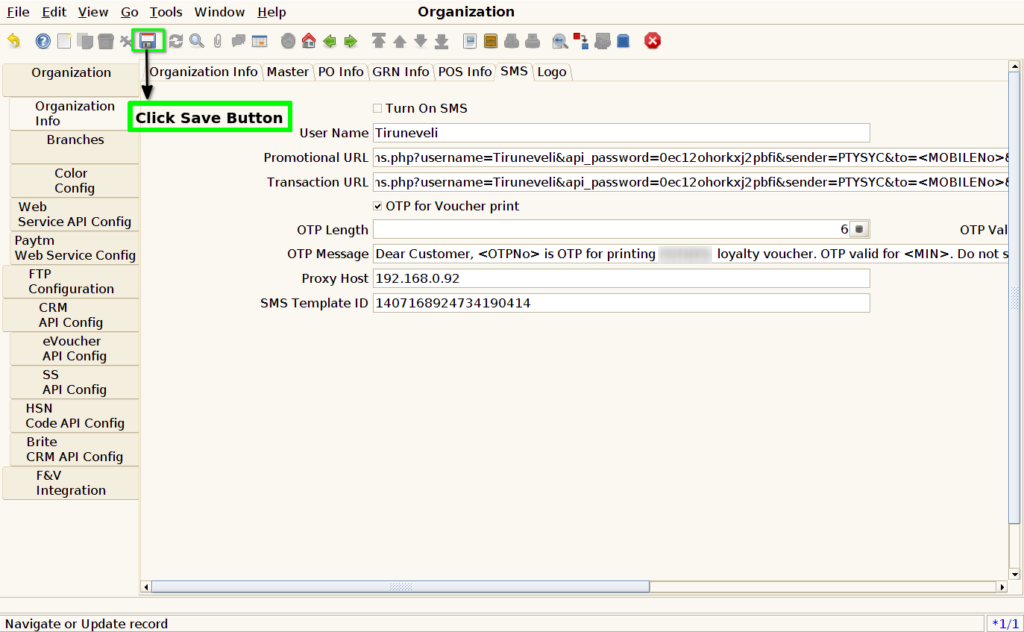
How to configure OTP validity minutes for Loyalty Points Redemption in Adempiere Retail
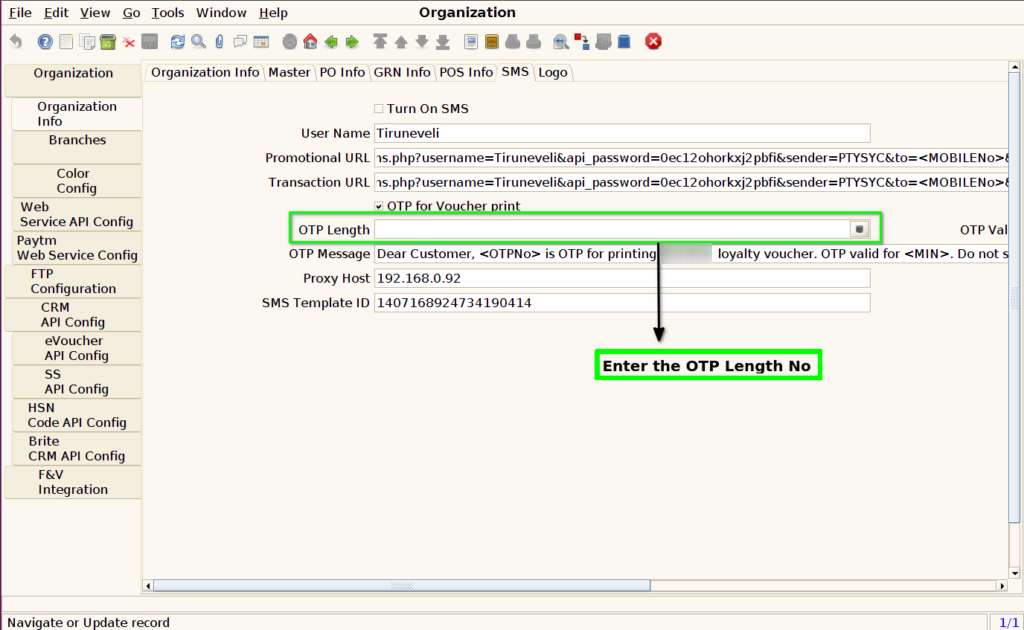
This refers to setting the number of digits in the OTP (One-Time Password) that is sent to the customer when they try to redeem points or discounts. The length can typically be set to 4, 6, or more digits for better security.
User Access
Who Can Access
- Admin
- Cashier
- Manager
- Back Office
What User Can Do
- Set OTP Validity Length.
Pre-Requisite Activities
- OTP service (SMS gateway) must be integrated
- Customer must have a valid mobile number
- Points redemption or discount functionality must be enabled
- Admin must have access to OTP settings/configuration
Business Rules
- OTP must be randomly generated with the defined length
- Minimum length recommended: 4 digits; preferred: 6 digits for better security
- OTP should be numeric unless alphanumeric is explicitly configured
- The input field must validate the length before submission
- OTP must expire within a short time (e.g., 3–5 minutes)
User Interface
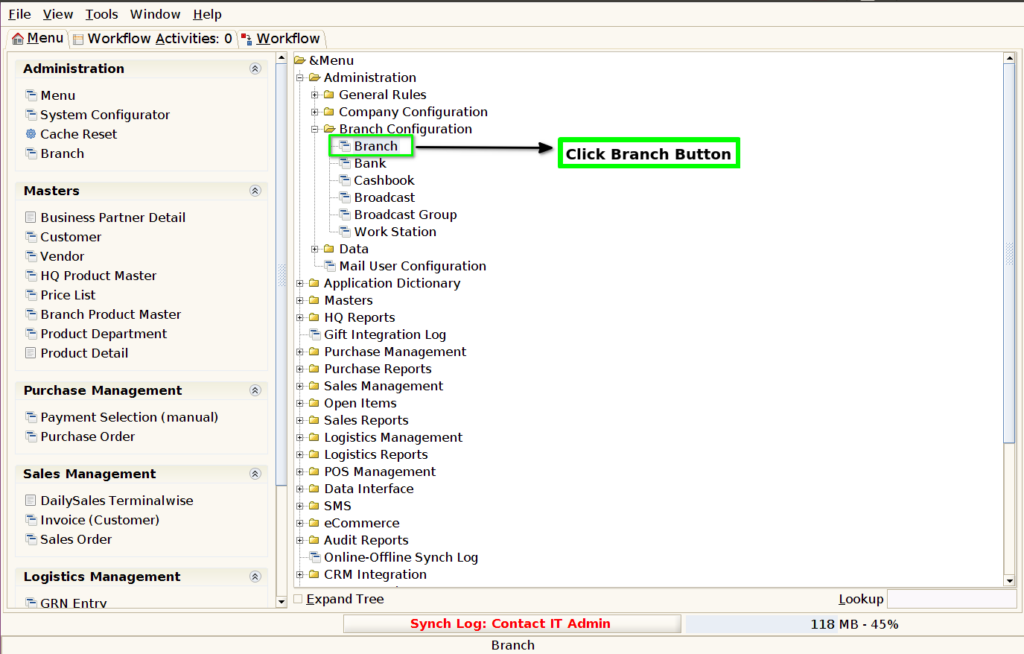
STEP 1: Click Branch Screen Button.
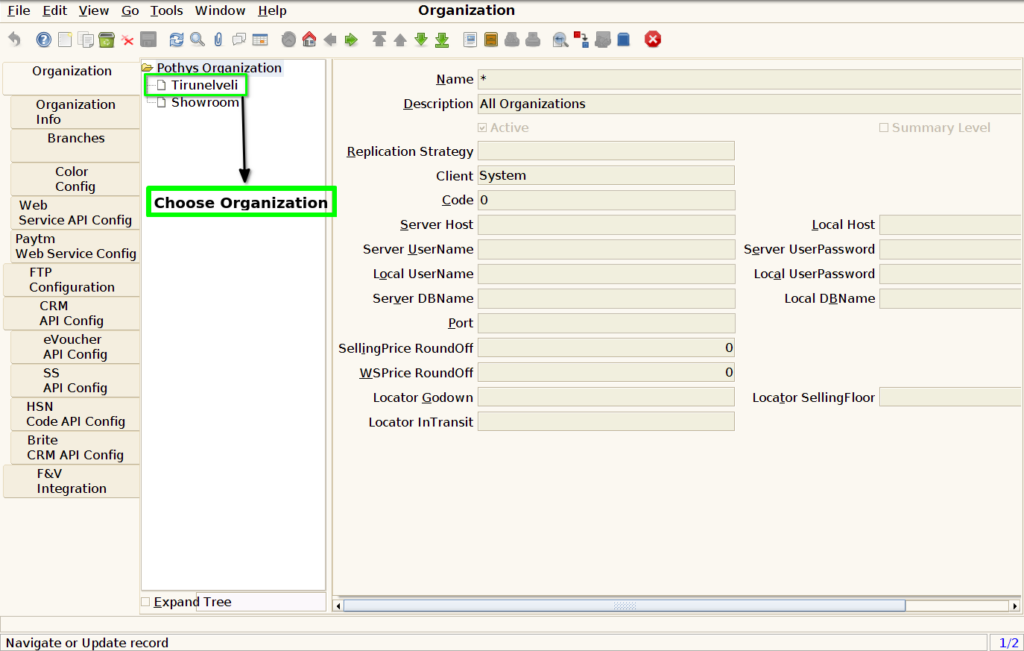
STEP 2: Choose Organization Customer Location.
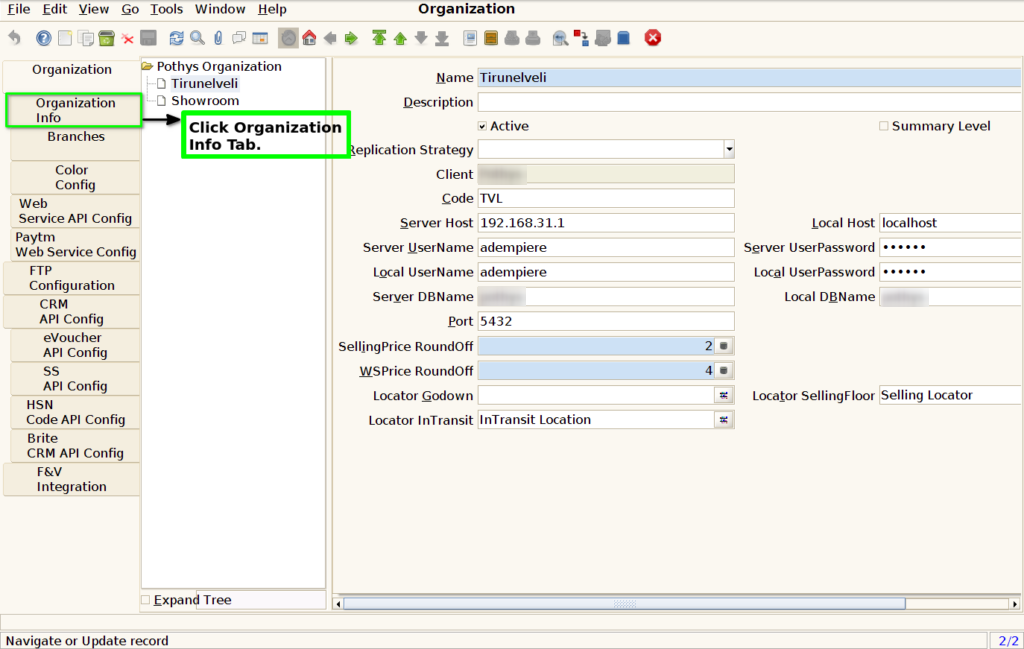
STEP 3: Click Organization Info Tab.
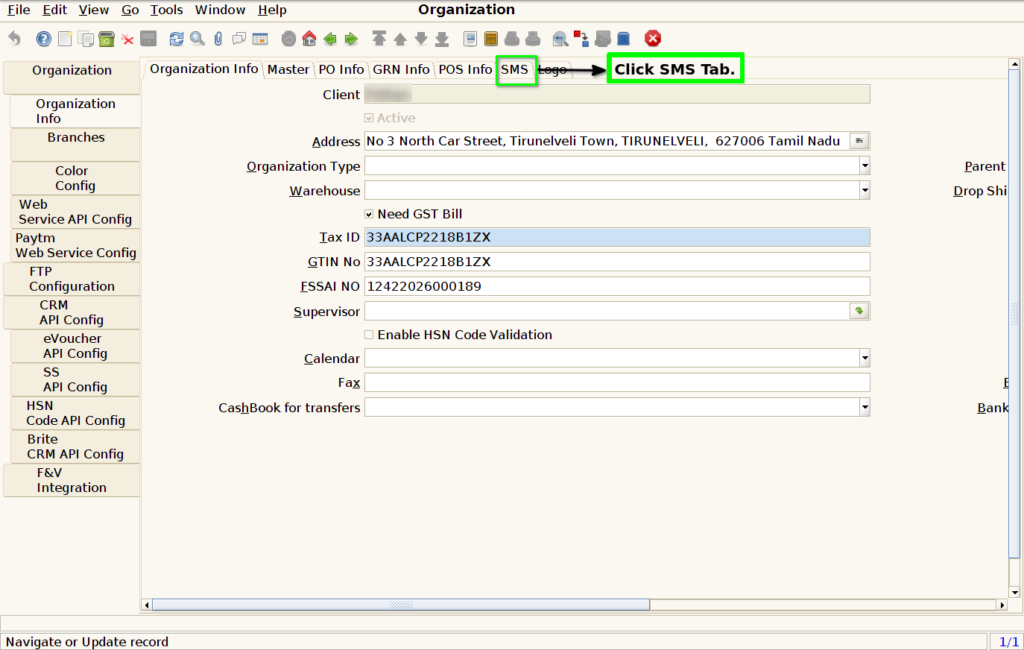
STEP 4: Click SMS Tab.
STEP 5: Set Validation in OTP Length.
STEP 6: Click The Save Button.