How to view Customer Summary Loyalty Report in Adempiere Retail
A Customer Summary Loyalty Report provides a brief overview of customers’ loyalty program activities, including points earned, points redeemed, and current points balance over a specified period.
User Access
Who Can Access
- Admin
- Back Office
- Purchase Manager
- Manager
What User Can Do
- Track Loyalty Points Activity
- Resolve Customer Queries
- Export and Share
Pre-Requisite Activities
- Enable Loyalty Program Tracking
- Maintain Accurate Customer Data
- Record All Loyalty Transactions
- Reporting Period
Business Rules
- Include Only Valid Loyalty Transactions
- Use Unique Customer Identification
- Accurate Points Calculation
- User Authorisation
- Export Data Integrity
User Interface
STEP 1: To select a Customer Summary Loyalty Report.

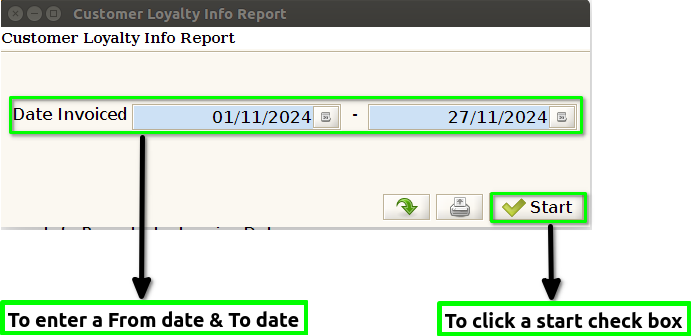
STEP 2: To enter a Date Range From date & To date in this field is mandatory,then to click the start check box and to run the process.
STEP 3: Once to complete the process to show the report based on the given data.
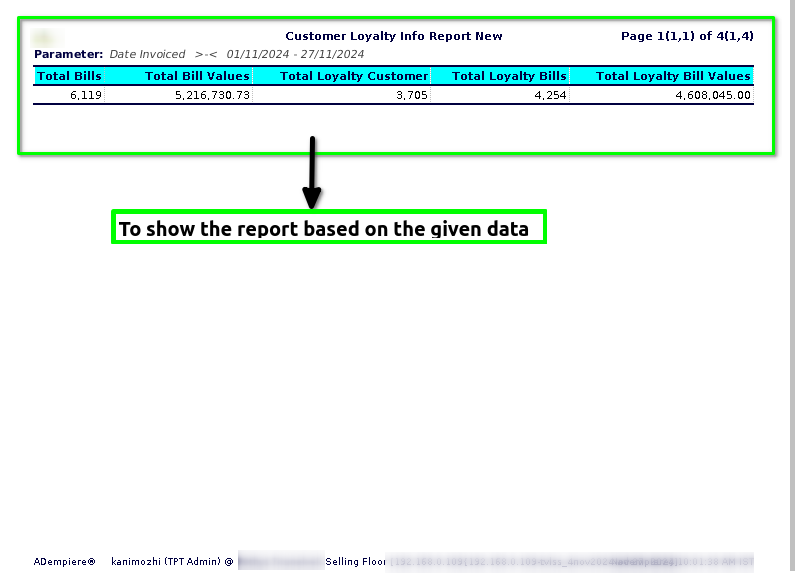
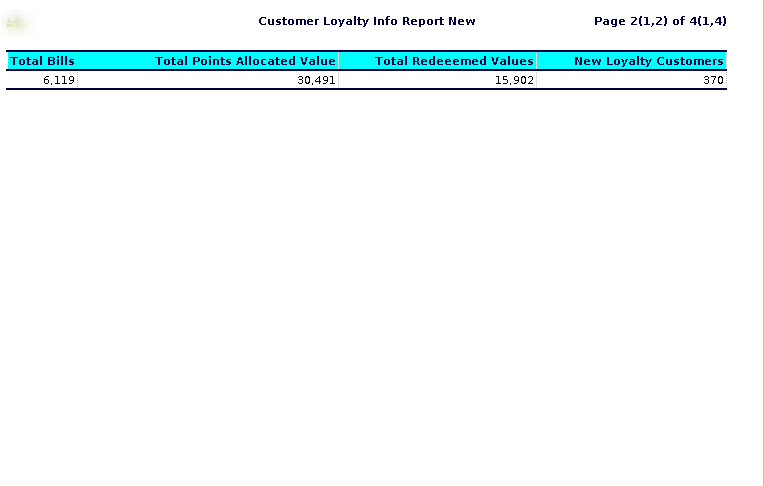
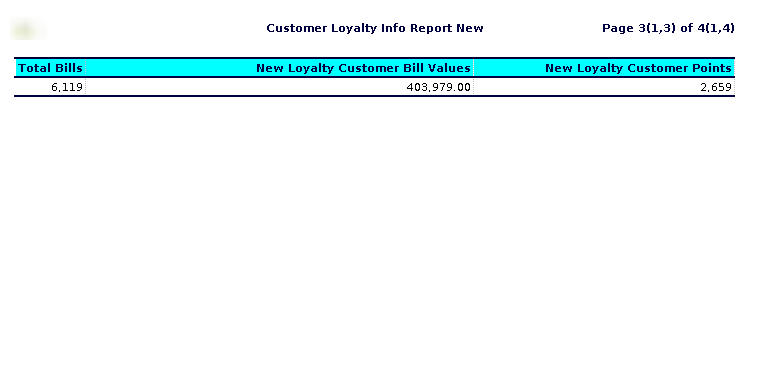
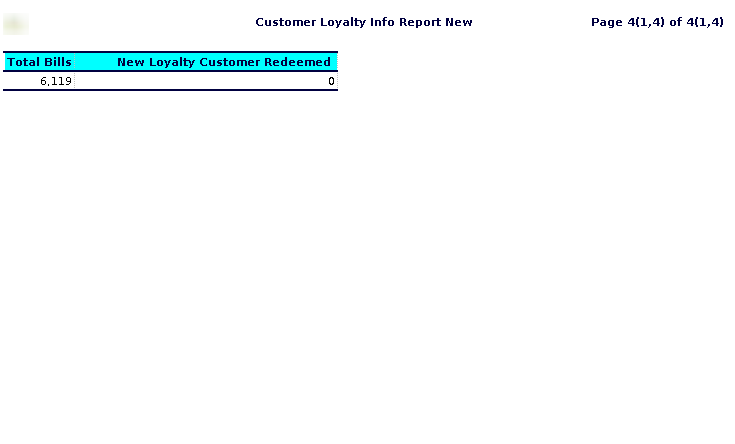
STEP 4: Total Bill Value – typically refers to the aggregate amount of money that has been recorded for transactions processed by each cashier. This value is the sum of all sales and purchases (including taxes, discounts, and any additional charges) handled by the cashier during a specified period, such as a day, week, or month.
Total Bills – generally refers to the total number of transactions or sales (bills) processed by each cashier, typically broken down by each cashier’s name or ID. This number represents the total count of receipts or invoices that the cashier has completed during the reporting period.
Total loyalty bill value– typically refers to the total monetary value of purchases made by customers who are enrolled in the loyalty program. This amount reflects the sum of all transactions during a specific period, associated with loyalty points or rewards, as tracked by individual cashiers.
New loyalty customer – generally refers to customers who have recently enrolled or registered for the store’s loyalty program within a specific reporting period. These customers have likely made their first transaction after signing up for the loyalty program, which means they are “new” to being part of that customer base.
New Loyalty Customer Bill Value– in a Cashier Wise Loyalty Report typically refers to the total value of bills (purchases) made by customers who have recently enrolled in a loyalty program. This metric is useful for tracking the spending behavior of new customers who have just joined the program.
New Loyalty Customer Points – refers to the points accumulated by customers who have recently enrolled in the loyalty program. These points represent the rewards that new customers earn after making purchases, which are added to their loyalty account.
New Loyalty Customer Redeemed – typically refers to the number of loyalty points that new customers (those who have recently joined or made their first purchase) have redeemed within the reporting period.
Total Points Allocated Value – typically refers to the total number of loyalty points that have been awarded to customers during transactions processed by each cashier.
Total Redeemed Value – typically refers to the total monetary value of loyalty rewards, points, or discounts that have been redeemed by customers at the cash register.
Total Loyalty Customers– typically refers to the total number of customers who have enrolled in or are part of a loyalty program within a given period.