How to view Stock Variance Report in Adempiere Retail
A Stock Variance Report shows the difference between system-recorded stock and the actual physical stock counted.
User Access
Who Can Access
- Admin
- Back Office
- Purchase Manager
- Manager
What User Can Do
- Identify Differences
- Filter by Product or Location
- Analyze Trends
- Improve Accuracy
Pre-Requisite Activities
- Accurate Inventory Records
- Physical Stock Count (Stocktaking)
- Counting Procedures
- Schedule Regular Audits
Business Rules
- Accurate Data Entry
- Comparison Basis
- Authorization for Adjustments
- Regular Reporting
User Interface
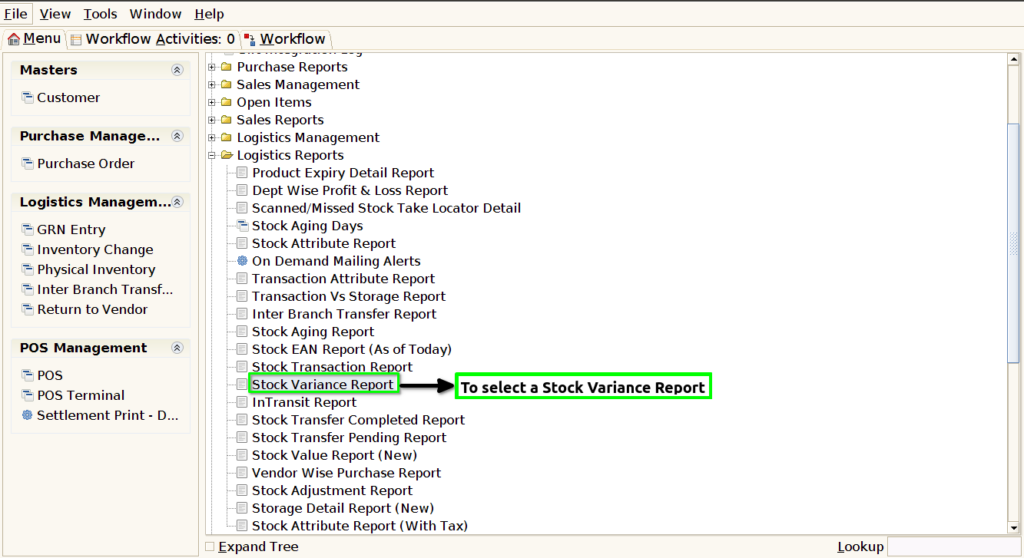
STEP 1: To select a Stock Variance Report .
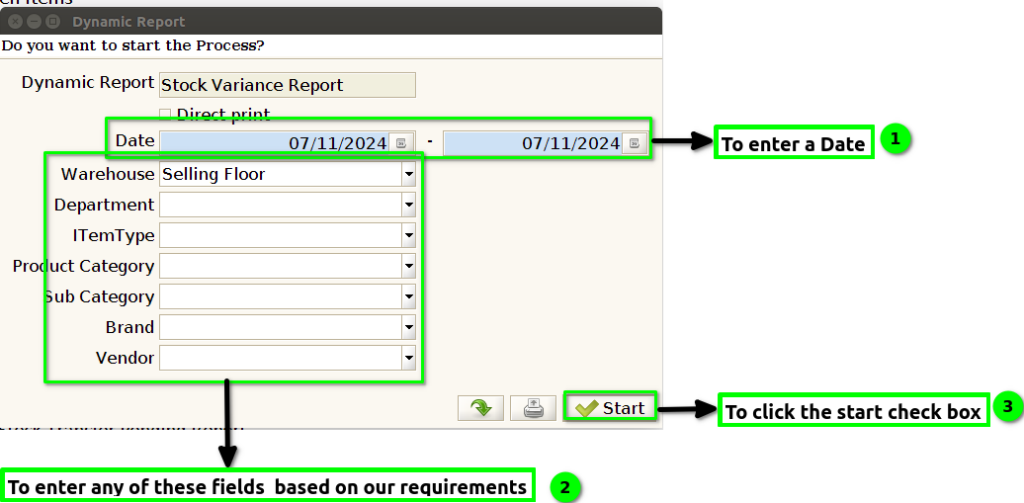
STEP 2: To enter a Date and to enter a any of these fields on our requirements.Finally to click the check box.To run the process.
STEP 3: Once to complete the process to show the report from the given data.
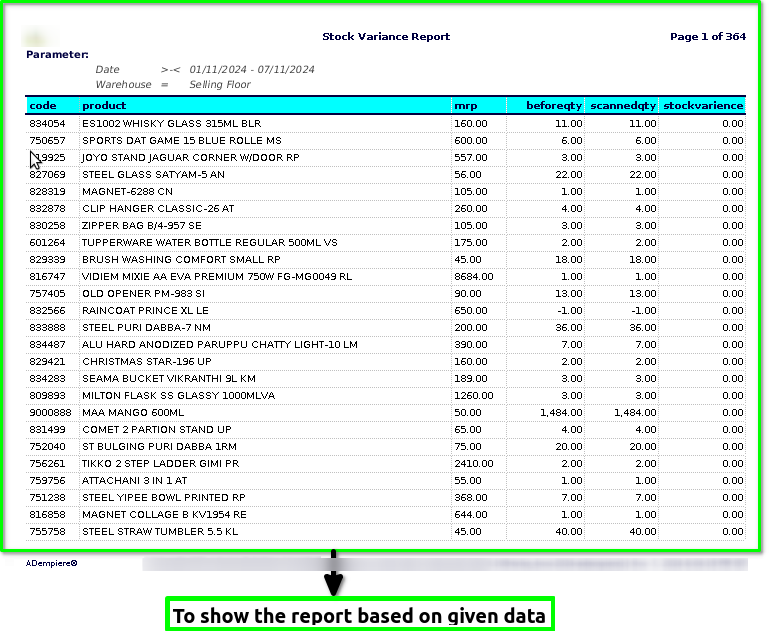
STEP 4: Product code-is a unique identifier used to distinguish a particular product from others. It’s typically a combination of letters, numbers, or both and is used by businesses, manufacturers, and retailers to track and manage products in inventory, sales, and distribution.
Product name– is the title or label given to a specific item or service that identifies it in the marketplace. It serves to distinguish the product from other products, making it recognizable to consumers.
MRP-stands for Material Requirements Planning. It’s a production planning and inventory control system used to manage manufacturing processes.
Before Quantity– Its based on the product quantity before to scanned product to check the total quantity.
Scanned Quantity-Its based on the ordered products to be scanned.
Stock Variance -Its based on the products stock in different Brand,MRP,Size,Color.