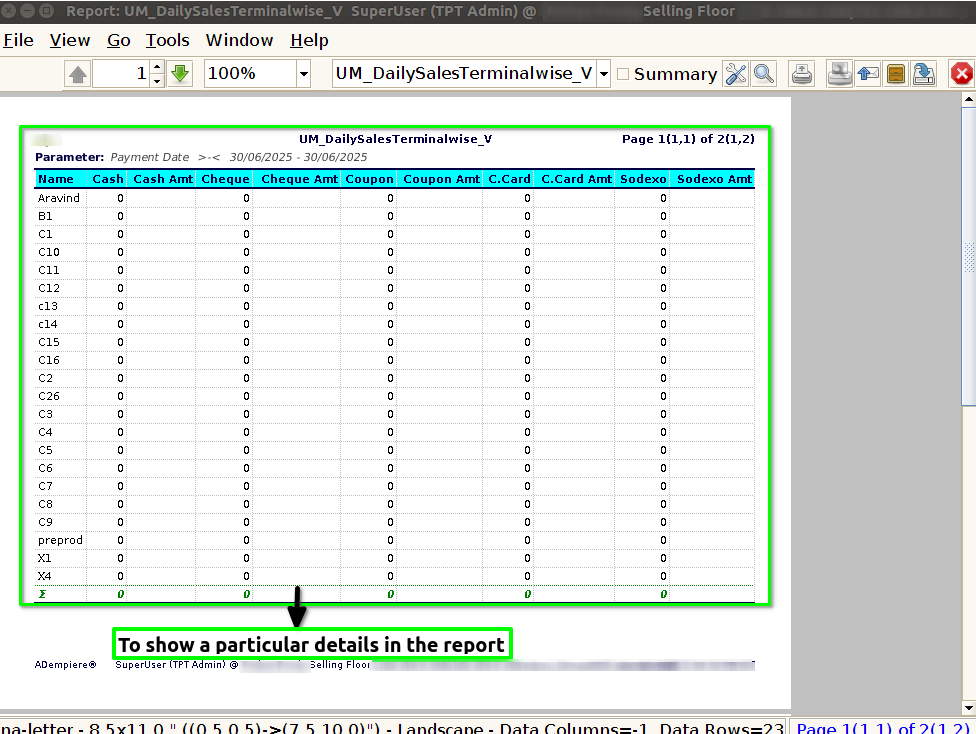
How to view Daily Sales Terminal Wise in Adempiere Retail
A report that shows the total sales made each day, broken down by each sales terminal or point of sale (like each cash register or checkout counter).
User Access
Who Can Access
- Back Office
- Cashier
- Purchase Manager
- Manager
- Admin
What User Can Do
- Monitor Sales Performance
- Identify High or Low Sales Points
- Manage Staff Efficiency
- Support Financial Reconciliation
Pre-Requisite Activities
- Record Sales Transactions at Each Terminal
- Define Reporting Period
- Verify User Permissions
- Maintain Accurate Product and Pricing Info
Business Rules
- Sales Must Be Recorded Under Correct Terminal
- Report Should Cover Complete Sales Data for the Day
- No Duplicate or Missing Transactions
- Sales Data Must Be Updated Before Report Generation
- User Access Controls
User Interface
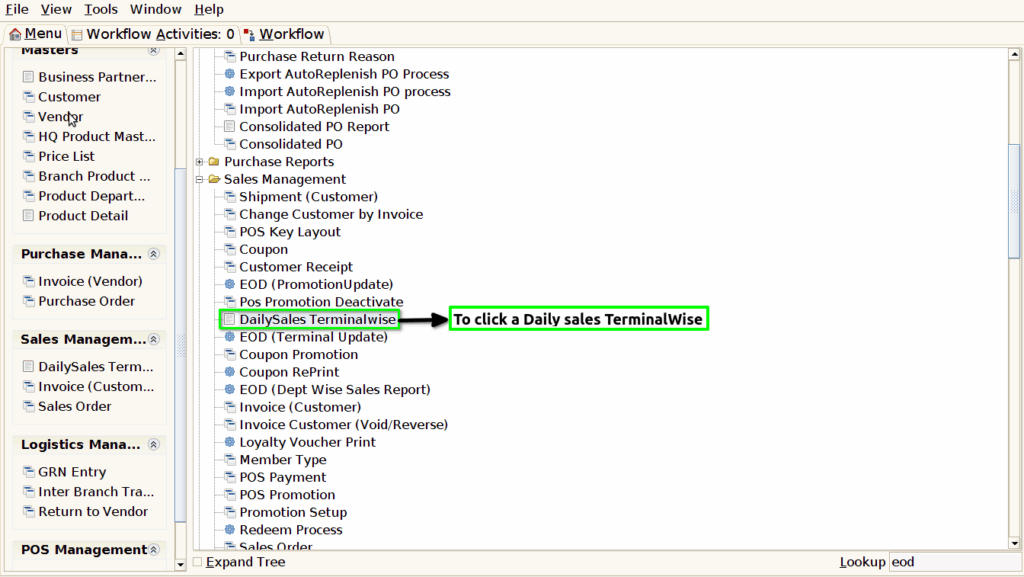
Step 1 : To Select a Branch in Menu.Then to click a Daily sales Terminal Wise.
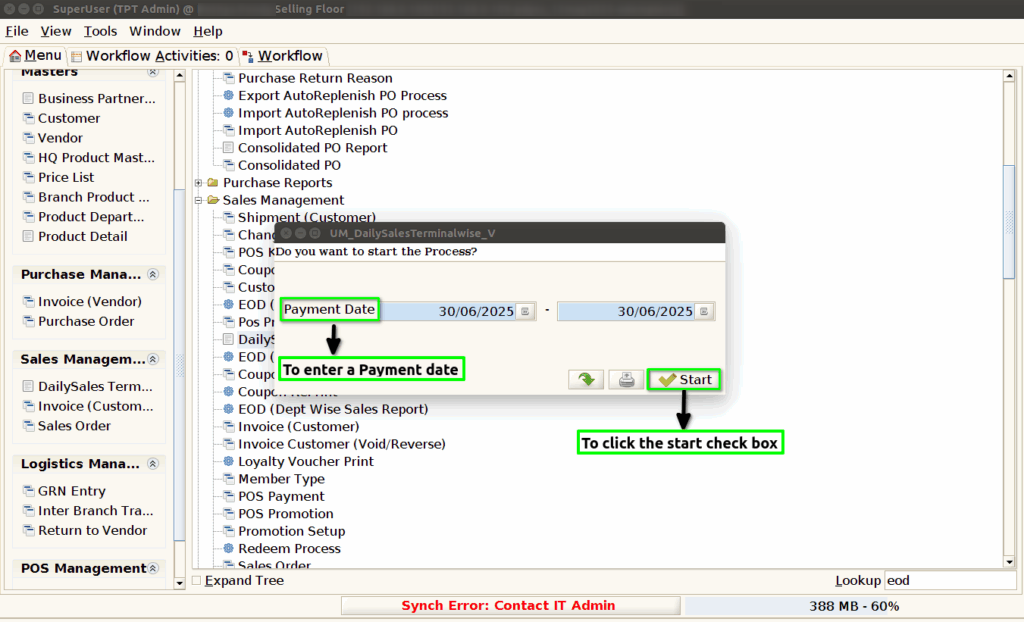
Step 2 : To enter a Payment date from Start date and End date.And then to click the start check box.
Step 3 :Once to run the process and to open the report based on the given parameter.