How to run Change Customer Mobile No in Adempiere Retail
Changing a customer’s mobile number means updating their contact information in the system to reflect their new or corrected phone number.
User Access
Who Can Access
- Back Office
- Cashier
- Manager
- Admin
What User Can Do
- To select Customer Old Mobile No.
- To select Customer New Mobile No.
Pre-Requisite Activities
- Customer Old Mobile No.
- Customer New Mobile No.
Business Rules
- Mobile number must be 10 digits and valid.
- A confirmation or OTP verification may be required
User Interface
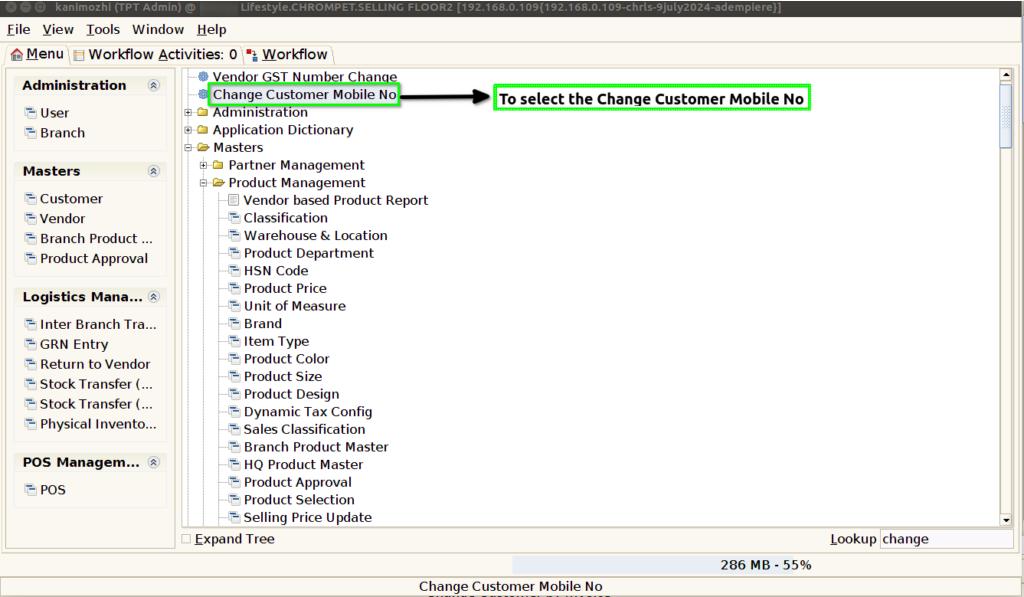
STEP 1: To select a Change Customer Mobile Number.
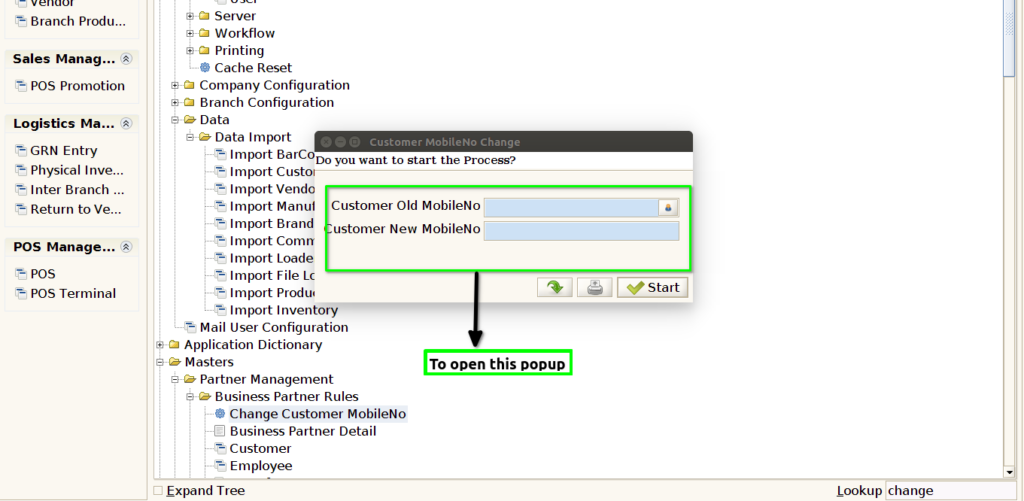
STEP 2: To enter a Customer Old Mobile No & To enter a Customer New Mobile No.
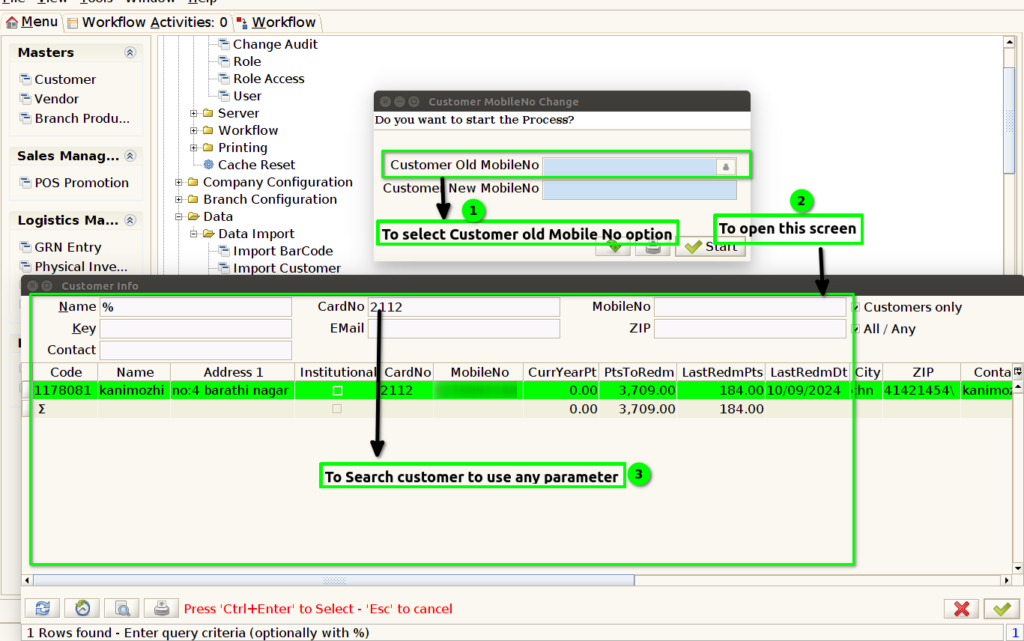
STEP 3: To use these parameters for to search customers.
STEP 4: To click start option.
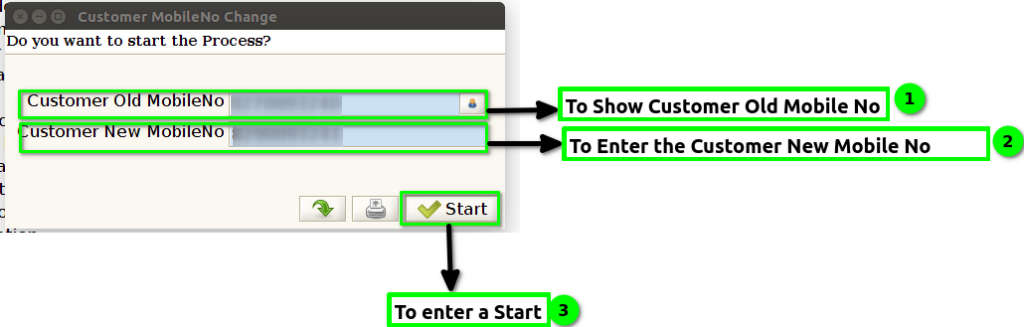
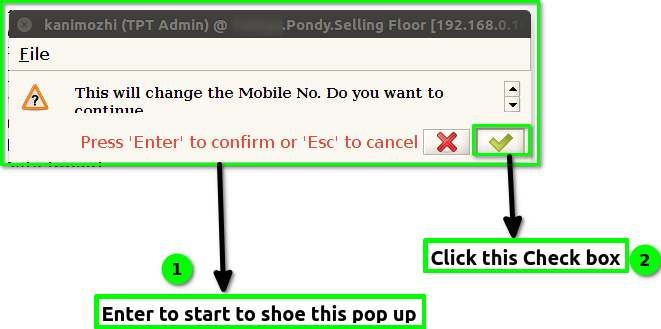
STEP 5: To show this confirmation popup.And to click this check box.