How to view Stock EAN Report As of Today in Adempiere Retail
A Stock EAN Report (As of Today) shows the current inventory details of items identified by their EAN (European Article Number) barcode as of today’s date.
User Access
Who Can Access
- Admin
- Cashier
- Sales Manager
- Manager
What User Can Do
- Check Current Stock Levels
- Verify Product Locations
- Improve Stock Accuracy
- Support Barcode-Based Operations
Pre-Requisite Activities
- EAN Barcode Assignment
- Accurate Stock Updates
- Data Validation
- User Access Rights
Business Rules
- Unique EAN per Product
- Real-Time Stock Updates
- Accurate Location Information
- No Duplicate EAN Entries
User Interface
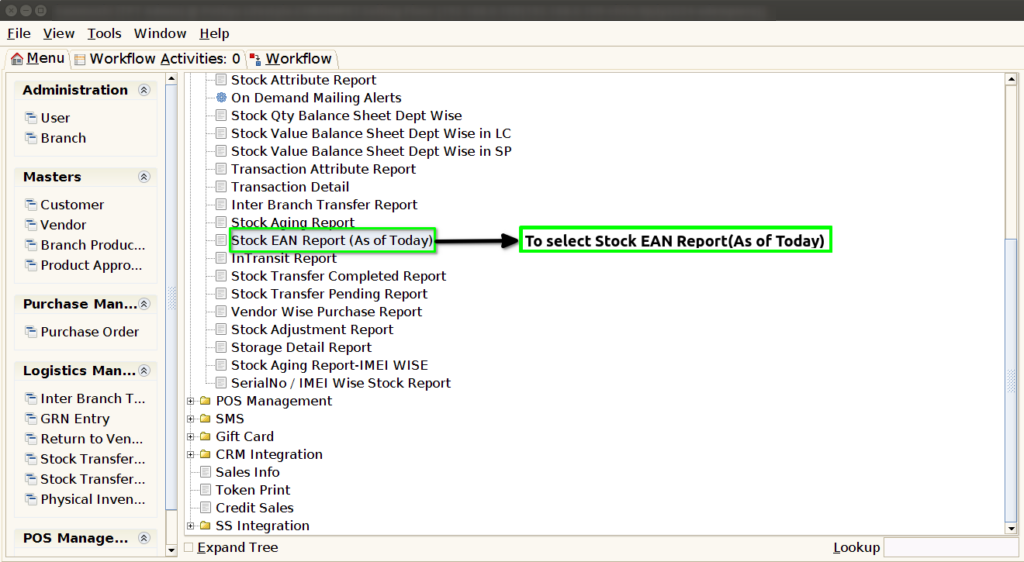
STEP 1: To select a Stock EAN Report(As of Today).
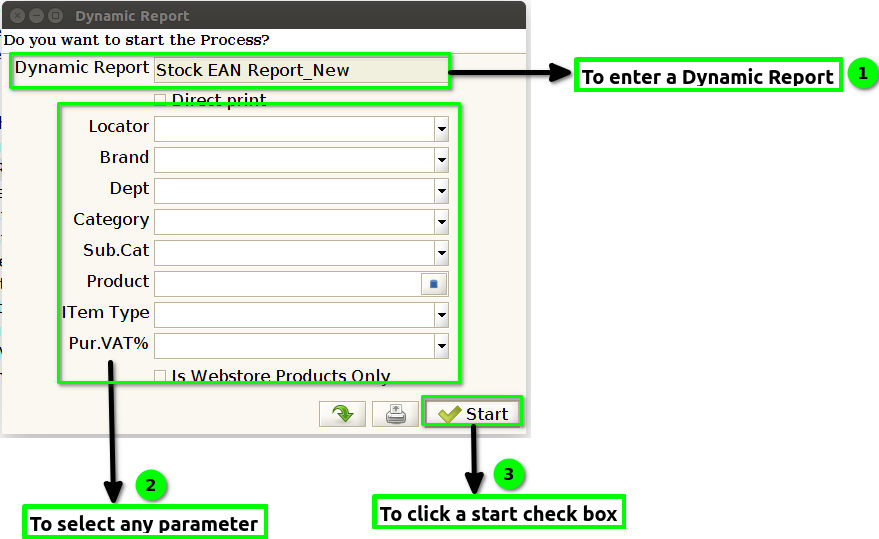
STEP 2: To enter a Dynamic Report its default updated.Then to select any parameter to put the values.To click a Start check box.To run the process.
STEP 3:Once to complete the process,then to show the report based on given parameter.
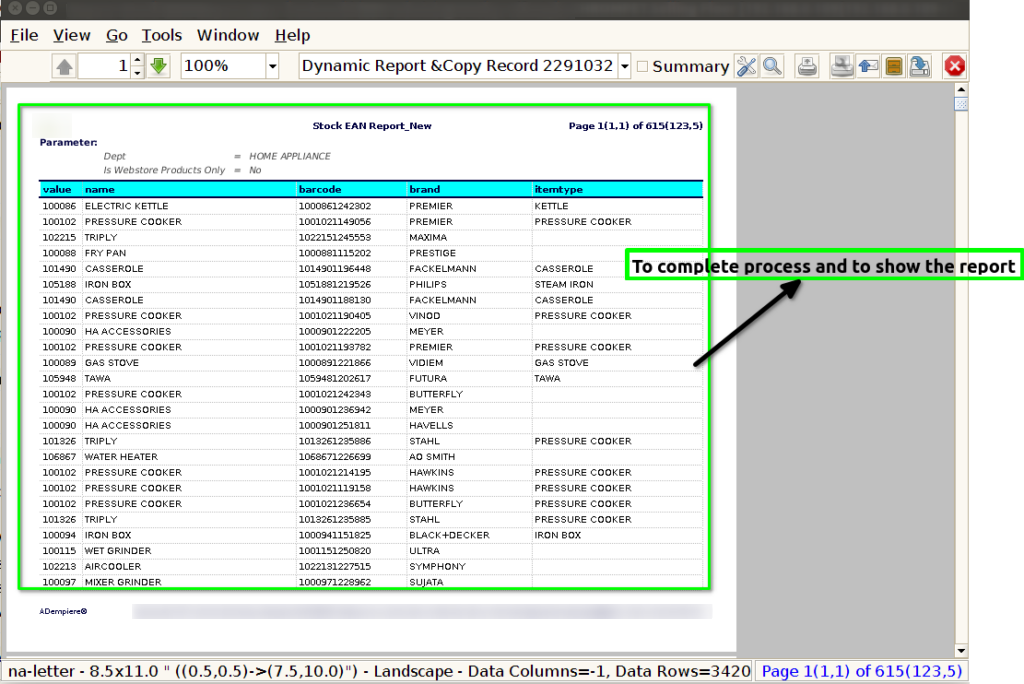
STEP 4: Value-> Product code
Name-> Product Name
Barcode->To identify the product for unique identification.
Brand-> Its based on the product.Single product to allow multiple brand.