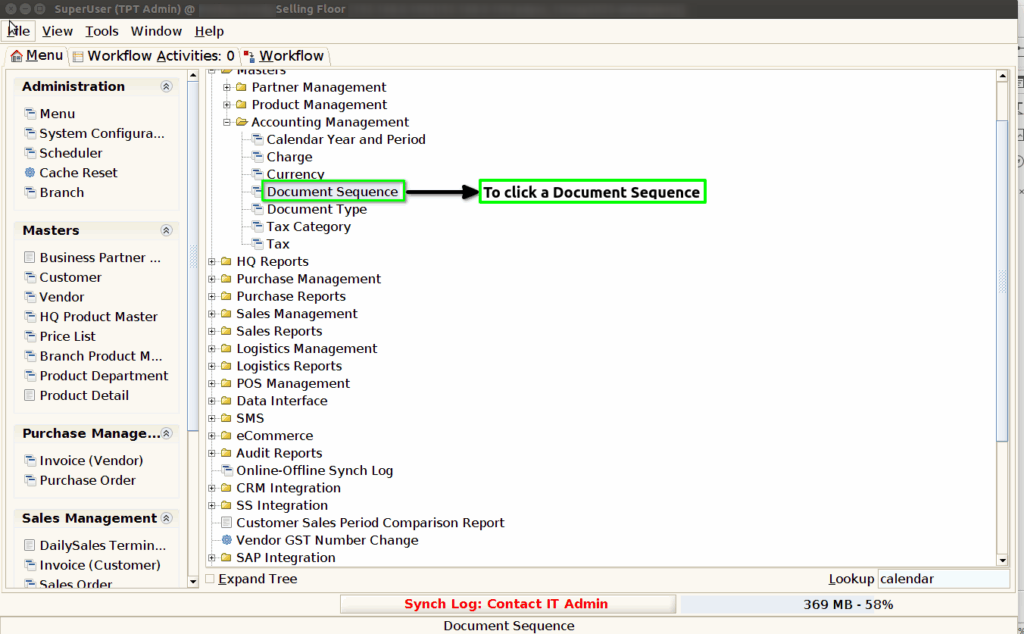
How to create Document Sequence in Adempiere Retail
A document sequence is the process of assigning unique, sequential numbers to documents (like invoices, receipts, or records), either automatically or manually, to help track, organize, and manage them effectively.
User Access
Who Can Access
- Back Office
- Purchaser
- Purchase Manager
- Manager
What User Can Do
- Create a New Document Sequence
- Edit or Update Document Sequence
- Enable or Disable Document Sequence
Pre-Requisite Activities
- Create a New Document Sequence
- Set Starting Number
- Define Prefix or Suffix (Optional)
- Enable Automatic Numbering
- Link Sequence to a Document Type
Business Rules
- Each Document Sequence Must Be Unique
- Sequence Must Be Linked to a Valid Document Type
- Sequence Can’t Be Modified Once in Use (with exceptions)
- Only Authorized Users Can Create or Modify Sequences
User Interface
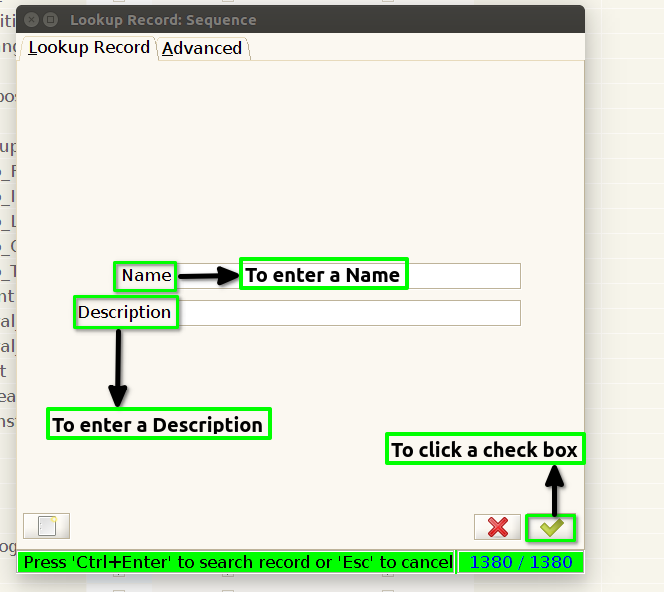
Step 2 : To open this form and to enter a name to click a check box and to open a particular record based on name.Either to open this form and to click a check box to open and show multiple records.
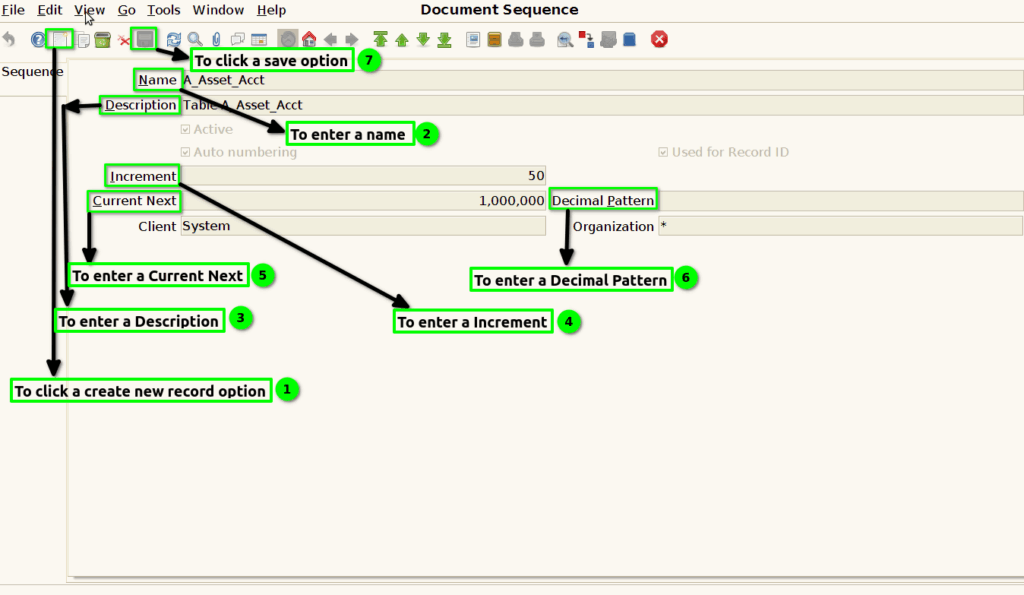
Step 3 : To click a create new record option and to enter a Name,Description,Increment,Current Next,Decimal Pattern finally to save the record.