How to do Gift Card API Integration Setup in Adempiere Retail
Gift Card API Integration means connecting your system to a third-party or internal gift card platform using APIs. This allows real-time operations like issuing, redeeming, checking balance, and validating gift cards during billing or online transactions.
User Access
Who Can Access
- Admin
- Cashier
- Manager
- Back office
What User Can Do
- Issue new gift cards to customers
- Redeem gift cards at billing/payment
- Check balance of a gift card
- Activate/deactivate cards via system
Pre-Requisite Activities
- Obtain API access credentials from the gift card provider
- Review and understand the gift card API documentation
- Ensure internet connectivity and firewall access for API URLs
- Map fields like gift card number, amount, expiry, customer ID
- Set up test environment before going live
Business Rules
- Gift cards must have unique codes and optional expiry dates
- Redemption should not exceed available card balance
- Only active and valid gift cards can be used
- Gift card usage must be logged with date, amount, and transaction ID
- If API fails, system must block redemption or retry
User Interface
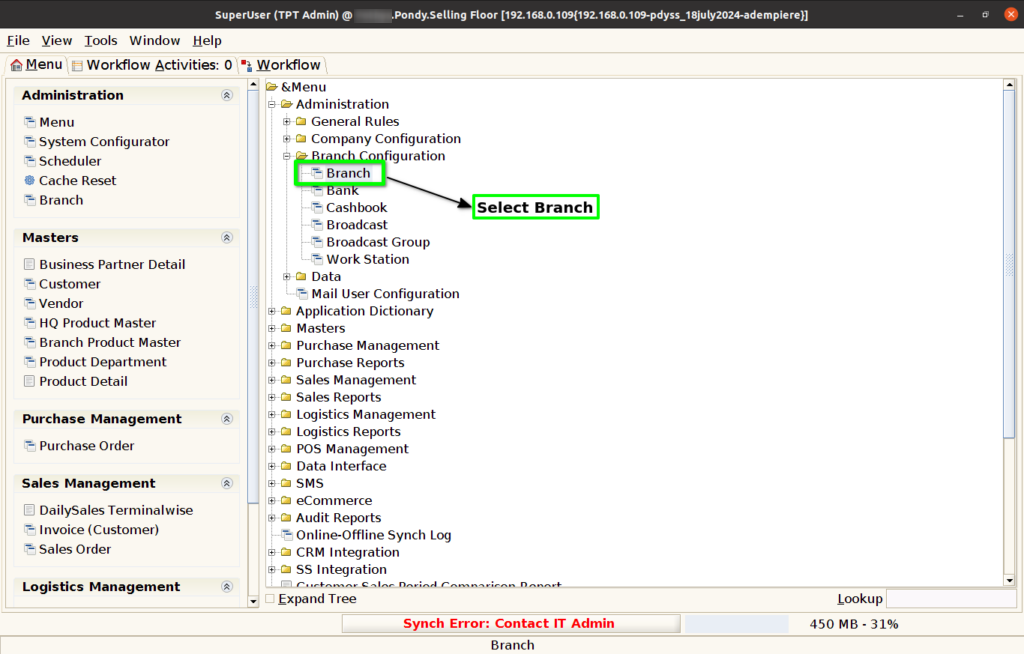
Step 1 : Select ‘Branch’ in Menu Branch Configuration -> Branch or Search Branch in Lookup.
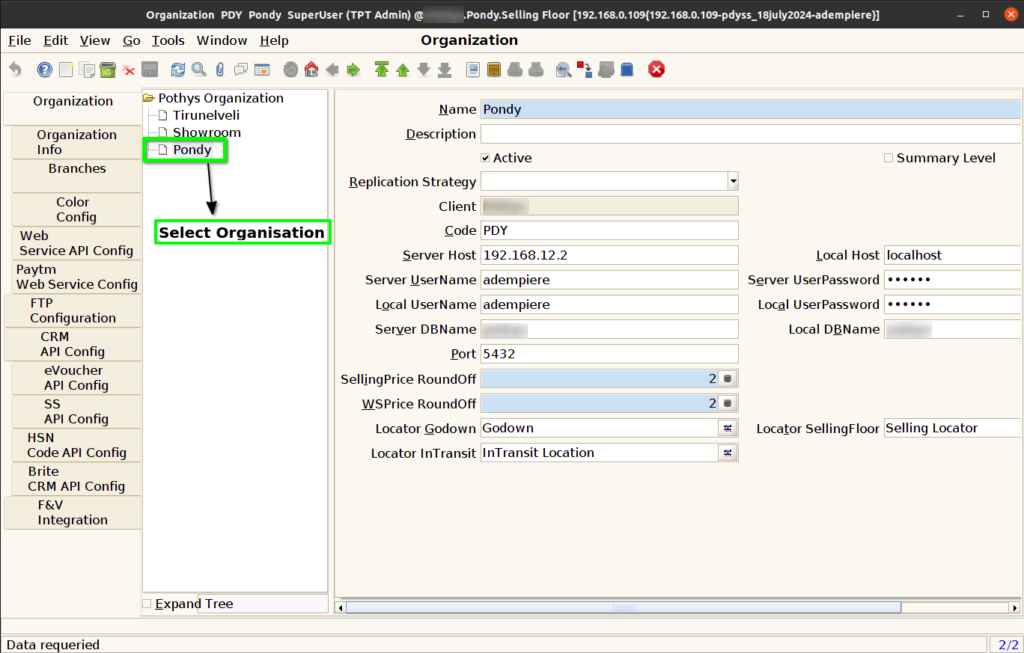
Step 2 : Select Organization.
Step 3 : Click Web Service API Config Tab and Click New Button.
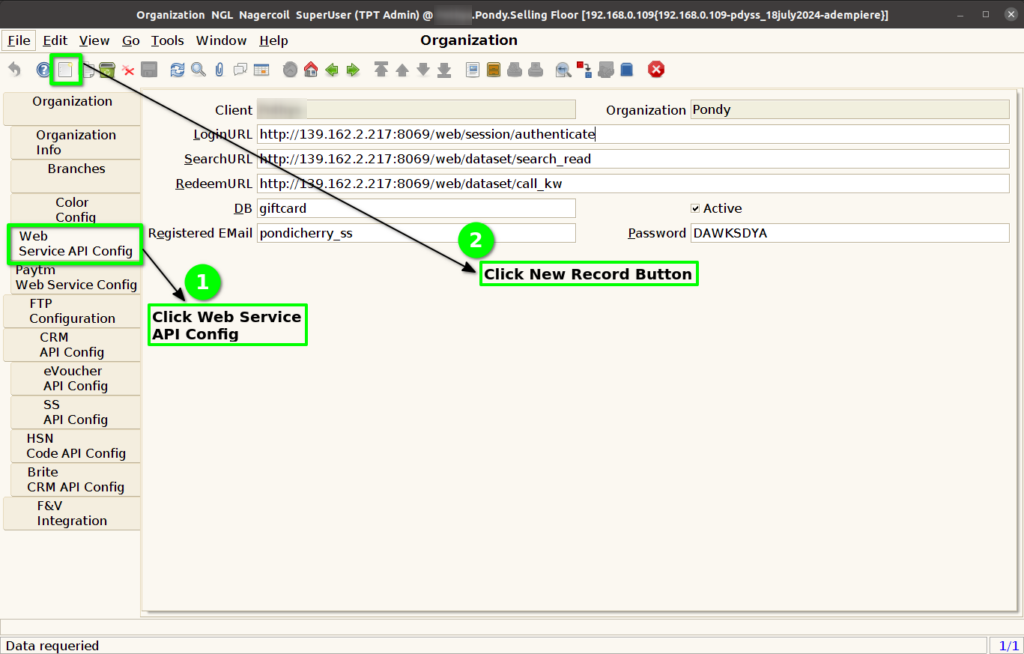
Step 4 : Enter Below information for Gift Card Configuration as per API Team
- Login URL
- Search URL
- Redeem URL
- DB
- Registered Email
- Password

Step 5 : Click to Save the Record.
