How to view Item Wise Purchase Report in Adempiere Retail
A report that shows how many units of each product were bought, when they were bought, and the total cost spent on each product during a specific time period.
User Access
Who Can Access
- Admin
- Back Office
- Purchase Manager
- Manager
What User Can Do
- Track Purchases
- Manage Inventory
- Control Costs
- Generate Records
Pre-Requisite Activities
- Maintain Accurate Purchase Records
- Date Range Definition
- Data Synchronization
- User Access
Business Rules
- Unique Item Identification
- Complete Purchase Data
- Data Integrity
- User Authorization
User Interface
STEP 1: Click Purchase Reports Folder.

STEP 2: Click Item Wise Purchase Report.
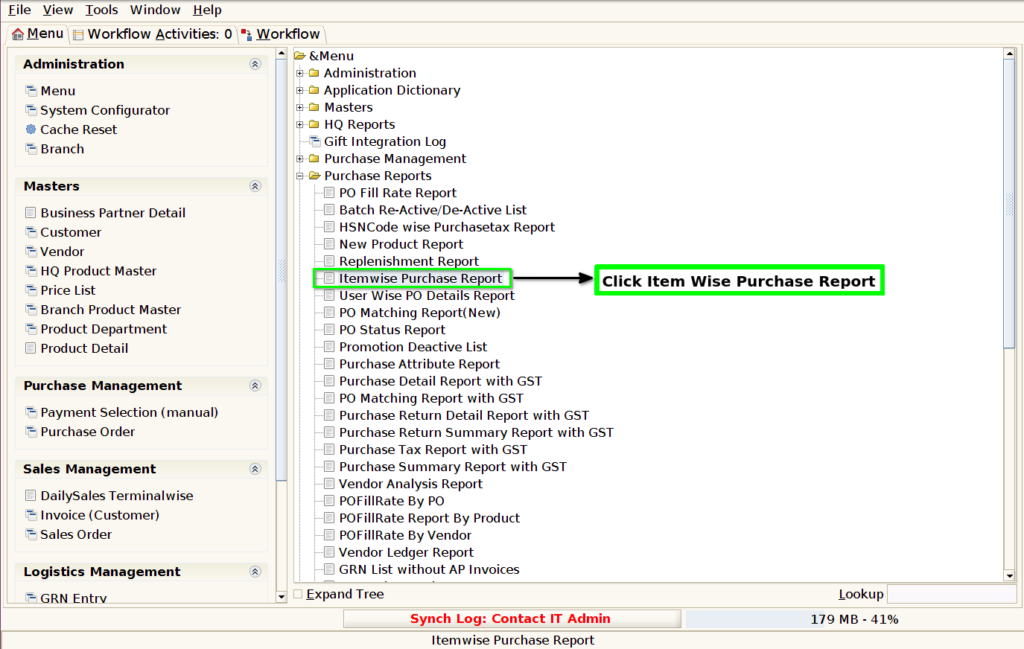
STEP 3: Choose Parameter From Date, To Date and Click Start Button.
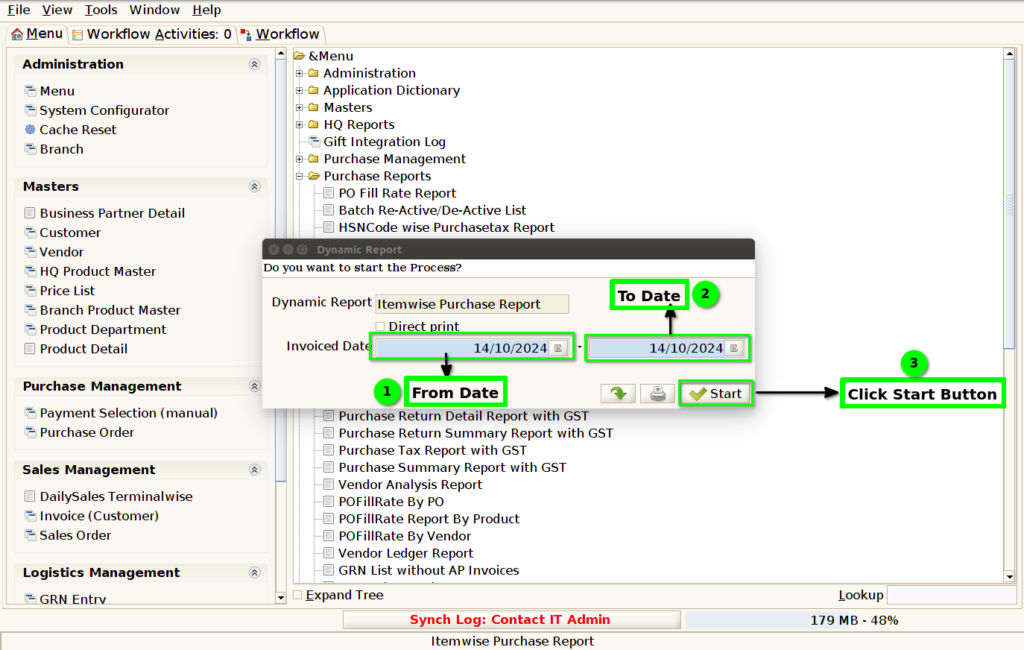
STEP 4: Show Columns Details.
1.Product Code
2.Product Name
3.Purchase Quantity.
4.Land cost Total.
5.MRP
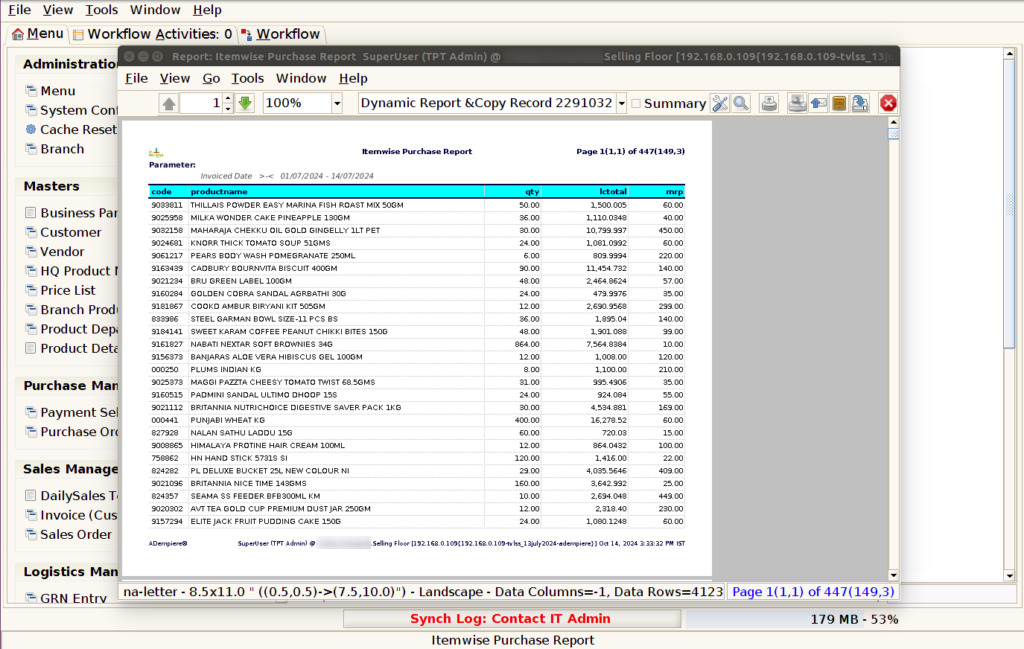
STEP 5: Click Page Down Button Show Columns Details.
6.Brand
7.Department
8.Category
9.Sub Category

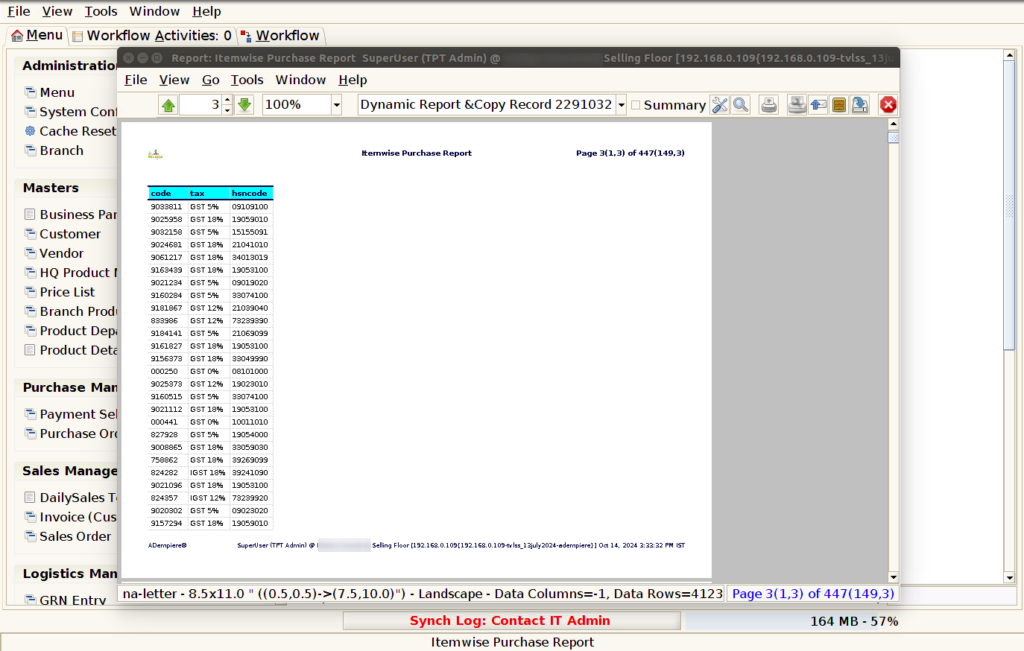
STEP 6: Click Page Down Button Show Columns Details.
10.Purchase Tax%.
11.HSN Code.
1.Product Code
2.Product Name
3.Purchase Quantity.
The purchase order quantity (PO quantity) refers to the amount of a product or material specified in a purchase order (PO) that a buyer requests from a supplier. It represents the number of units of goods or services that the buyer intends to acquire.
4.Land cost Total.
Landed cost refers to the total cost of getting a product to its final destination, and it includes several components beyond the initial purchase price. It accounts for everything involved in bringing goods from the supplier to your location. Here’s how to calculate the landed cost total:
5.MRP
MRP stands for Material Requirements Planning, which is a production planning and inventory control system used to manage manufacturing processes. It helps companies determine the quantity and timing of raw materials, components, and sub-assemblies needed to produce finished goods.
6.Brand
The Product Brand Name.
7.Department
The Product Department Name
8.Category
Product Category Name.
9.Sub Category
Product Sub Category Name
10.Purchase Tax%.
The “purchase tax%” generally refers to the percentage of tax applied to the purchase of goods or services. This percentage varies depending on the country, region, and sometimes the type of goods or services involved.
11.HSN Code.
The HSN code (Harmonized System of Nomenclature) is an internationally recognized system used for classifying traded products. It was developed by the World Customs Organization (WCO) and is used by countries around the world for customs purposes, including trade tariffs and taxes.