How to view In-Transit Report in Adempiere Retail
An Intransit Report shows all items or shipments that are currently being moved from one location to another but have not yet arrived at their destination.
User Access
Who Can Access
- Admin
- Cashier
- Sales Manager
- Manager
What User Can Do
- Track Shipments
- Plan Inventory
- Identify Delays
- Coordinate Receiving
- Investigate Issues
Pre-Requisite Activities
- Accurate Shipment Recording
- Update Shipment Status
- User Roles & Permissions
- Data Validation
- Regular Updates
Business Rules
- Status Accuracy
- Valid Locations
- Complete Shipment Details
- Exclude Delivered or Cancelled Shipments
User Interface
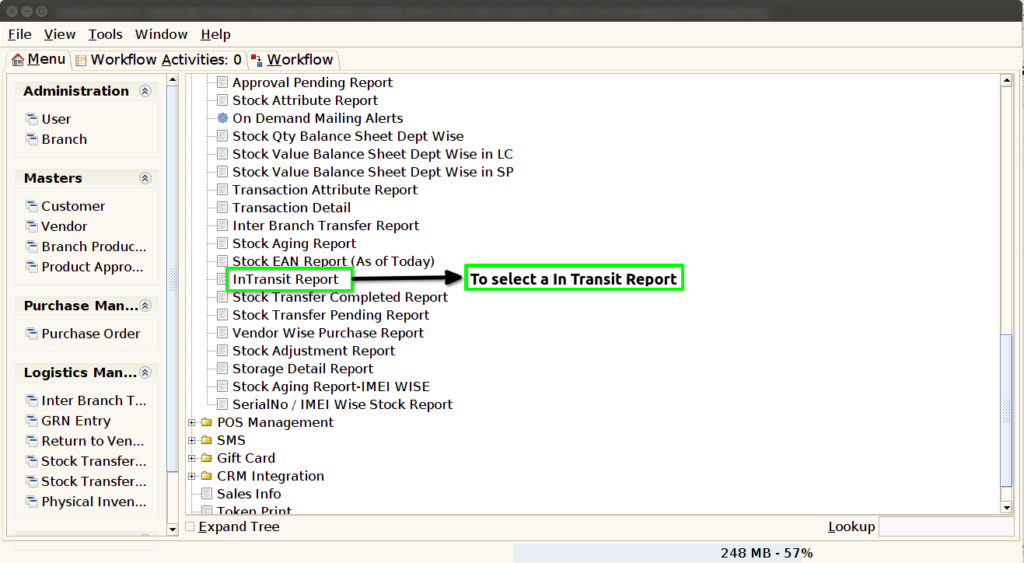
STEP 1: To select a In Transit Report.
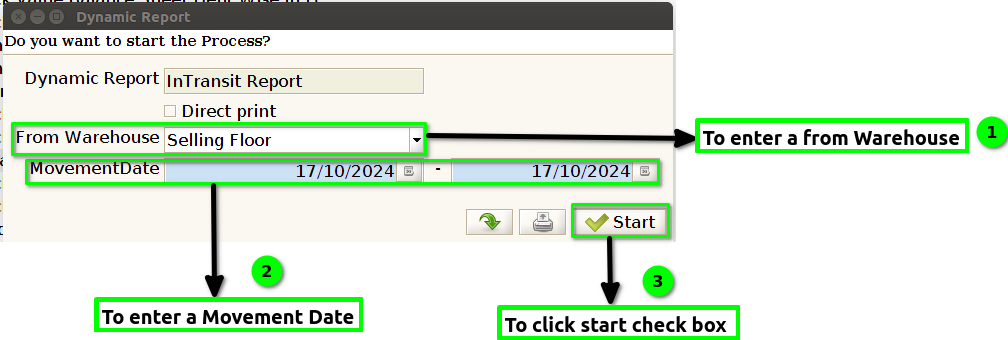
STEP 2: To enter a From Warehouse.The dynamic report field is default update.And then to enter a movement Date,then to click a start check box.To run the process.
STEP 3: Once to complete the process and to show the report based on giving parameters.
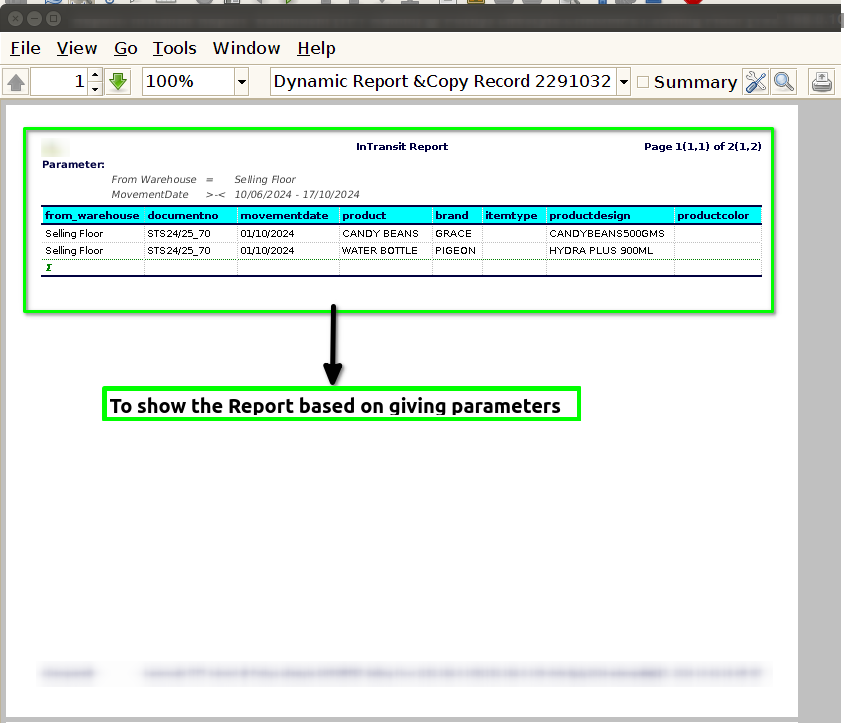
STEP 4: From Warehouse->Selling Floor(based on floor)
Document No->Unique identification
Movement Date->Document generate date.
In this report for using fields Product,Item type,Brand.