How to create HSN Code for SuperStore in Adempiere Retail
The Harmonised System of Nomenclature (HSN) means entering this classification so that products can be linked to the right tax category.
User Access
Who Can Access
- Back Office
- Cashier
- Manager
- Admin
What User Can Do
- Create a New HSN Code
- Link HSN Code to Product Categories
- Edit or Inactivate Existing HSN Codes
Pre-Requisite Activities
- Identify Applicable HSN Codes
- Gather Tax Details
- Check if Code Already Exists
Business Rules
- HSN Code Must Be Unique Numeric Numbers
- HSN Code Must have 8 Digits
- Only Authorized Users Can Create or Update HSN Codes
- Inactive HSN Codes Should Not Be Assigned to Products
- Every Product Must Have an HSN Code allow starting space & Ending space
User Interface
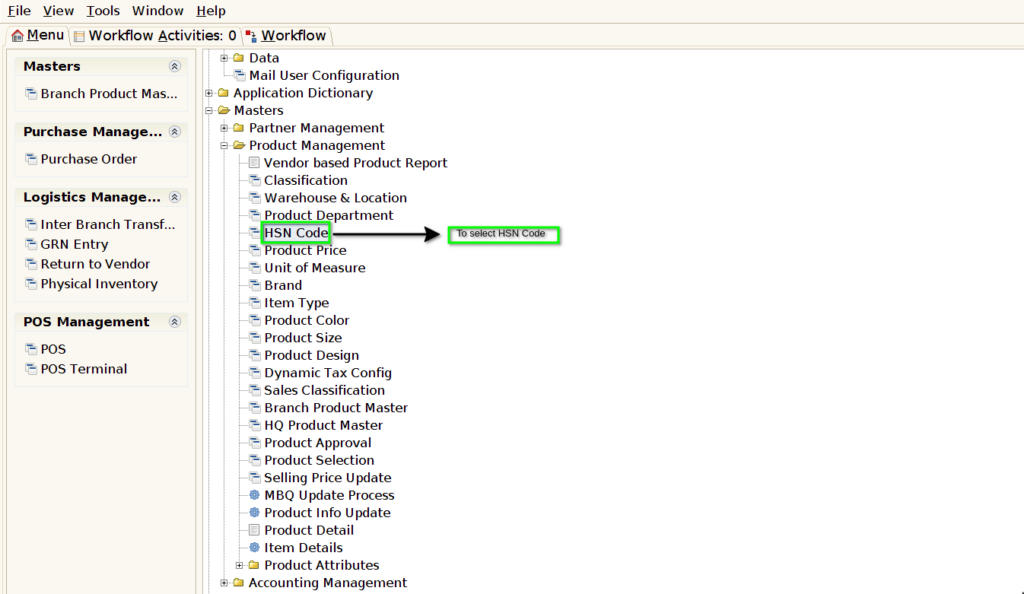
STEP 1: To Select the HSN CODE.
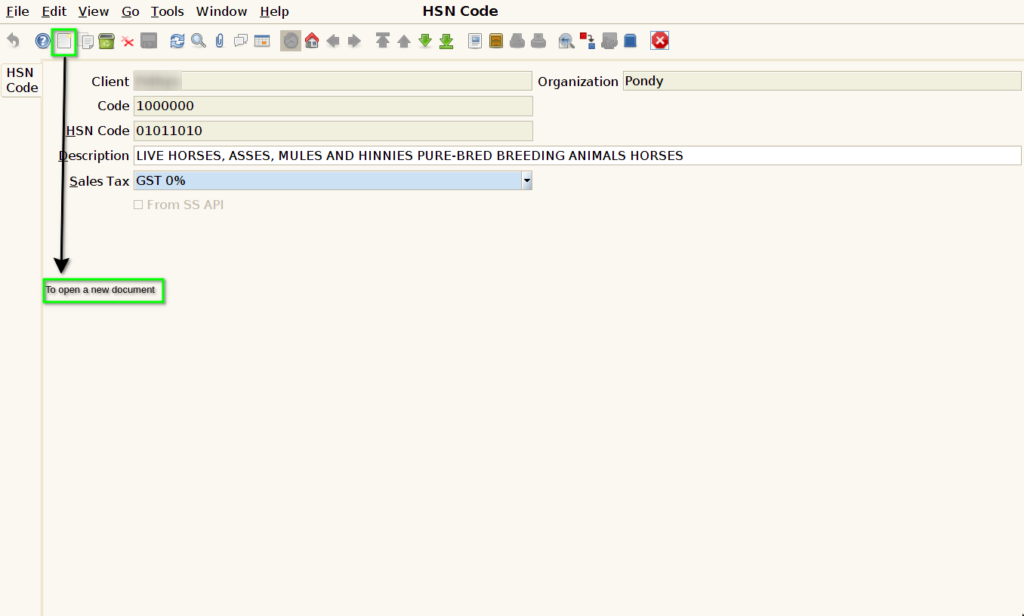
STEP 2: To open a new document.
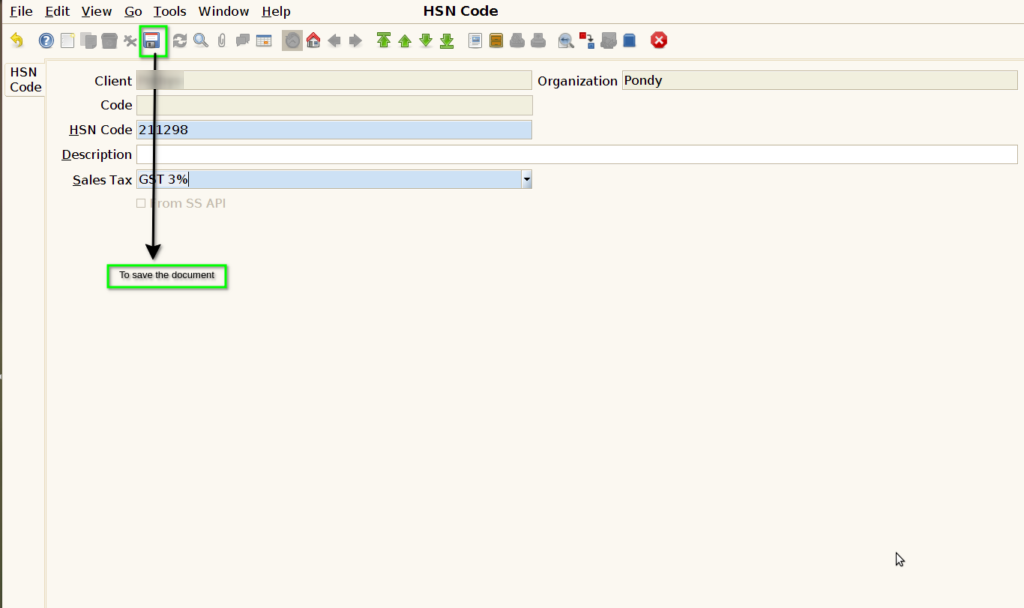
STEP 3: To enter a HSN CODE & to select a Sales tax.

STEP 4: Finally to save the document.