How to view Customer Bill Summary-Monthly Report in Adempiere Retail
A report that summarizes all the bills or invoices generated for customers during a particular month.
User Access
Who Can Access
- Admin
- Back Office
- Purchase Manager
- Manager
What User Can Do
- Review Customer Billing
- Track Payments and Outstanding Amounts
- Prepare Financial Statements
- Resolve Billing Disputes
Pre-Requisite Activities
- Complete Billing Data Entry
- Verify Customer Information
- Payment Status Updates
- Reporting Period
Business Rules
- Monthly Period
- Complete Billing Data
- Bill Status
- Customer Identification
- Payment Status
User Interface
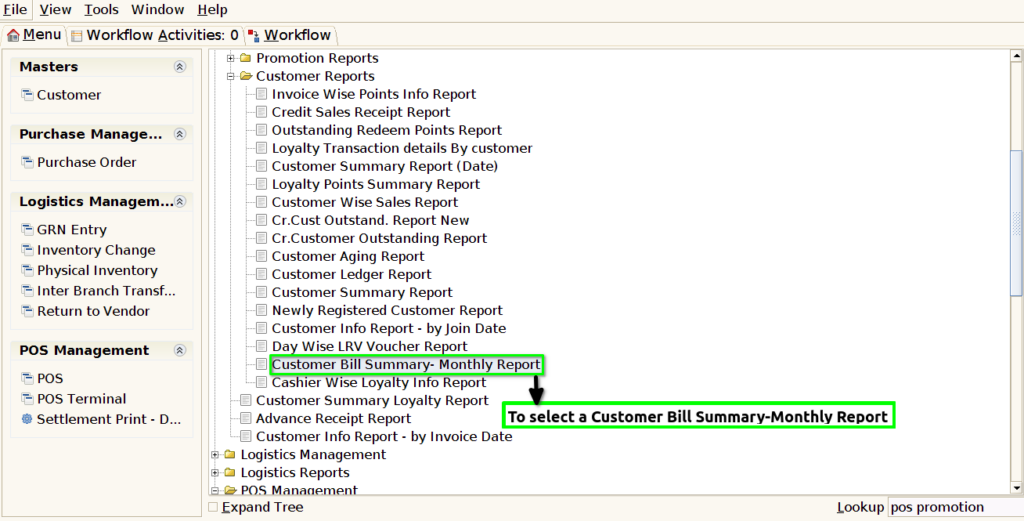
STEP 1: To select a Customer Bill Summary-Monthly Report.
STEP 2: To enter a date in this field is mandatory .To click the start check box then to run the process .

STEP 3: Once to complete the process to show the report based on the given data.
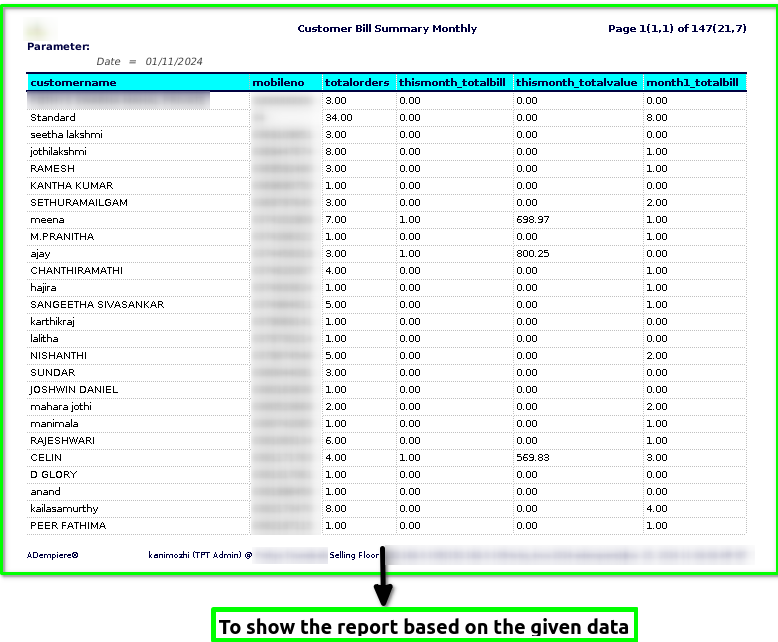
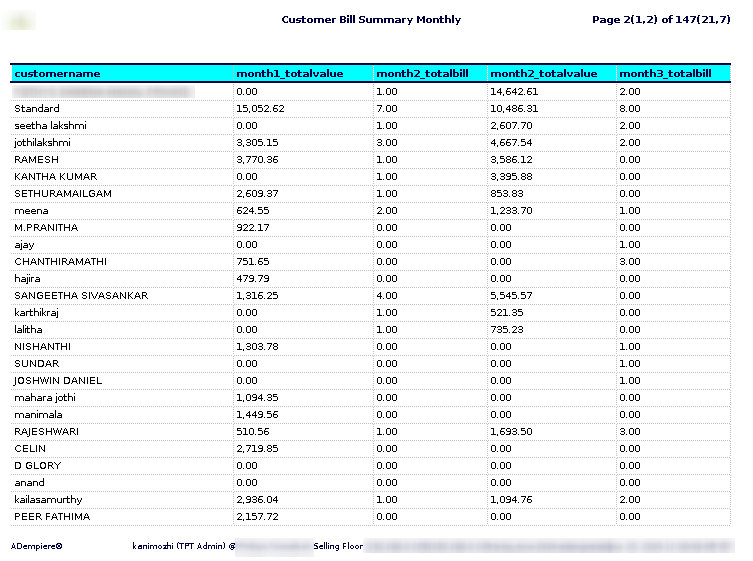
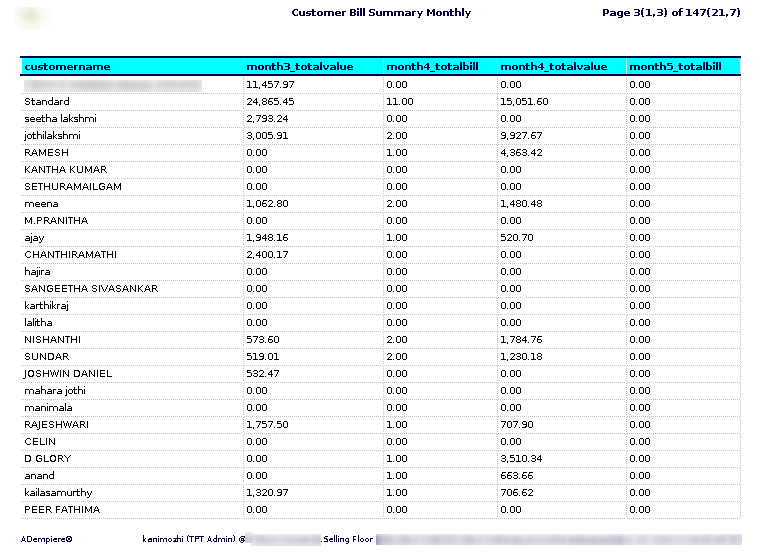


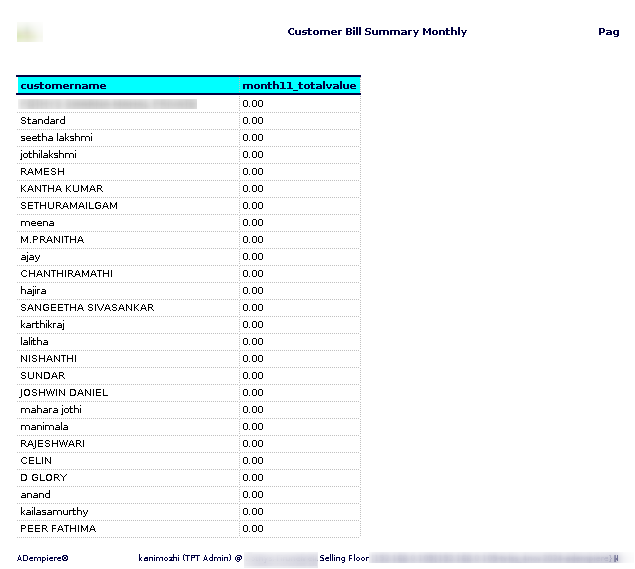
STEP 4:Customer name – refers to the name of an individual or organization that is purchasing goods or services from a business. In a transaction, it is the identifier used to distinguish the customer from others.
Mobile number – is the phone number associated with an individual customer, typically used for communication purposes. It is a mobile phone number provided by the customer when making a purchase or engaging with a business.
Total orders – typically refers to the sum or count of all orders placed during a specific time period or for a particular product/service. It is commonly used in business, sales, and e-commerce contexts to track the volume of transactions or purchases.
This month,1,2,3,4,5,6,7,8,9,10,11_total bill – typically refers to the total amount billed or due during a particular month for services, products, or transactions.
This month,1,2,3,4,5,6,7,8,9,10,11_Total value – can refer to different things depending on the context, but in the case of a customer bill summary report, “Total value” typically refers to the total amount of money that a customer owes or has been billed for a particular period.