How to view Loyalty Points Summary Report in Adempiere Retail
A Loyalty Points Summary Report shows the total points earned, redeemed, expired, and the balance of loyalty points for each customer or across the business, usually within a selected time frame.
User Access
Who Can Access
- Admin
- Back Office
- Purchase Manager
- Manager
- Cashier
What User Can Do
- Track Customer Engagement
- Monitor Point Balances
- Detect Inactivity or Drop-Offs
- Resolve Customer Inquiries
- Plan Promotions or Campaigns
Pre-Requisite Activities
- Define Report Scope
- Verify Access to Data
- Confirm Data Sources
- Ensure Data Quality
- Update Business Rules
Business Rules
- Points Earning Rules
- Points Redemption Rules
- Points Expiry Rules
- Customer Eligibility
- Report Time frame
User Interface
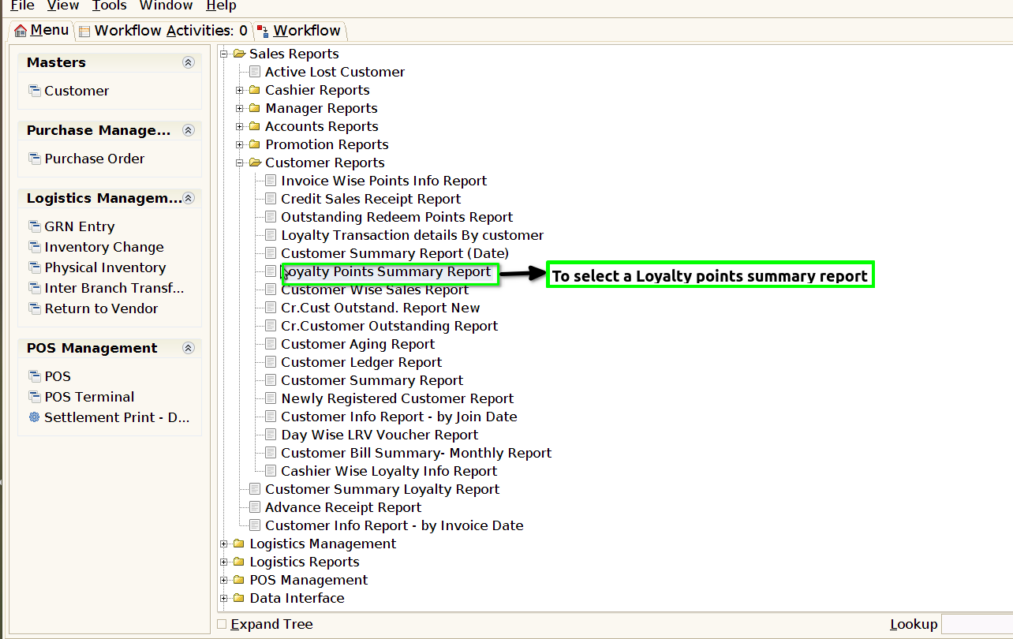
STEP 1: To select a Loyalty points Summary Report.
STEP 2: To enter a Date Invoiced in this field is mandatory.Then to click the start check box to run the process.

STEP 3: Once to complete the process to show the report based on the given data.
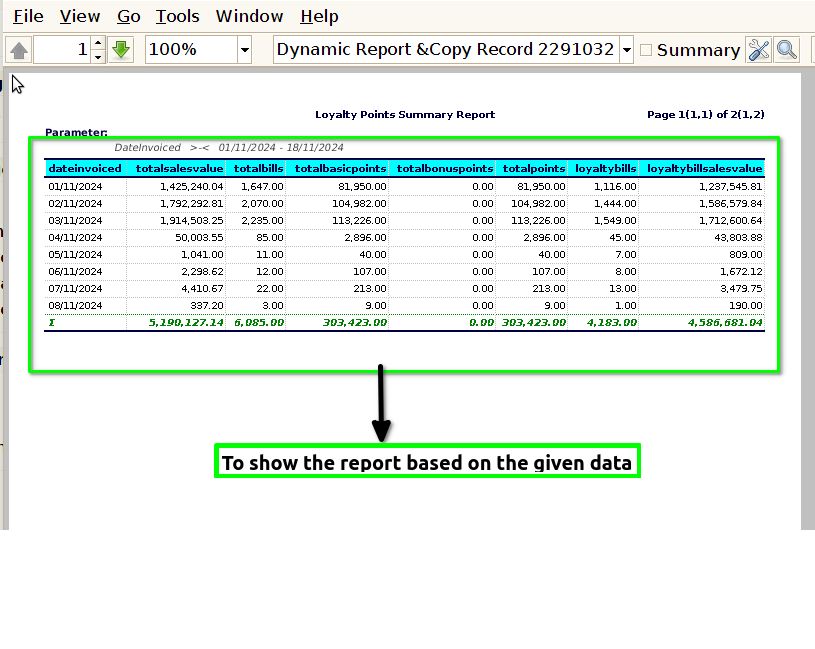
1.Date Invoiced
2.Total sales value
3.Total bills
4.Total Basic Points
5.Total Bonus Points
6.Total points
7.Loyalty Bills
8.Loyalty bill sales value
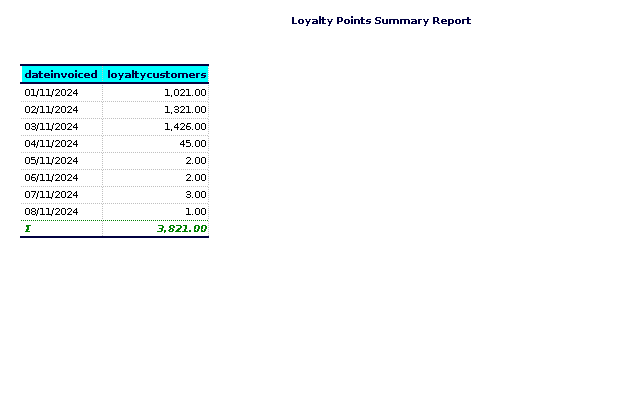
9.Loyalty Customers.