How to validate a New Session opening in Superstore POS in ADempiere Retail
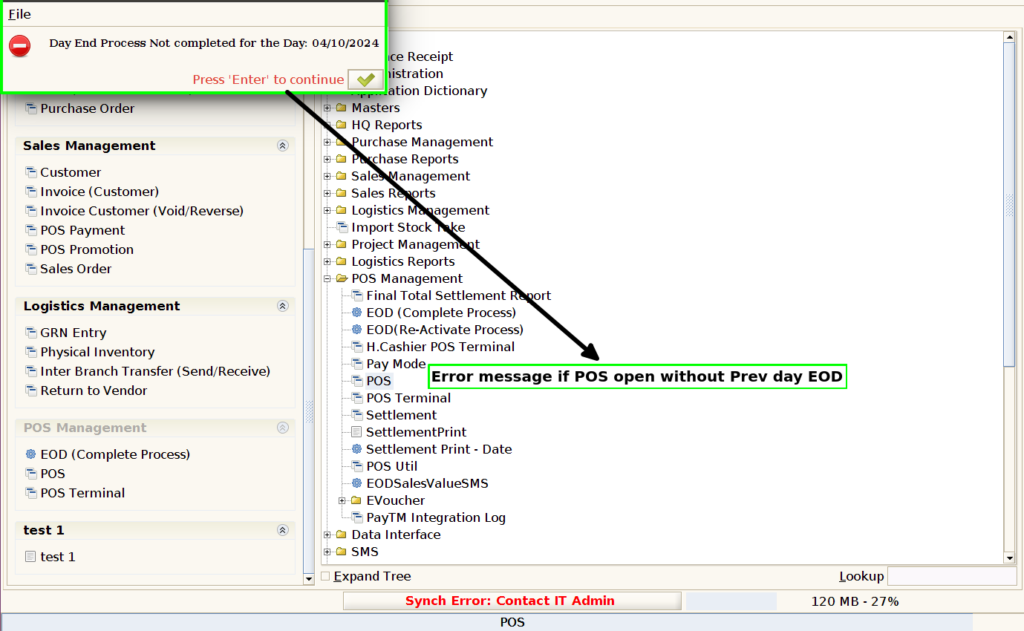
You cannot start a new session today unless the End of Day (EOD) process for yesterday’s session is completed.
User Access
Who Can Access
- Cashier
- Manager
- Admin
- Back office
What User Can Do
- Check Previous Day’s Session Status
- Perform EOD Process
- Access Session Reports
- Retry Creating New Session After EOD
Pre-Requisite Activities
- Complete Previous Day’s Transactions
- Run End of Day (EOD) Process
- Verify EOD Completion
- System Date and Time Accuracy
- Check for EOD Approval (if applicable)
Business Rules
- Mandatory EOD Closure
- No Overlapping Sessions
- All Transactions Must Be Settled Before EOD
- User Permission Required
- Pending Items Block New Session
User Interface
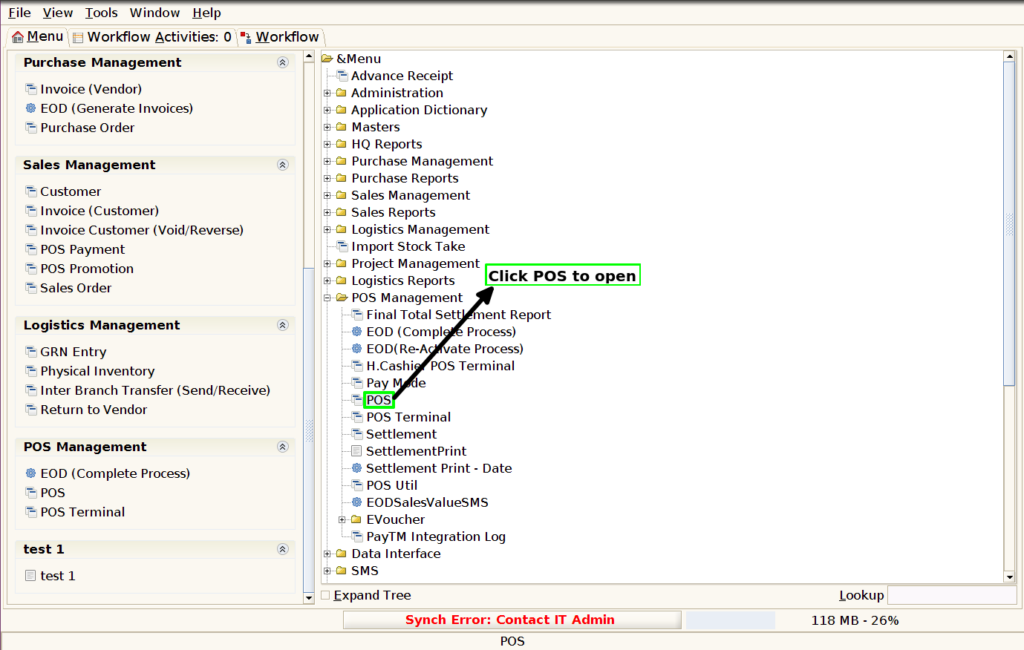
Step 1: Click POS to start the sale.
Step 2 : Pop up will show the error message then click OK and after EOD(Complete Process) only able to open POS