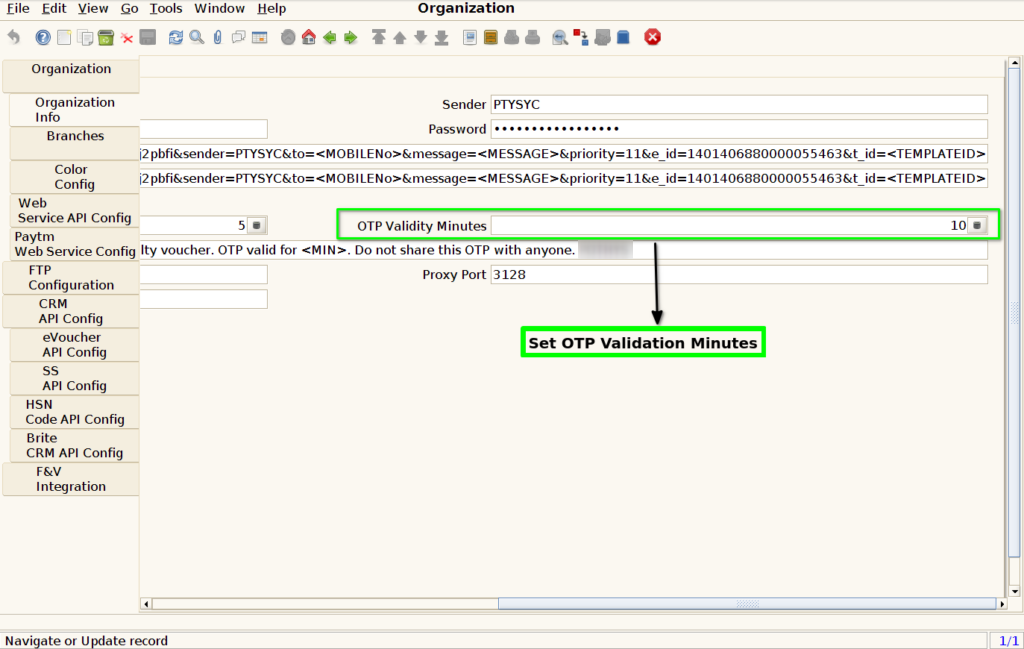
How to configure OTP validity minutes for Loyalty Points Redemption in ADempiere Retail
OTP Validity Minutes refers to the time duration (in minutes) for which a One-Time Password (OTP) sent during point redemption or offer redemption remains active and usable. After this time, the OTP expires and becomes invalid.
User Access
Who Can Access
- Admin
- Cashier
- Back office
What User Can Do
- Configure the validity duration
Pre-Requisite Activities
- SMS/OTP service must be enabled and integrated
- OTP redemption logic must be active in the system
- Customer mobile numbers must be validated and active
- Admin access to system configuration is required
Business Rules
- OTP must automatically expire after the configured time
- Expired OTPs should not allow redemption attempts
- Users can request a new OTP only after expiry or limit
- OTP validity should be configured centrally
- OTP expiry time must be the same across all redemption points
- System must log OTP generation and expiration time for audit
User Interface
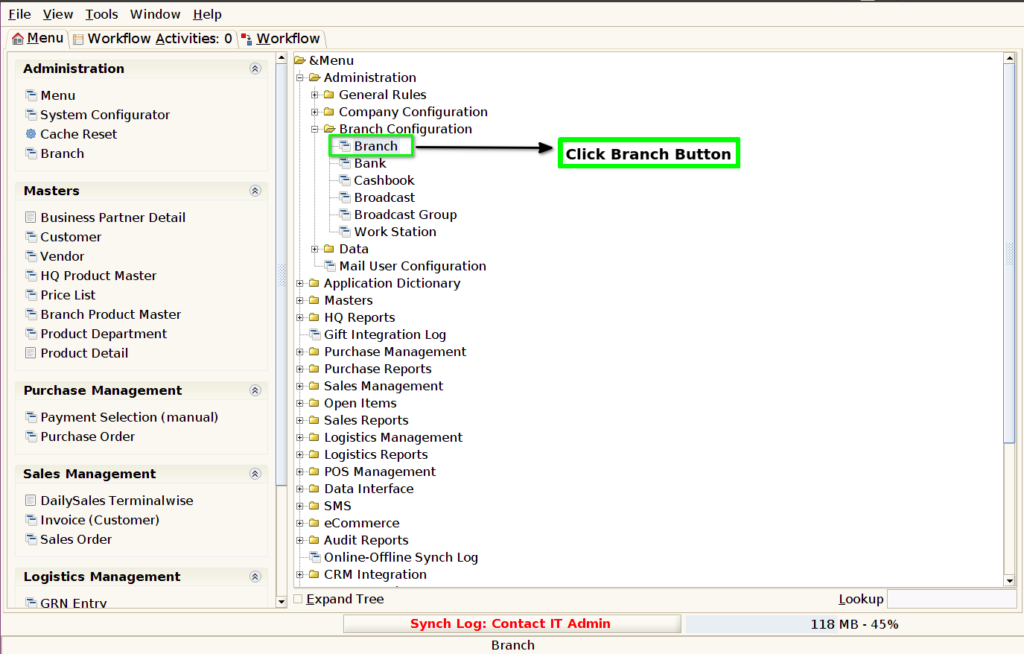
STEP 1: Click Branch Screen Button.
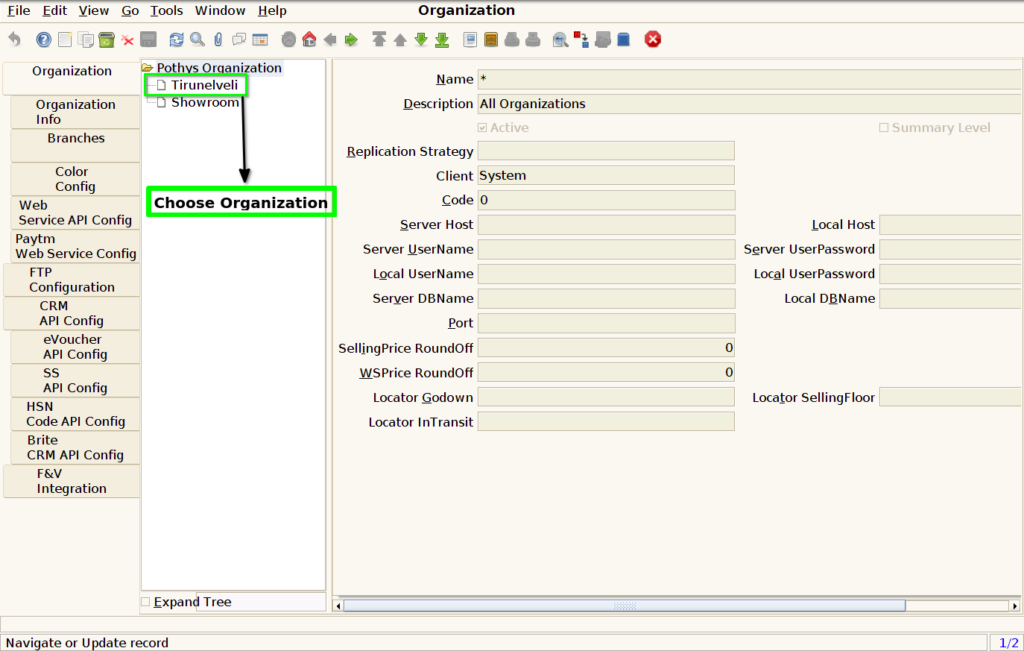
STEP 2: Choose Organisation Customer Location.
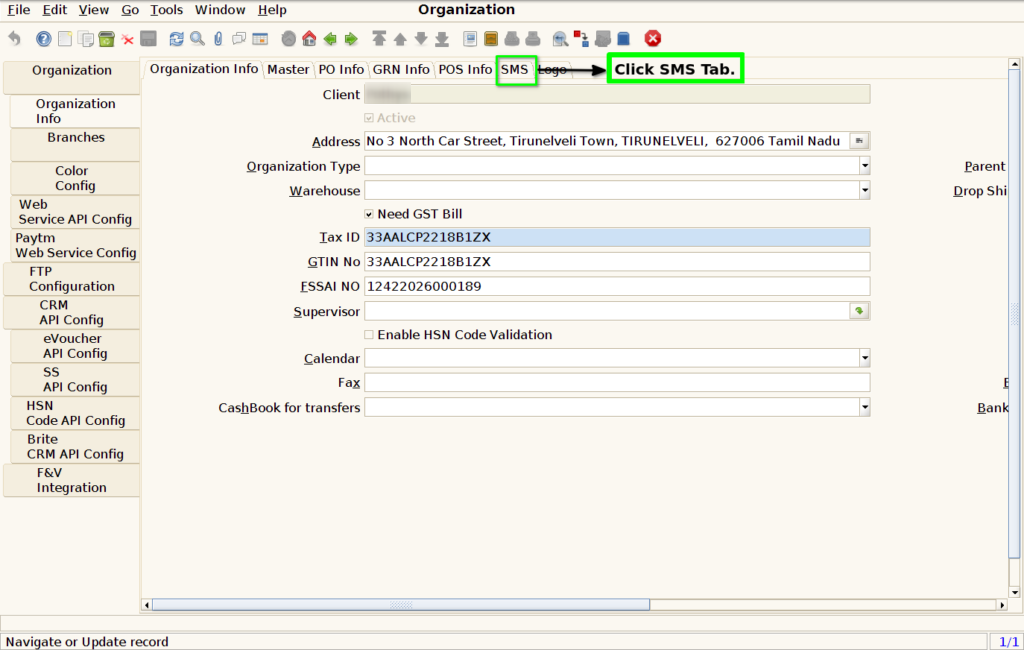
STEP 3: Click Organisation Info Tab.

STEP 4: Click SMS Tab.
STEP 5: Set Validation Minutes in Validation Box.