How Does Invoice Transactions (Doc) Report works in iDempiere
The Invoice Transactions (Doc) Report provides a detailed list of invoice transactions based on the Invoice Date. It displays invoice documents together with customer information, payment details, document status, and invoice amounts for the selected period. The report helps users verify invoice records, review customer transactions, and monitor invoice activity. It is commonly used by the Finance, Sales, Accounts, and Audit teams for invoice verification, reconciliation, and operational reporting.
Business Rules
- Retrieves invoice transaction information from the RV_C_Invoice database view.
- Displays invoice records based on the selected Invoice Date range.
- Allows users to filter records by Organization, Business Partner Group, Business Partner, Payment Rule, and Sales Transaction.
- Supports both Sales and Purchase invoice transactions.
- Displays invoice document information including Document Number, Document Status, and Invoice Date.
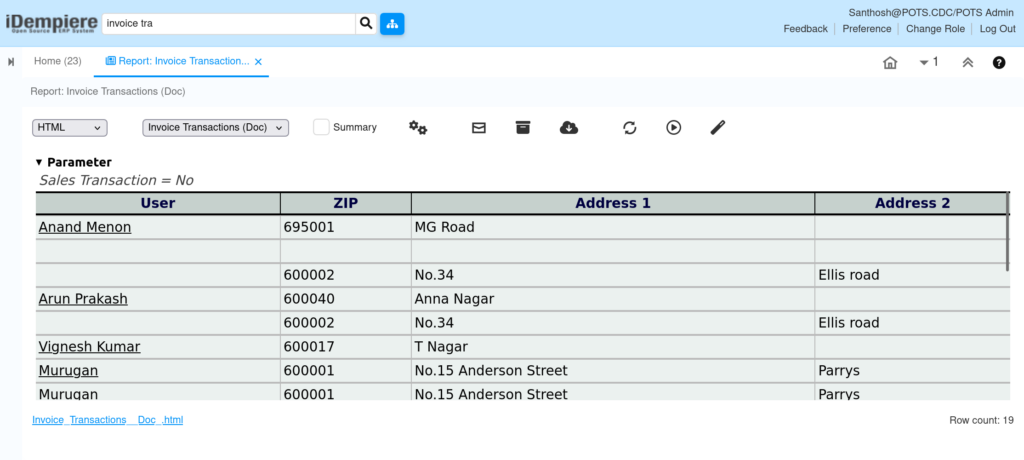
- Retrieves Business Partner information such as Customer Name, Business Partner Group, and Address details.
- Displays payment-related information including Payment Rule and Payment Terms.
- Shows invoice financial information such as Charge Amount, Total Lines, and Grand Total.
- Displays only records that match the selected report parameters.
- Provides a detailed transaction-level report for invoice verification, reconciliation, and auditing.
Report Parameters
Parameter Window
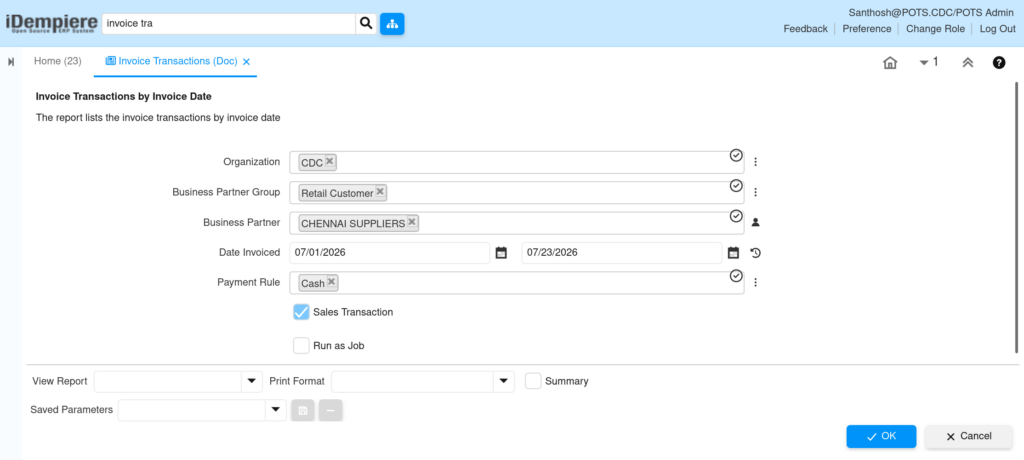
The Invoice Transactions (Doc) Report parameter window allows users to filter invoice records before generating the report.
Invoice Transactions (Doc) Report – Parameter Window
| Parameter | Purpose | Filtering Behavior | Sample Data | |
| Organization | Choose Organization | Filters by organization. | POTS Chennai Store | |
| Business Partner Group | Choose Business Partner Group | Filters by BP Group. | Retail | |
| Business Partner | Choose Business Partner | Filters by Business Partner. | ABC Traders | |
| From Date | Choose Invoice From Date | Filters from selected date. | 01/01/2026 | |
| To Date | Choose Invoice To Date | Filters up to selected date. | 01/31/2026 | |
| Payment Rule | Choose Payment Rule | Filters by payment rule. | Cash | |
| Sales Transaction | Show Sales Transactions Only | Shows Sales or Purchase invoices. | Checked | |
| Payment Rule | Choose Payment Rule | Filters by payment rule. | Cash | |
Report Output
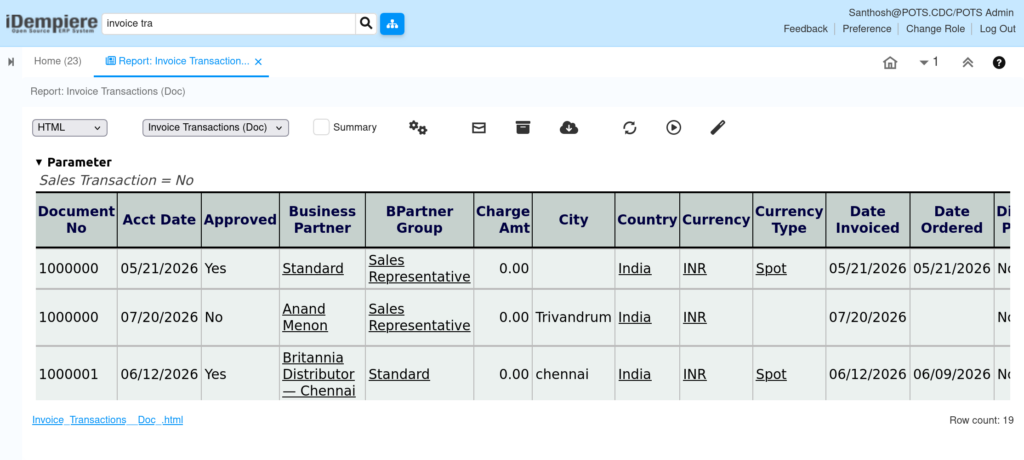
- The report provides a detailed list of invoice transactions generated during the selected invoice period. It displays invoice document information together with customer details, payment information, and invoice amounts. Users can verify completed invoice transactions, review customer billing information, and analyze invoice activity based on various business filters. The report is useful for invoice verification, customer reconciliation, financial auditing, and operational reporting.
The report displays information such as:
- Organization
- Invoice Number (Document No)
- Invoice Date
- Business Partner
- Business Partner Group
- Payment Rule
- Document Status
- Charge Amount
- Total Lines
- Grand Total
- Currency
- Sales Transaction
- Sales Representative
- Address Information
- Description (if available)