How does Order Transaction Report works in iDempiere
The Order Transaction report provides information about sales and purchase orders recorded in iDempiere. It helps users review order transactions based on the selected order date and transaction type, providing an overview of order activity.
The report is mainly used by Sales, Purchase, and Management teams to monitor order transactions, review order information, and analyze sales and purchase activities.
Business Rules
- The report retrieves order transaction information from the C_Order table.
- Each record represents a single sales or purchase order.
- Users can filter the report using Date Ordered and Sales Transaction.
- If a Date Ordered is selected, only orders for the selected date or date range are displayed.
- The Sales Transaction parameter determines whether Sales Orders or Purchase Orders are displayed.
- Multiple parameters can be used together to narrow the report results.
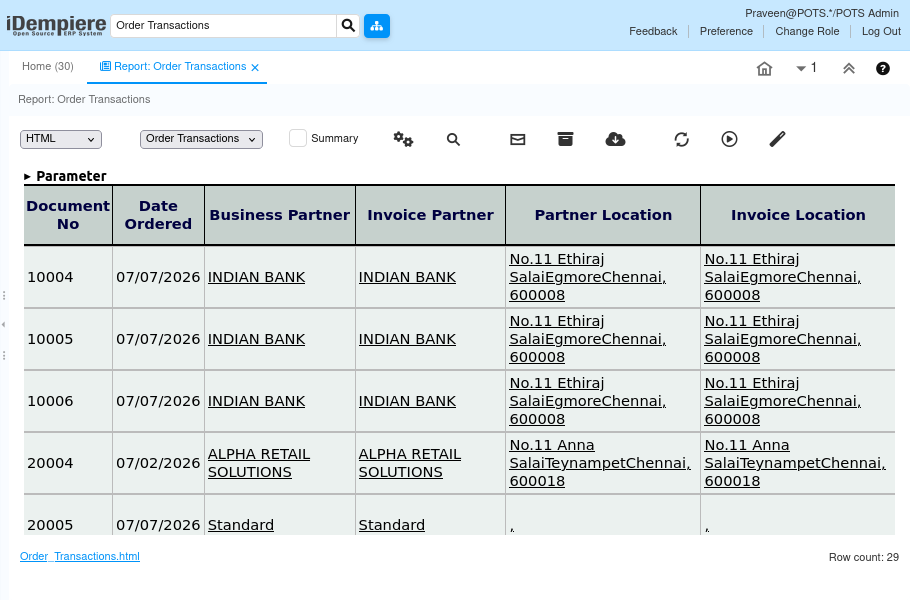
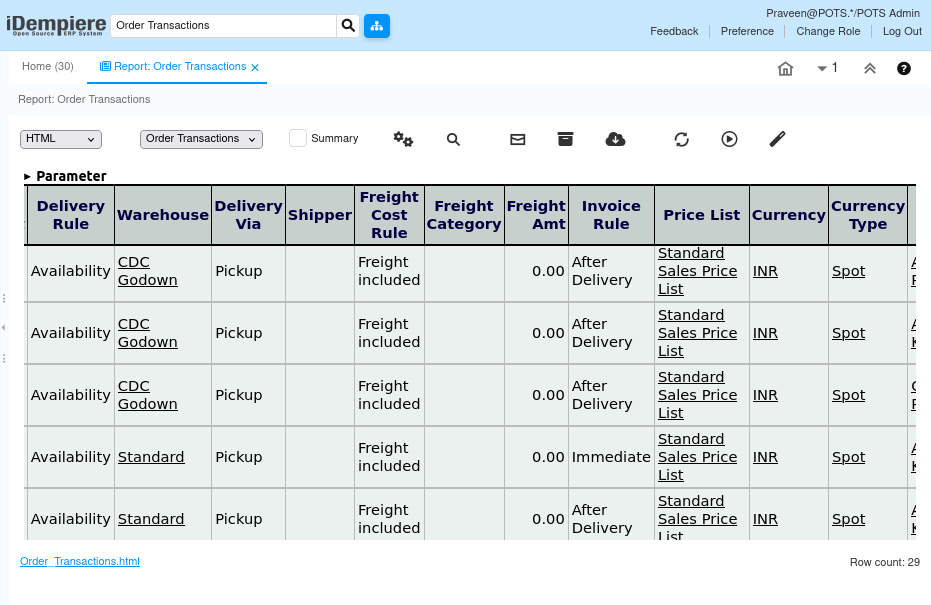
- The report displays order information such as order number, document status, business partner, warehouse, sales representative, and order amounts.
- The report is read-only and does not create or update business transactions.
- Based on the available implementation, the report retrieves data from the C_Order table and does not use a custom Java process.
Report Parameters
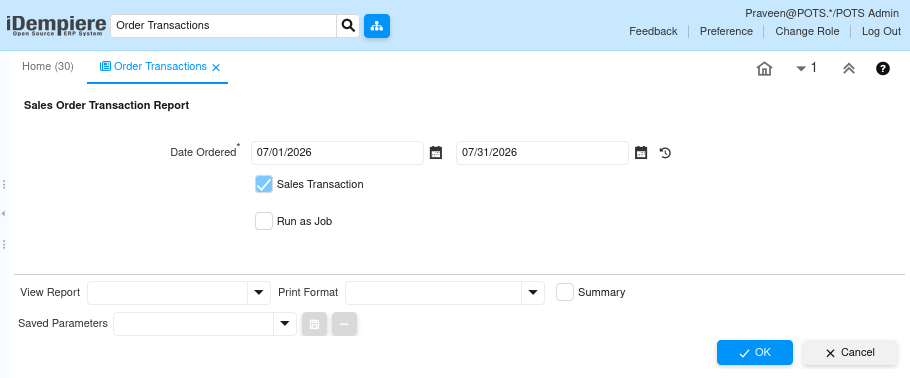
Order Transaction– Parameter Window
The Order Transaction parameter window allows users to filter order transactions before generating the report. Users can select Date Ordered and Sales Transaction to display order records that match the selected criteria.
| Parameter | Purpose | Filtering Behavior | Sample Data |
| Date Ordered | Selects the order date. | Displays order transactions for the selected date or date range. | 01/01/2026 |
| Sales Transaction | Selects Sales or Purchase orders. | Checked displays Sales Orders; unchecked displays Purchase Orders. | Yes |
Report Output
- The Order Transaction report displays order information based on the selected report parameters. Each row represents a single sales or purchase order.
The report includes important details such as Order Number, Order Date, Business Partner, Document Status, Warehouse, Sales Representative, Order Amount, and Transaction Type. It helps users review order transactions and monitor sales and purchase activities.