How does Invoice Tax Report works in iDempiere
The Invoice Tax report provides detailed information about the tax amounts recorded against invoices in iDempiere. It displays each tax line along with its invoice, business partner, document type, and tax details, helping users review tax collected or paid on sales and purchase transactions.
The report is mainly used by Finance and Tax/Compliance teams to reconcile tax liability, prepare tax filings, and verify that tax amounts on invoices are calculated and recorded correctly.
Business Rules
- The report retrieves data from the RV_C_InvoiceTax report view.
- The report combines invoice tax, invoice, document type, and business partner information into a single report.
- Each record represents a single tax line on an invoice.
- Tax base amount, tax amount, and tax line total are automatically sign-adjusted based on the invoice’s document base type: amounts on credit memos are shown as negative, while other invoice types are shown as positive.
- A multiplier field (1 or -1) reflects the sign adjustment applied to each tax line based on the related invoice’s document base type.
- The report includes business partner tax information, such as Tax ID and tax-exempt status, along with document type details for each invoice.
- The report is read-only and does not create or update invoice or tax data.
Report Parameters
Invoice Tax – Parameter window
The Invoice Tax parameter window allows users to filter tax records before generating the report. Users can select Organization, Date Invoiced, Account Date, Tax, and Document Type to display only the invoice tax records that match the selected criteria.

| Parameter | Purpose | Filtering Behavior | Sample Data |
| Organization | Selects the organization the invoice belongs to. | Displays invoice tax records for the selected organization. | HQ |
| Date Invoiced | Selects the invoice date or date range. | Displays invoice tax records matching the selected invoice date or date range. | 01-Jul-2026 to 22-Jul-2026 |
| Account Date | Selects the accounting date or date range. | Displays invoice tax records matching the selected accounting date or date range. | 01-Jul-2026 to 22-Jul-2026 |
| Tax | Selects a specific tax rate/definition. | Displays invoice tax records for the selected tax. | Output GST 18% |
| Document Type | Selects the invoice document type. | Displays invoice tax records for the selected document type. | AR Invoice |
Report Output
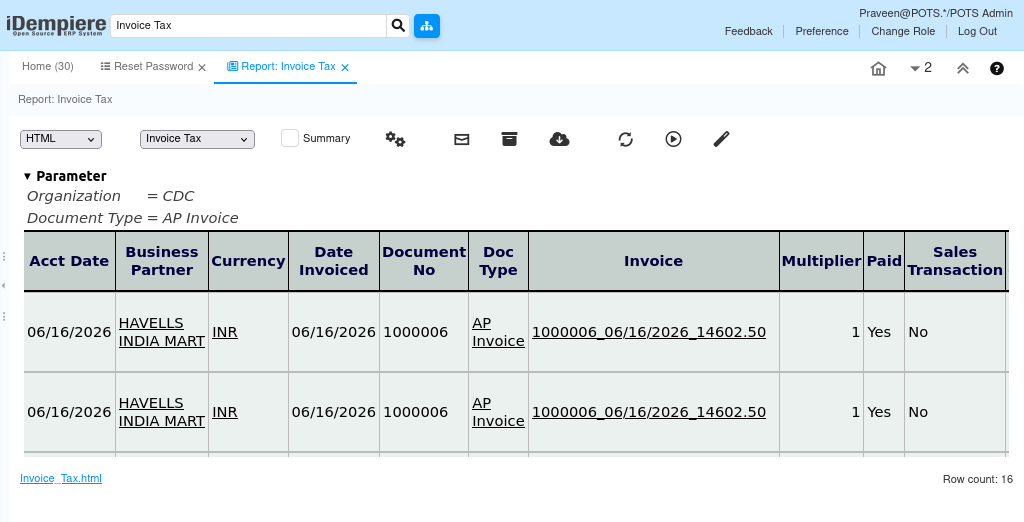
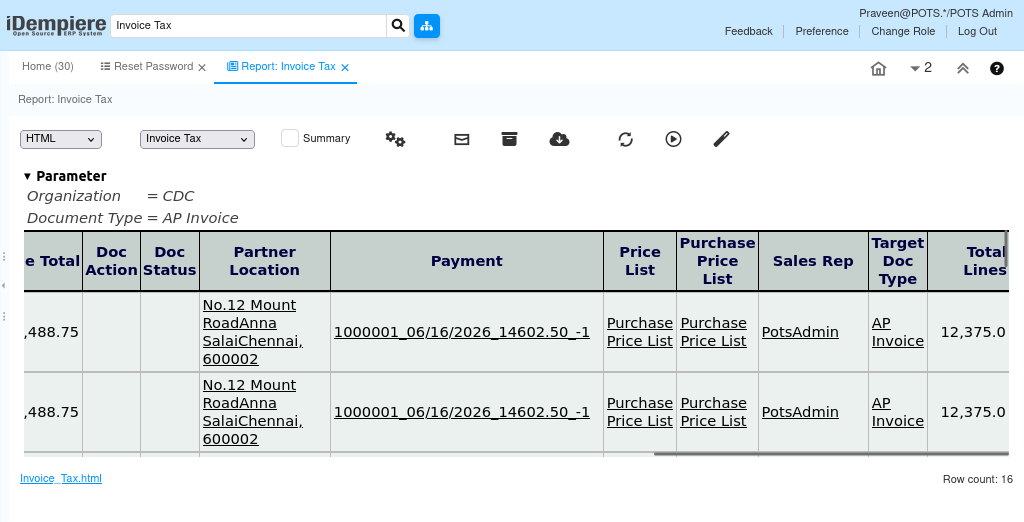
- The Invoice Tax report displays one row per tax line on an invoice. Each row shows the tax base amount, tax amount, and tax line total signed according to the invoice’s document base type, along with business partner and document type details.
The report includes the document number, business partner, document type, invoice date, tax, tax base amount, tax amount, and tax line total. It helps users review and reconcile the tax recorded on sales and purchase invoices.