How to Configure Print Table Format in iDempiere
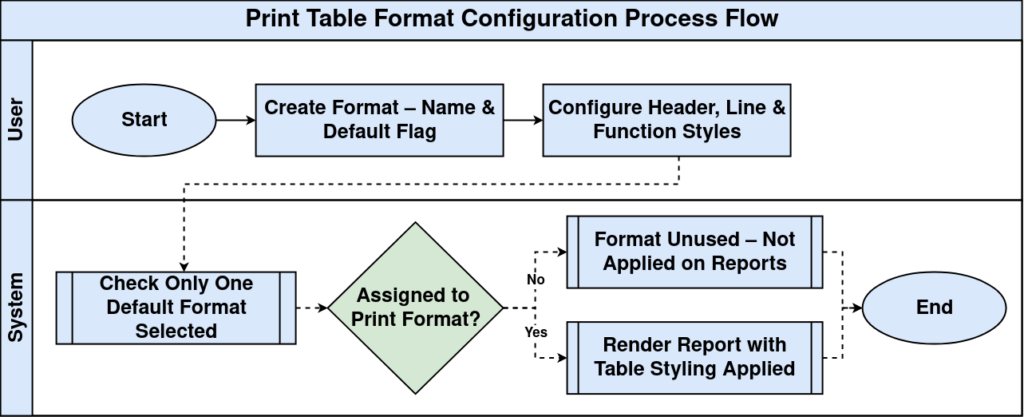
The Print Table Format window defines colors, fonts, borders and line styles used when printing report tables in iDempiere.
Business Rules
- Only active formats are available.
- One record can be default.
- Header styles are configurable.
- Line styles affect report output.
- Print formats reuse table formats.
Process Flow
Prerequisites
- Tenant configured.
- Print Format configured.
- Print Paper available.
Navigation
Menu → System Admin → General Rules → Print Table Format
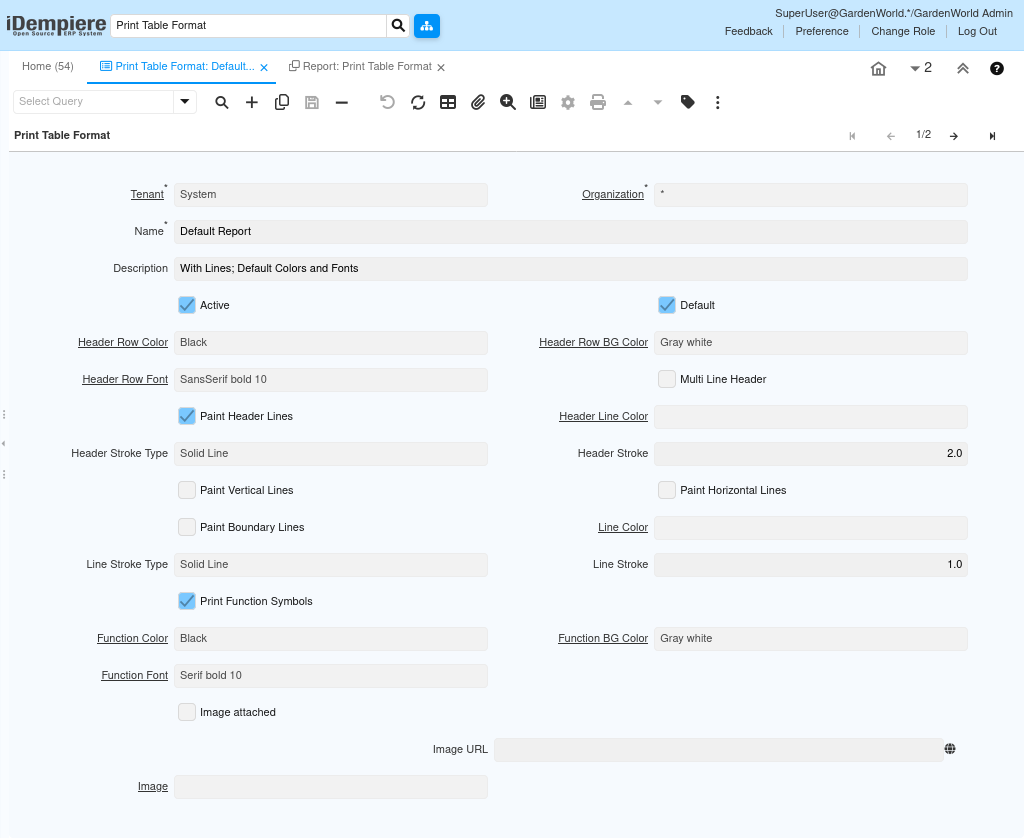
Configuration Steps
Step 1: Create Format
Complete the required fields.
Step 2: Configure Header
Complete the required fields.
Step 3: Configure Lines
Complete the required fields.
Step 4: Configure Functions
Complete the required fields.
Step 5: Save
Complete the required fields.
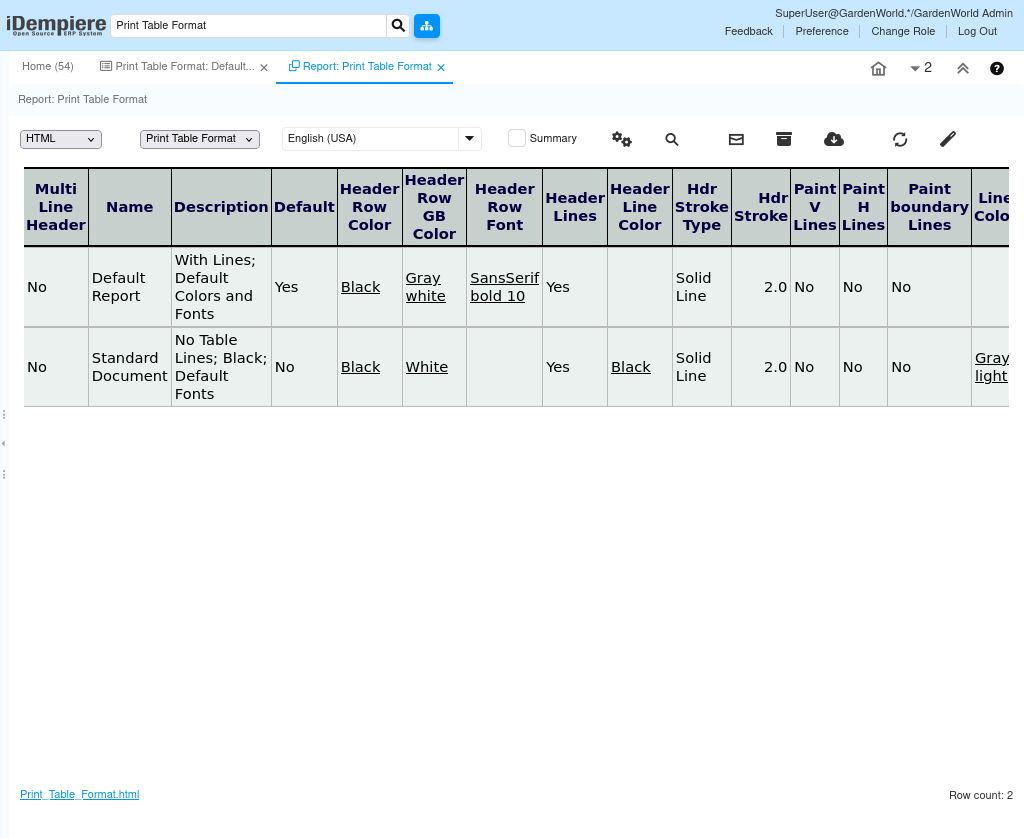
Common Issues and Resolutions
| Issue | Cause | Resolution |
| Wrong layout | Incorrect format | Assign correct table format |
| No header lines | Option disabled | Enable header lines |
| Wrong font | Font setting | Select correct font |
| Inactive | Disabled | Activate record |
| Colors incorrect | Wrong color setup | Update colors |
Next Steps
- Assign to Print Format.
- Preview report.
- Validate output.