How Does Invoice Not Realized Gain/Loss Works in iDempiere
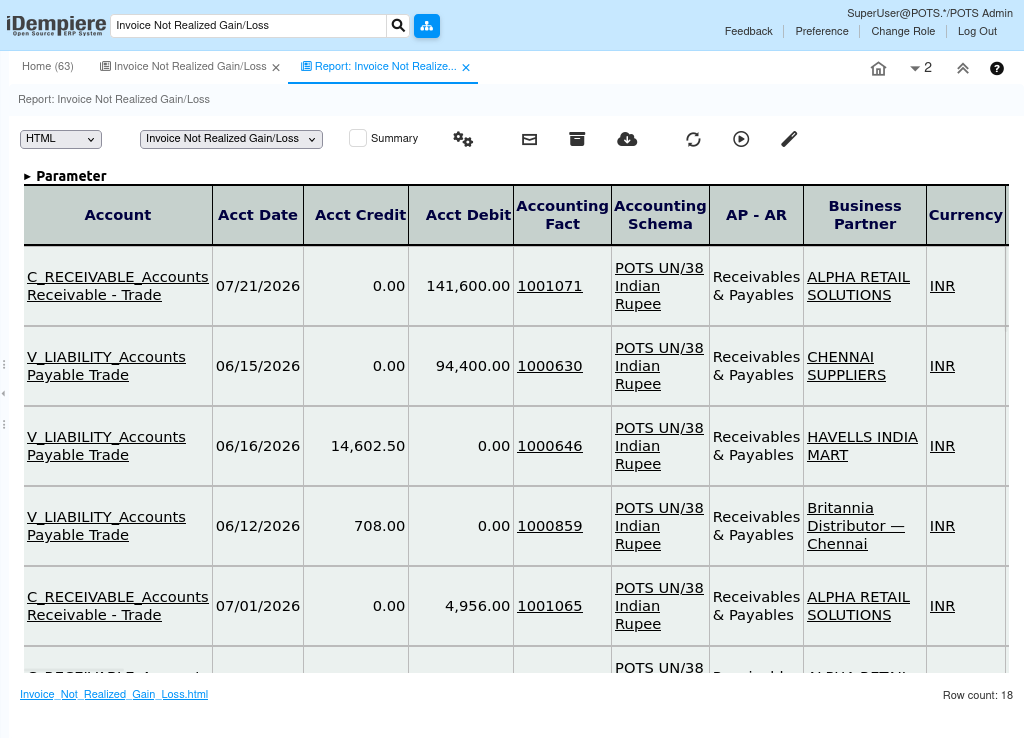
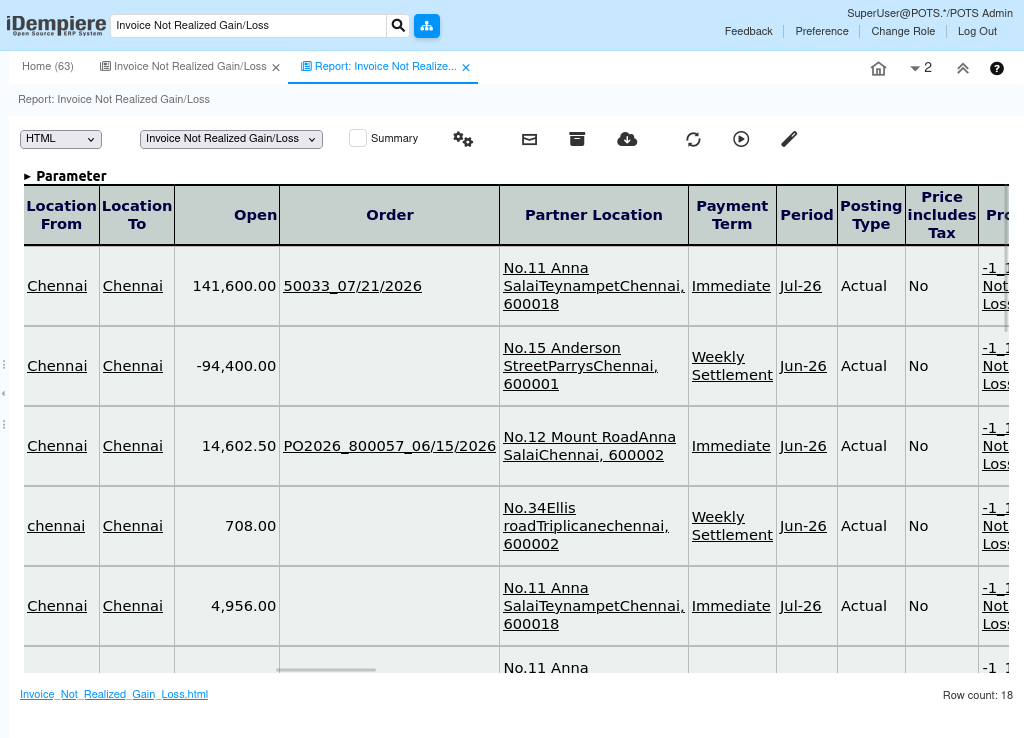
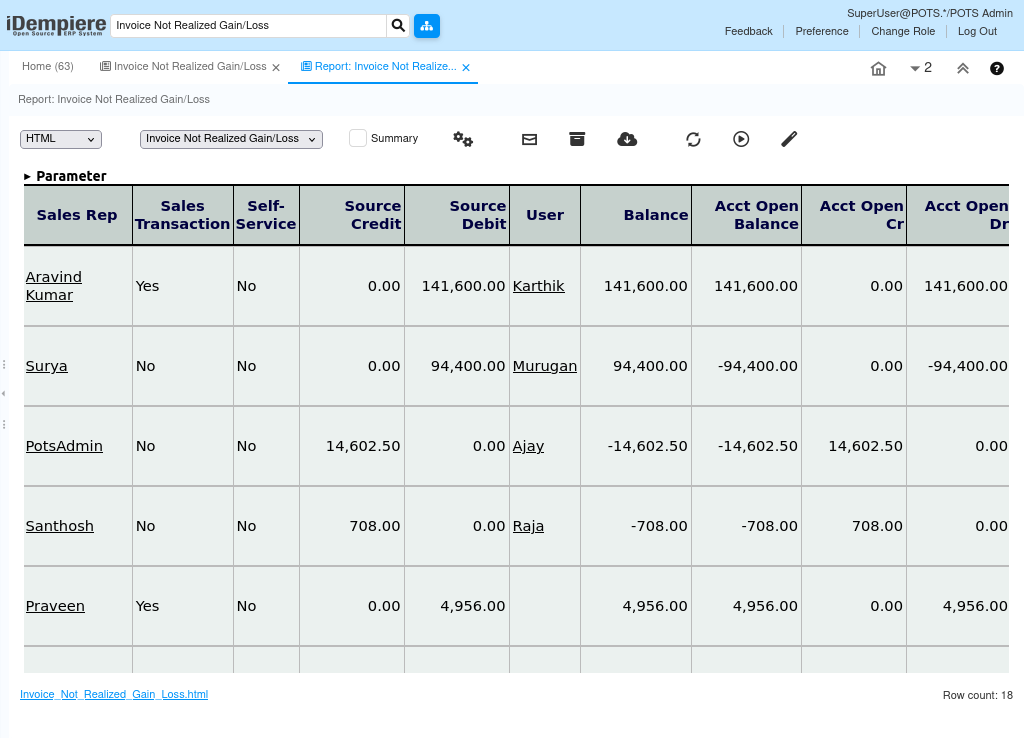
The Invoice Not Realized Gain/Loss Report identifies foreign currency invoices that are not fully paid and calculates unrealized exchange gains or losses using the selected exchange rate. It compares the original accounting amount with the revalued amount and helps finance users evaluate currency fluctuations on outstanding AR and AP invoices.
The report can also generate a GL Journal for the calculated unrealized gain or loss. It is mainly used during financial period-end currency revaluation.
Business Rules
• Accounting Schema is mandatory.
• Only posted unpaid invoices are processed.
• Supports AP, AR, or both.
• Revaluation Date determines the exchange rate.
• Can process all currencies or one currency.
• Fully paid invoices are excluded.
• Partial invoices are revalued only for the open amount.
• Calculates unrealized gain/loss.
• Can automatically create a GL Journal.
• Supports month-end/year-end financial closing.
Report Parameters
Parameter Window
The Invoice Not Realized Gain/Loss Report parameter window allows users to filter invoice records before generating the report.
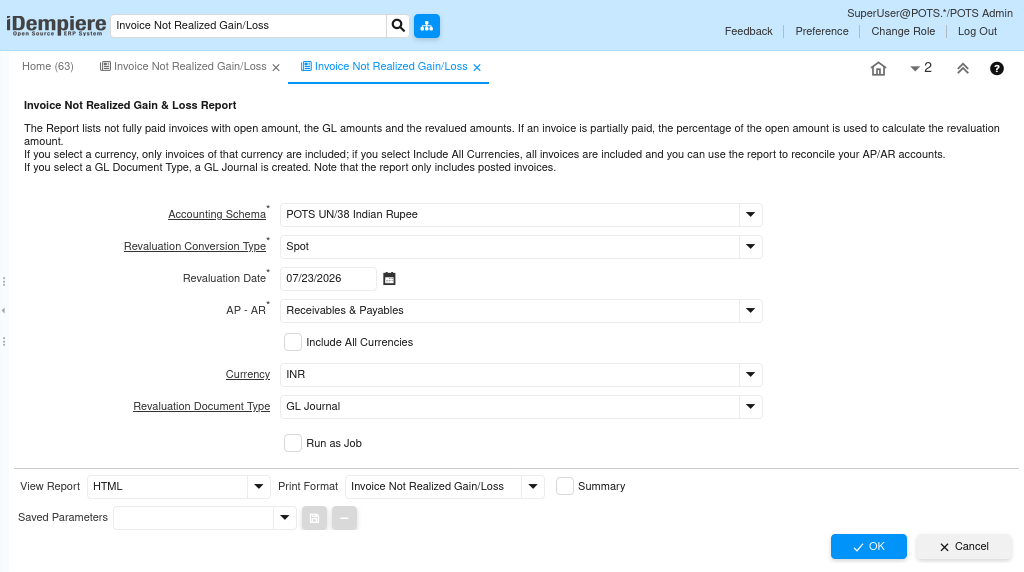
Monthy Invoice Report – Parameter Window
| Parameter | Purpose | Filtering Behavior | Sample Value |
|---|---|---|---|
| Accounting Schema | Select the Accounting Schema | Processes invoices belonging to the selected accounting schema. | POTS UN/38 Indian Rupee |
| Revaluation Conversion Type | Select the Currency Conversion Type | Uses the selected exchange rate type to calculate the revalued invoice amount. | Spot |
| Revaluation Date | Select the Revaluation Date | Uses the exchange rate available on the selected date for currency revaluation. | 07/23/2026 |
| AP – AR | Select Transaction Type | Processes Accounts Receivable, Accounts Payable, or both based on the selected option. | Receivables & Payables |
| Include All Currencies | Process All Foreign Currencies | Includes invoices for all foreign currencies in the revaluation process. | Checked |
| Currency | Select Currency | Processes invoices only for the selected currency when ‘Include All Currencies’ is not selected. | INR |
| Revaluation Document Type | Select GL Document Type | Creates a General Ledger Journal using the selected document type for unrealized gain and loss postings. | GL Journal |
| Run as Job | Execute the Process in Background | Runs the revaluation process as a background job without waiting for immediate completion. | Checked |
The report is executed using the selected parameter values to retrieve matching Sales Invoice records.
Report Output
Displays outstanding foreign currency invoices, open amount, accounting balance, revalued balance, unrealized gain/loss, and exchange-rate impact. If enabled, the system creates a GL Journal for the calculated unrealized gain or loss. The report supports reconciliation and financial closing.