How to Configure Country Group in iDempiere
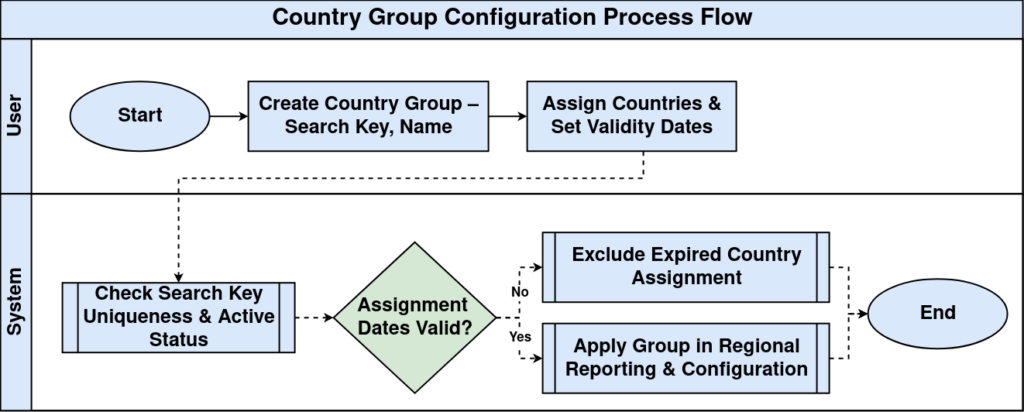
The Country Group window allows multiple countries to be grouped under a common definition. It simplifies regional configurations and reporting for retail organizations.
Business Rules
- Only active groups are available.
- Search Key must be unique.
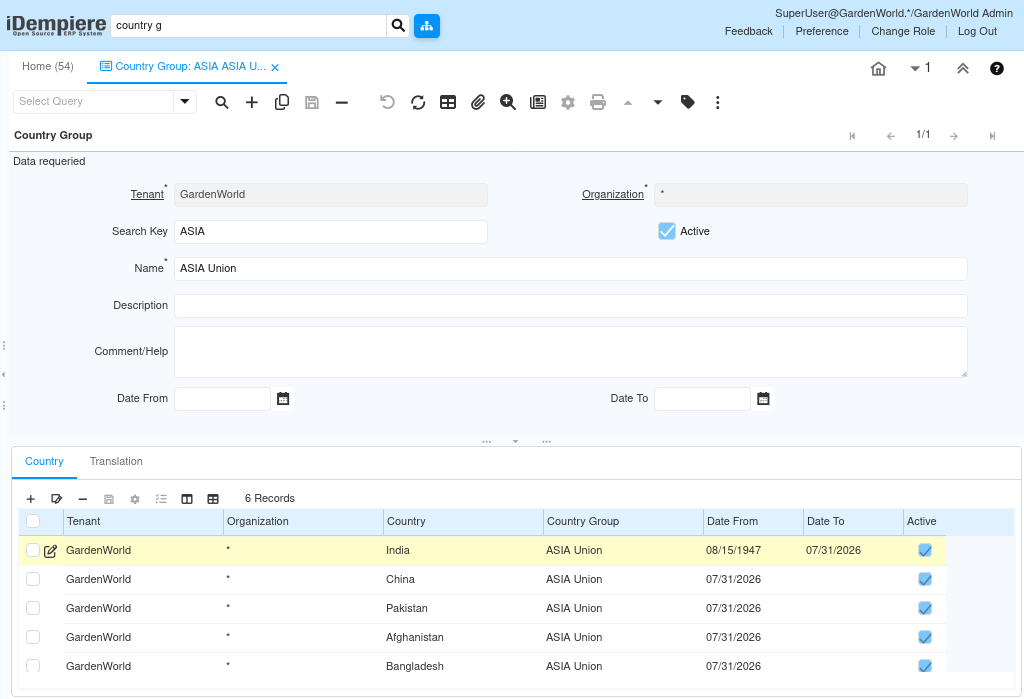
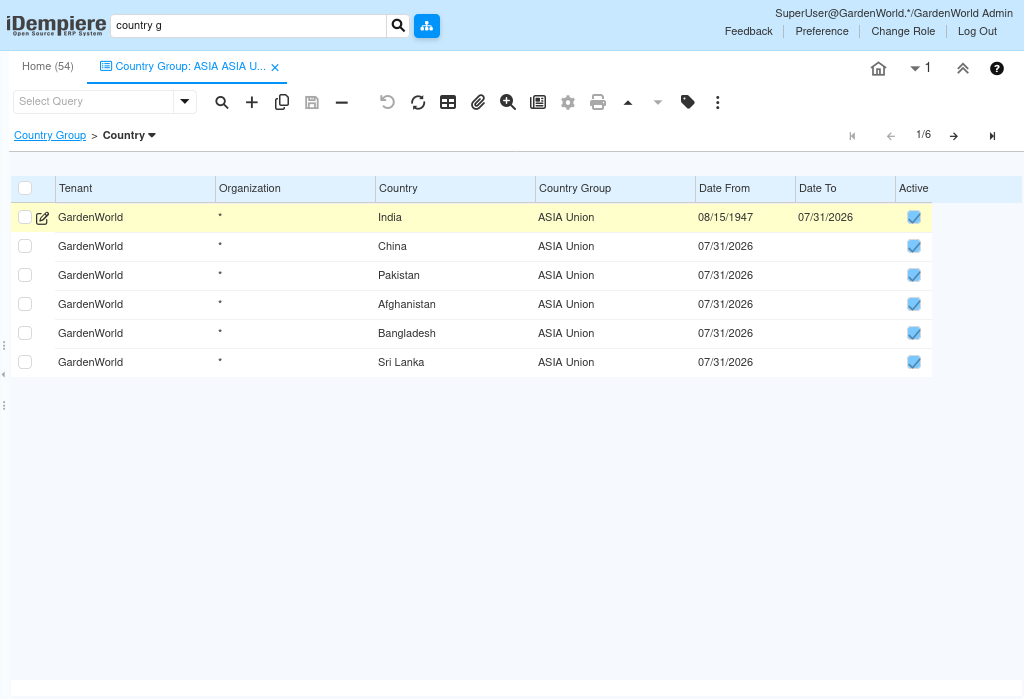
- Countries are maintained in the Country tab.
- Validity is controlled by dates.
- Inactive country assignments are ignored.
Process Flow
Prerequisites
- Tenant configured.
- Country records available.
- Organization configured.
Navigation
Menu → System Admin → General Rules → Country Group
Configuration Steps
Create Country Group
Configure the required fields.
Enter General Information
Configure the required fields.
Screenshot Placeholder – Enter General Information
Assign Countries
Configure the required fields.
Maintain Dates
Configure the required fields.
Save Record
Configure the required fields.
Common Issues and Resolutions
| Issue | Cause | Resolution |
| Country missing | Not assigned | Add in Country tab |
| Inactive | Disabled | Activate |
| Duplicate key | Existing key | Use unique key |
| Expired | Date To passed | Update date |
| Wrong assignment | Incorrect country | Correct selection |
Next Steps
- Review Country records.
- Configure Regions.
- Validate reporting.