How Does Business Partner Detail Report Works in iDempiere
The Business Partner Detail Report provides complete information about Business Partners maintained in the iDempiere system. It displays Business Partner master data, contact details, address information, and credit-related information in a single report.
The report helps users verify customer, vendor, and employee records before performing business transactions. It is commonly used by Sales, Purchase, Finance, and Customer Service teams for master data verification and business analysis.
Business Rules
- Retrieves Business Partner information from the RV_BPartner database view.
- Displays only active Business Partner records with valid address and contact information.
- Supports Customer, Vendor, Employee, and Sales Representative Business Partner records.
- Retrieves contact information such as Contact Name, Email Address, Phone Number, and Fax Number.
- Displays complete address details including Address, City, Region, Postal Code, and Country.
- Shows Business Partner Group, Sales Representative, and Credit Status information.
- Displays credit-related details such as Credit Limit, Credit Used, Available Credit, and Open Balance.
- Allows users to filter records using Business Partner Name, Contact Name, Email Address, Sales Representative, Business Partner Group, and Credit Status.
- Displays customer-specific and vendor-specific master information maintained in the Business Partner record.
- Returns only the records that match the selected report parameters.
Report Parameters
Parameter Window
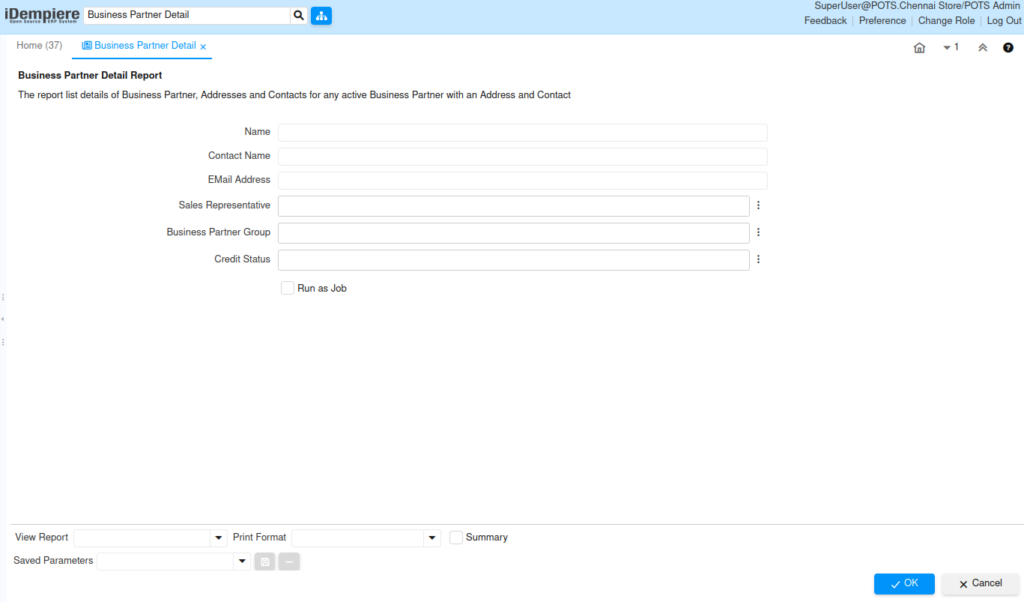
The Business partner detail Report parameter window allows users to filter Business partner records before generating the report.
Business Partner Detail Report – Parameter Window
| Parameter | Purpose | Filtering Behavior | Sample Value | |
| Name | Choose Business Partner Name | Displays the selected Business Partner. | ABC Traders | |
| Contact Name | Choose Contact Name | Displays the selected contact. | John | |
| Email Address | Enter Email Address | Filters records by email address. | john@abc.com | |
| Sales Representative | Choose Sales Representative | Displays Business Partners for the selected Sales Representative. | POTS Admin | |
| Business Partner Group | Choose Business Partner Group | Displays Business Partners in the selected group. | Retail Customer | |
| Credit Status | Choose Credit Status | Displays Business Partners with the selected credit status. | Credit OK | |
| Run as Job | Run the report in the background | Generates the report as a background job. | Checked | |
Report Output
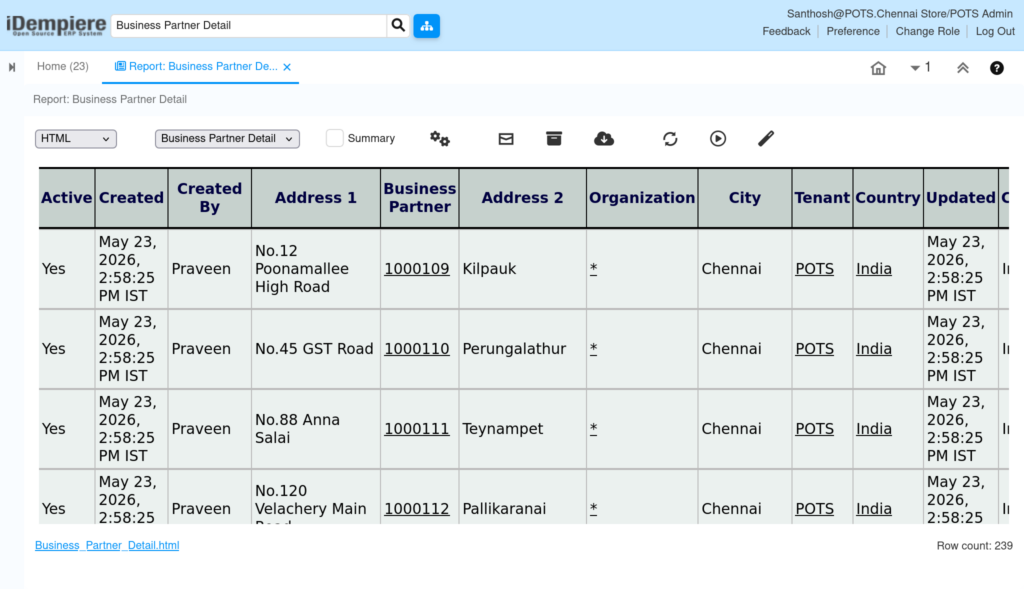
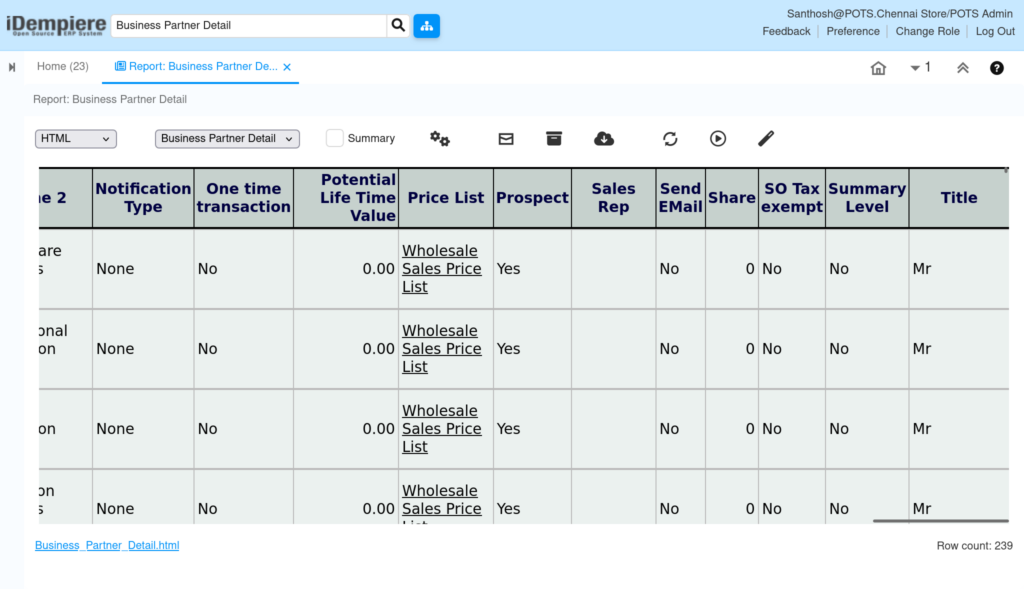
The report provides a detailed view of Business Partner master information based on the selected search criteria. It displays contact details, address information, credit information, and Business Partner classification in a single report. Users can verify customer and vendor information before creating sales or purchase transactions. The report also helps maintain accurate master data and supports customer service, supplier verification, and audit activities.
The report displays:
- Business Partner Name and Search Key
- Contact Name and Email Address
- Phone and Fax Numbers
- Business Partner Group
- Sales Representative
- Credit Status, Credit Limit, and Open Balance
- Address, City, Region, Postal Code, and Country
- Customer and Vendor information