How Does Cash Flow Report Works in iDempiere
The Cash Flow Report shows how much money a business expects to receive or pay out. It uses open invoices and open orders to estimate the cash coming in and going out over time.
Finance and Treasury teams use this report to plan ahead and keep track of the company’s cash position.
Business Rules
- Each time the report is run, it builds a fresh list of cash flow lines in a working table called T_CashFlow, based on the Date To, Accounting Schema, and Account Element the user selects.
- Each line comes from one of two sources: an open invoice (money already owed) or an open order not yet invoiced (money expected later). This is shown in the Cash Flow Source column.
- Each line links back to where it came from, such as the related order, invoice, business partner, project, or product, so users can see what’s driving that amount.
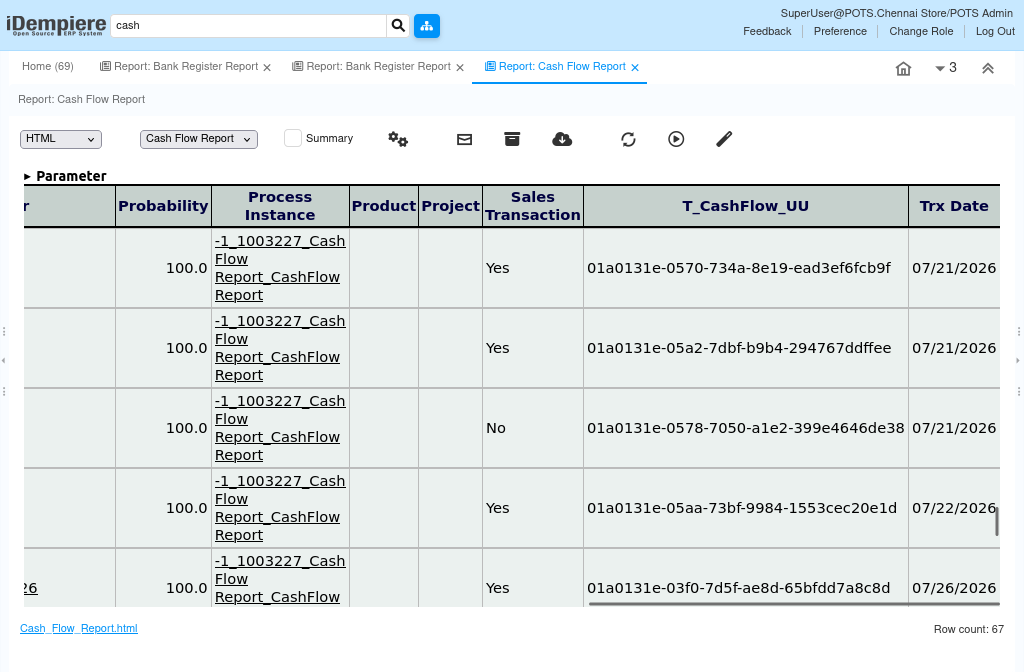
- The Sales Transaction column shows whether the line is a sale or a purchase. Sales are shown as a positive amount (money coming in); purchases are shown as a negative amount (money going out).
- The Probability column shows how likely that amount is to actually happen, as a percentage — 100% means it’s fully expected, while a lower number means it’s less certain.
- The Date To parameter is the cut-off date chosen by the user for the projection, while Trx Date is the date of the actual transaction behind each line.
- The report lists lines in date order, with money coming in and money going out grouped together, so users can follow the flow of cash over time.
- Each report run only shows data for the user’s own company and organization, and different users running the report at the same time won’t affect each other’s results.
- The working table is temporary — it’s rebuilt fresh each time the report runs and isn’t meant to be checked outside the report itself.
- The report is read-only — it only displays existing information and doesn’t create, change, or delete any records.
Report Parameters
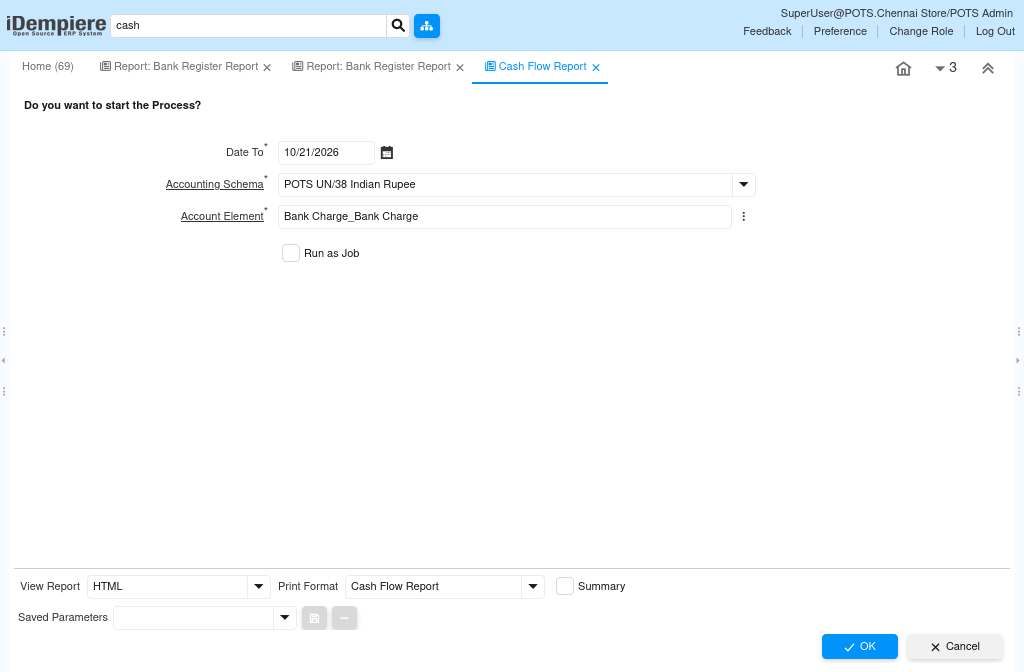
Users can filter the report using these options:
| Parameter | Purpose | Filtering Behavior | Sample Data |
| Date To | Sets the cut-off date up to which projected cash flow transactions are included. | Displays cash flow lines with a transaction date on or before the selected date. | 10/21/2026 |
| Accounting Schema | Selects the accounting schema used to value the cash flow amounts. | Displays cash flow lines recorded under the selected accounting schema. | POTS UN/38 Indian Rupee |
| Account Element | Selects the natural account (element value) associated with the cash flow lines. | Displays cash flow lines posted to the selected account element. | Bank Charge_Bank Charge |
Report Output
- One row is shown for each cash flow line, sorted by date.
The report shows the account, business partner, cash flow source, date, amount, probability, and whether it’s a sale or a purchase. This gives users a quick view of expected cash in and out.