How to Resubmit Accounting for posting in iDempiere
Configure the Resubmit Posting window in iDempiere to correct posting errors and repost invoices, receipts, and payments for accounting.
Introduction
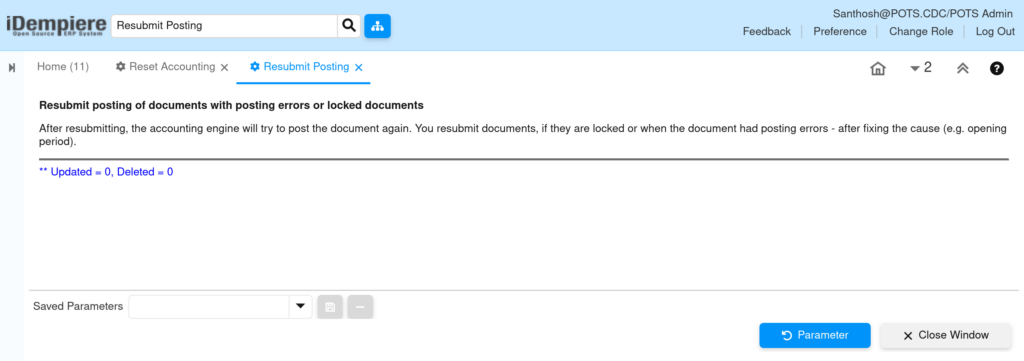
The Resubmit Posting window in iDempiere is an accounting utility that clears invalid posting status so eligible documents can be reposted.
Running it correctly keeps financial reports accurate, since incorrect resets can distort ledger balances until documents are reposted.
Business Rules
- Only transactions with an active Posted are eligible for reset.
- The original business document is never deleted, reversed, reopened, or voided.
- Accounting Period Control determines which documents fall inside the eligible date range.
- The Accounting Server must be stopped before running this process.
Prerequisites
- User role has System Admin access to the Reset Accounting window.
- Accounting Server stopped before starting the process.
Navigation
Menu → Open Items (Financial Movements and Aging) → Resubmit Posting
Configuration Steps
Step 1: Select the Table to Reset
Open Resubmit Posting. In the Table field, select the document table, for example C_Invoice_Invoice for AR/AP invoices.
| Field | Sample Value | Description |
| Tenant | POTS | Client whose accounting records will be processed. |
| Table | C_Invoice_Invoice | Restricts the reset to Invoice-related Fact_Acct entries only. |
Step 2: Run and Review the Process
Click OK to execute. Review the result message for reset counts, then run Post Immediate on the affected documents to repost.

Common Issues and Resolutions
| Issue | Cause | Resolution |
| No documents are reset | Selected date range falls outside the open accounting period. | Adjust Account Date From/To to match an open period in Period Control. |
Next Steps
- Review and correct Accounting Schema or Product/Account mappings.
- Run Post Immediate to regenerate accounting entries for reset documents.
- Verify General Ledger balances after reposting.
- Confirm Period Control settings for the affected accounting period.