How does Print Format Detail Report works in iDempiere
The Print Format Detail report provides detailed information about the items defined on a Print Format in iDempiere. It displays the field-level layout, alignment, sizing, and calculation settings that make up a Print Format.
The report is mainly used by Functional Consultants, Administrators, and Implementation teams to review Print Format configurations, verify field layout settings, and confirm calculation logic before a Print Format is used in production.
Business Rules
- The report retrieves data from the RV_PrintFormatDetail report view.
- The report combines Print Format header settings with Print Format Item layout and calculation settings into a single report.
- Each record represents a single Print Format Item included in the selected Print Format.
- Item details are linked to the corresponding Print Format header they belong to.
- The report displays layout settings, alignment, sizing, and calculation flags for each item.
- The report is read-only and does not create or update Print Format data.
- Based on the available implementation, the report retrieves data directly from the RV_PrintFormatDetail report view without using a custom Java process.
Report Parameters
The Print Format Detail parameter window allows users to select the Print Format to report on before generating the results. Users can also choose to run the report as a background job.

| Parameter | Purpose | Filtering Behavior | Sample Data |
| Print Format | Selects the Print Format to report on. | Displays item details for the selected Print Format. | Business Partner |
| Run as Job | Runs the report as a background job. | Processes the report without displaying results immediately. | Unchecked |
Report Output
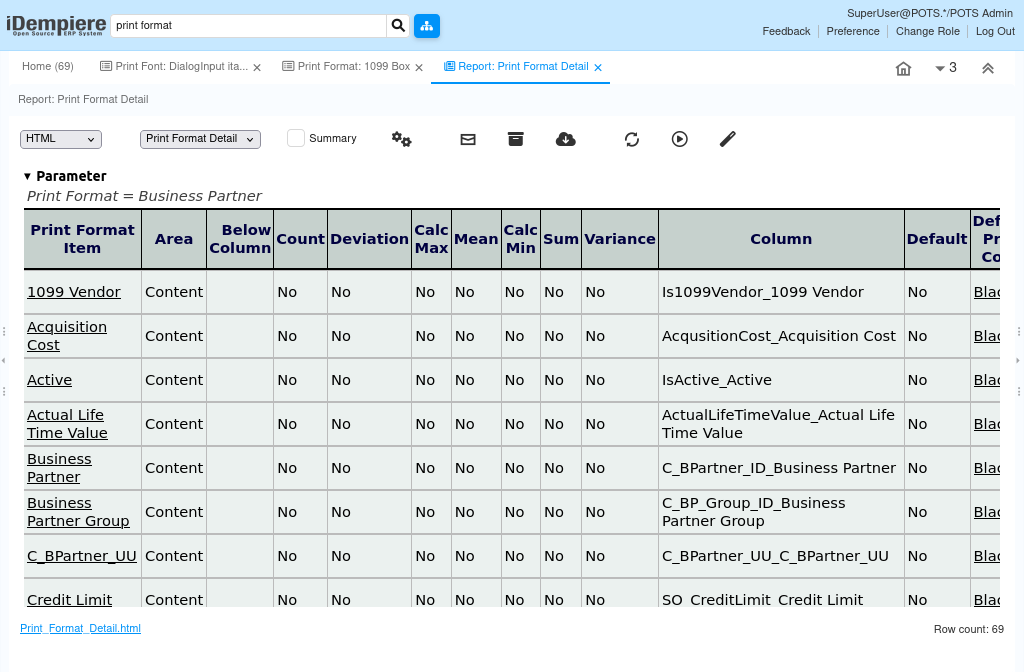
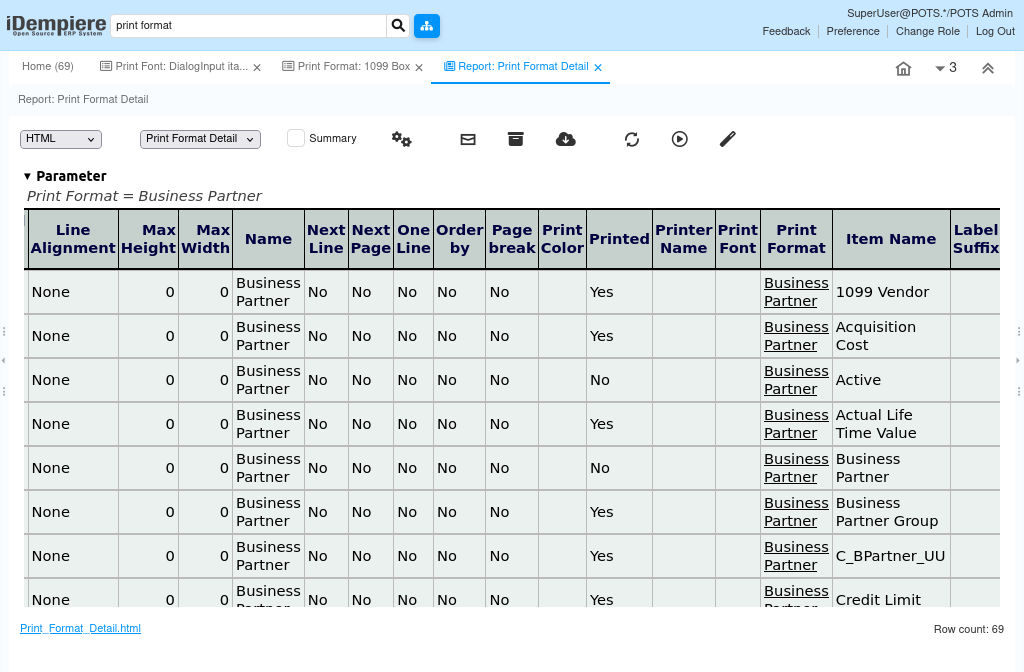
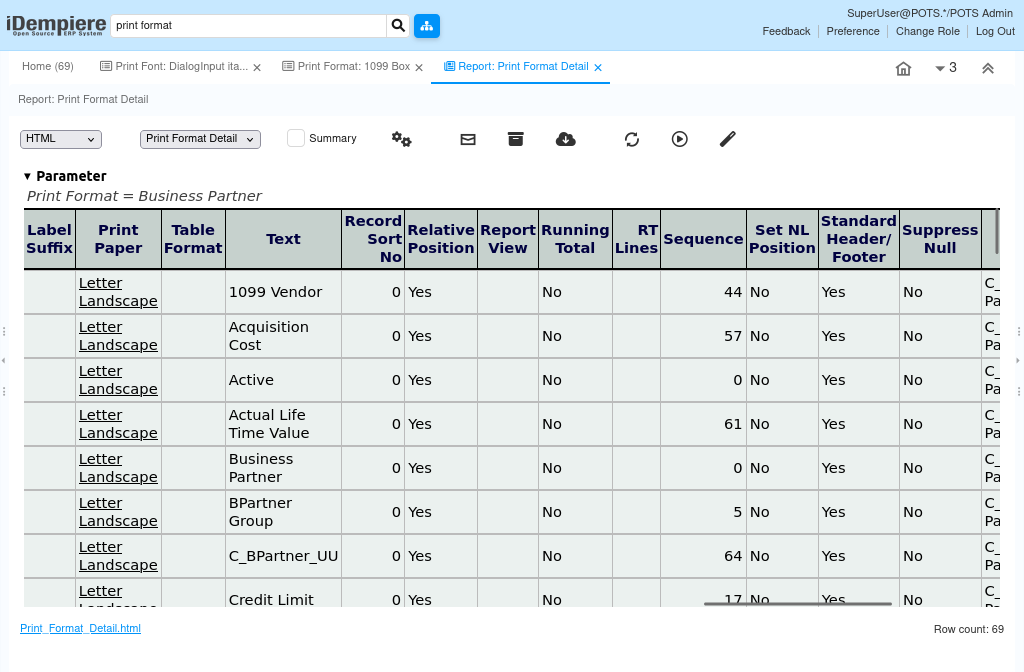
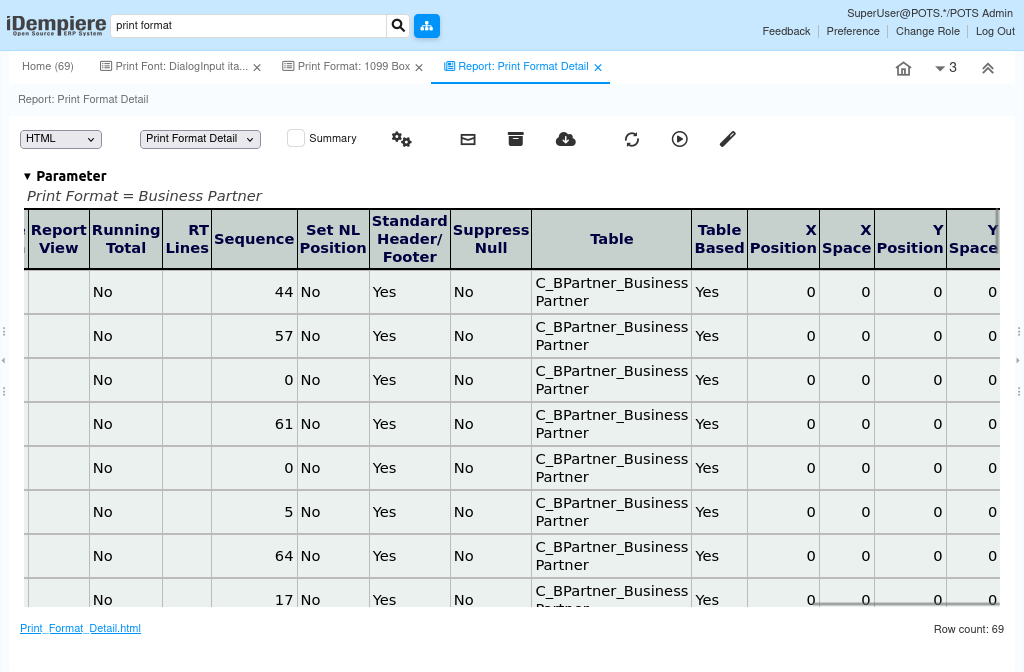
The Print Format Detail report displays detailed information about each item included in a Print Format. Each row represents a single Print Format Item linked to the selected Print Format header.
The report includes the Print Format name, table, paper and font settings, item name, text, field alignment, sizing, sort order, and calculation flags such as Sum, Count, and Mean. It helps users verify how each field on the Print Format is configured and how it will appear on the printed output.