How Does Financial Report Works in iDempiere
The Financial Report window in iDempiere is used to generate standard financial statements based on the organization’s accounting data. It allows users to select a predefined financial report configuration and produce reports for a specific accounting period. The report uses the selected Report Line Set and Report Column Set to organize and display accounting balances in a meaningful financial format. The Financial Report window supports three standard financial statements: Balance Sheet, Income Statement, and Income Statement for Cash Flow, providing essential information for financial analysis and decision-making.
Business Rules
- The Financial Report window generates financial statements based on the selected Accounting Schema and Calendar.
- Each financial report is configured using a predefined Report Line Set and Report Column Set.
- The selected Report Line Set determines which accounts and financial categories are included in the report.
- The selected Report Column Set defines how accounting balances are displayed, such as current period, year-to-date, or net activity.
- Users can generate one of three standard financial reports: Balance Sheet, Income Statement, or Income Statement for Cash Flow.
- The report processes only posted accounting transactions according to the selected accounting period.
- Reports can optionally display source accounts and transaction details based on the selected options.
- Adjustment periods can be included or excluded during report generation.
- A predefined Print Format is used to display the report in a structured financial layout.
- The Create Report action generates the selected financial statement for review, printing, or export.
Report Parameters
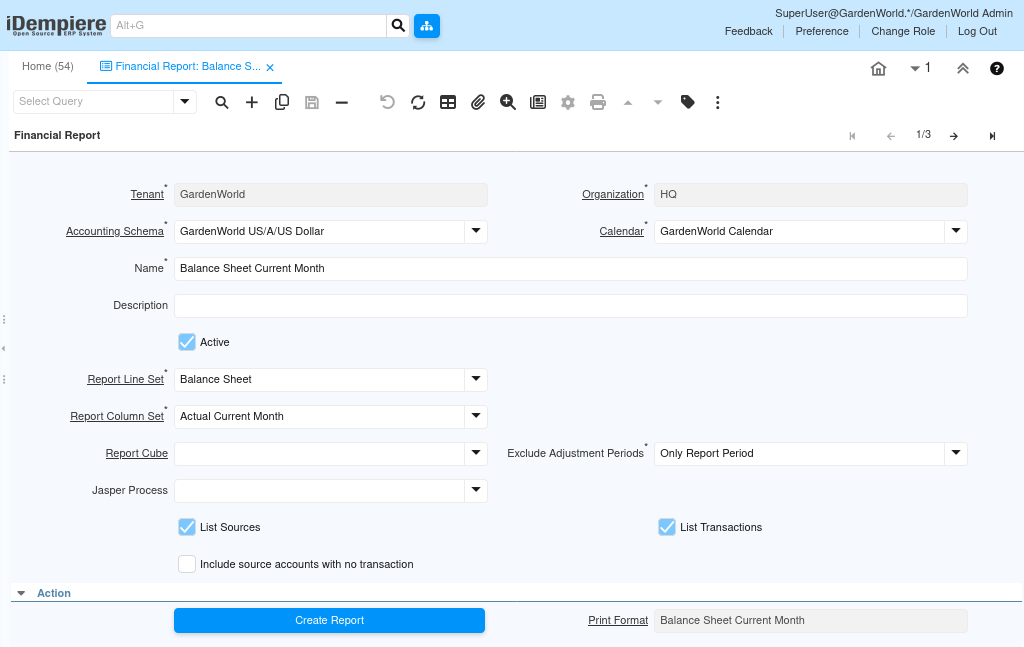
Parameter Window
| Parameter | Purpose | Applicable Report(s) |
| Tenant | Select the tenant for which the financial report is generated. | All Reports |
| Organization | Select the organization whose accounting data will be included. | All Reports |
| Accounting Schema | Select the accounting schema used for financial reporting. | All Reports |
| Calendar | Select the accounting calendar associated with the report. | All Reports |
| Name | Defines the name of the financial report configuration. | All Reports |
| Description | Provides additional information about the report configuration. | All Reports |
| Active | Enables or disables the financial report configuration. | All Reports |
| Report Line Set | Defines the financial structure and account hierarchy used in the report. | All Reports |
| Report Column Set | Defines how financial values are displayed, such as Current Period, Budget, or Net Activity. | All Reports |
| Report Cube | Selects an OLAP cube for multidimensional reporting, if configured. | All Reports |
| Exclude Adjustment Periods | Controls whether adjustment periods are included in the report. | All Reports |
| Jasper Process | Specifies the Jasper Report process for report generation, if available. | All Reports |
| List Sources | Displays the source accounts used to calculate report balances. | Balance Sheet, Income Statement |
| List Transactions | Displays the accounting transactions contributing to each balance. | Balance Sheet, Income Statement |
| Include Source Accounts with No Transaction | Includes source accounts even if no transactions exist for the selected period. | Balance Sheet, Income Statement |
| Print Format | Selects the print layout used to display the generated report. | All Reports |
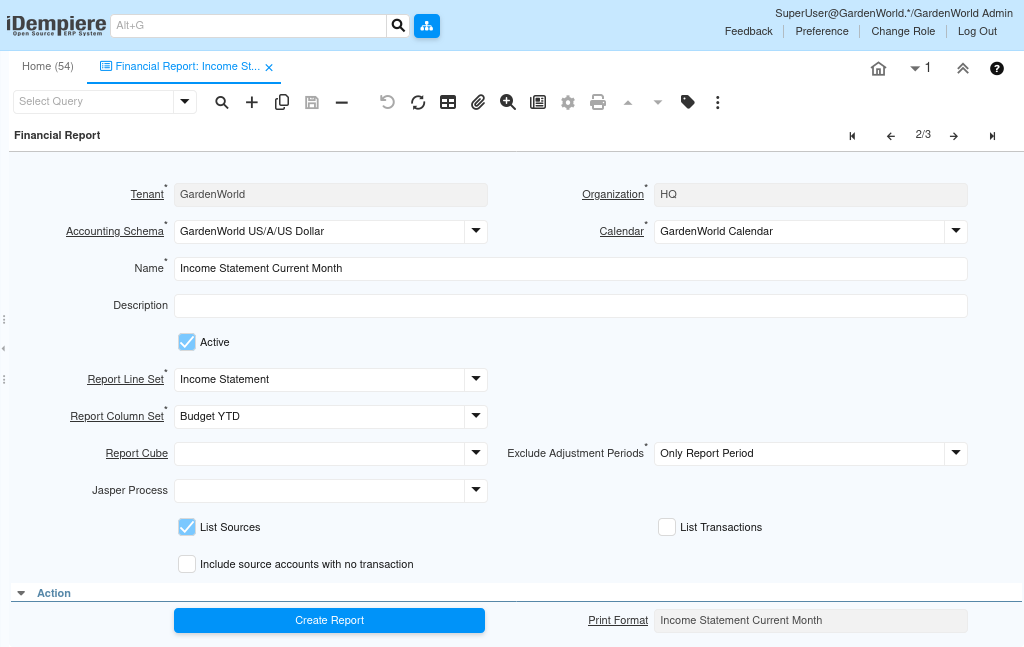
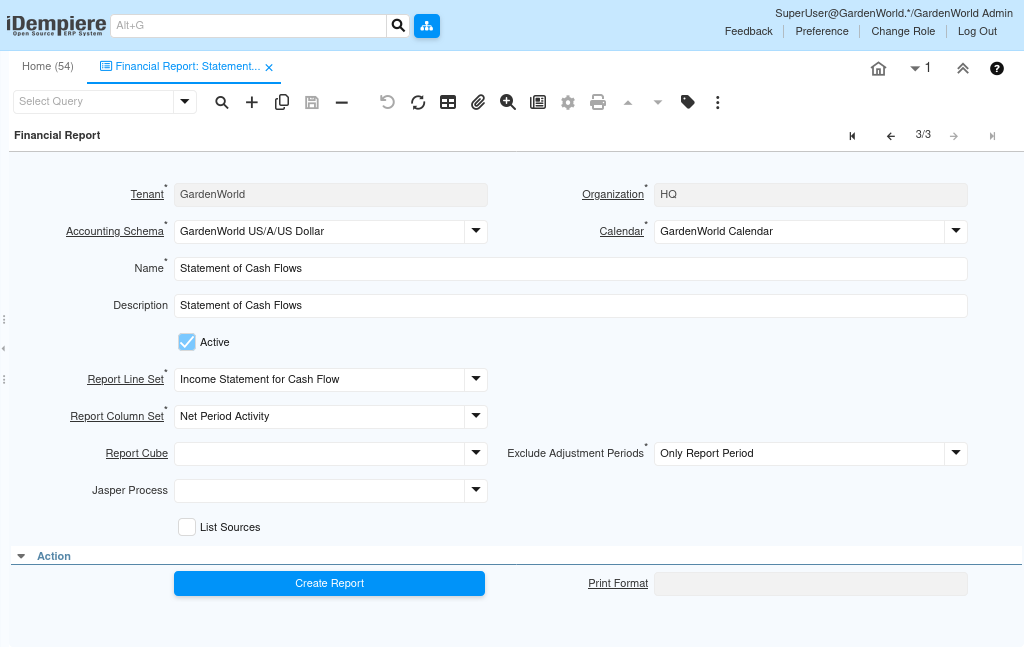
Report Output
The Financial Report window generates one of three predefined financial statements based on the selected report configuration. The Balance Sheet displays the organization’s Assets, Liabilities, and Equity as of the selected reporting period. The Income Statement presents Revenue, Expenses, and Net Profit or Loss for the selected accounting period. The Income Statement for Cash Flow organizes financial information to support cash flow analysis using predefined reporting structures. Each report is generated using the configured Report Line Set and Report Column Set, ensuring consistent financial presentation. Users can optionally display supporting accounts and accounting transactions to analyze the balances shown in the report. The generated reports can be viewed, printed, or exported for financial analysis, management review, and statutory reporting.