How Shipment Details Report Works in iDempiere
This Shipment Details report provides detailed visibility of every shipment transaction at both header and line level. It tracks goods movement from warehouse locations to customers (sales shipments) or into inventory (receipts).
It combines:
- Shipment document information
- Product-level movement quantities
- Warehouse locator tracking
- Shipment life cycle status
Decision Level: Operational & Tactical
Used by warehouse, logistics, finance, and operations teams.
Business Objective
This report answers:
- What products were shipped and in what quantity?
- Which customer received which shipment?
- From which warehouse and locator was stock moved?
- Are shipments completed, in transit, or pending?
- Are shipped quantities matching confirmed and picked quantities?
It ensures shipment accuracy, inventory traceability, and delivery control.
Report Parameters
| Parameter | Purpose | Example | Impact |
|---|---|---|---|
| Movement Date | Filter shipment period | 01–07 Feb | Weekly logistics tracking |
| Business Partner | Customer/vendor | ABC Traders | Partner-wise shipment |
| Warehouse | Shipment source | Main Warehouse | Stock movement control |
| Document Status | Shipment progress | Completed | Shows only finalized |
| Sales Transaction | Sales or receipt | Sales | Filters outbound shipments |
| Product | Specific item | Product X | Item-level movement |
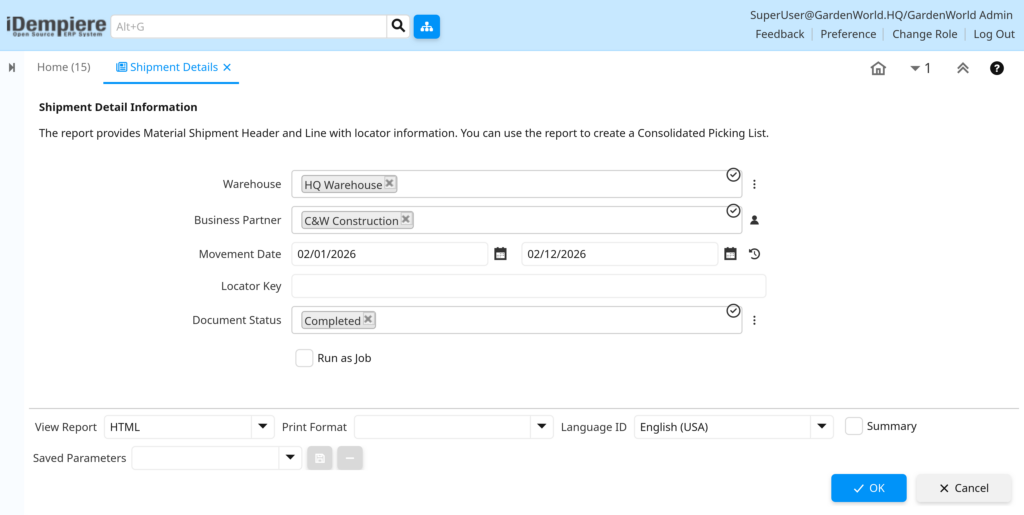
Filter Logic (Business View):
Only shipment documents and their line items that match selected period, warehouse, partner, and status are displayed, reflecting actual physical stock movement.
Report Columns & Business Logic
| Column | How It Is Calculated | Why It Matters |
|---|---|---|
| Document No | Shipment document number | Primary shipment tracking |
| Movement Date | Physical stock movement date | Inventory accuracy |
| Business Partner | Customer/vendor name | Delivery accountability |
| Warehouse | Shipment source location | Stock control |
| Locator | Exact bin/location | Warehouse precision |
| Product | Item shipped | Traceability |
| Movement Qty | Quantity physically moved | Real stock impact |
| Picked Qty | Quantity picked | Warehouse efficiency |
| Confirmed Qty | Verified quantity | Accuracy control |
| Target Qty | Planned quantity | Fulfillment check |
| Document Status | Process stage | Operational progress |
| Sales Rep | Responsible rep | Performance visibility |
| Tracking No | Carrier reference | Delivery follow-up |
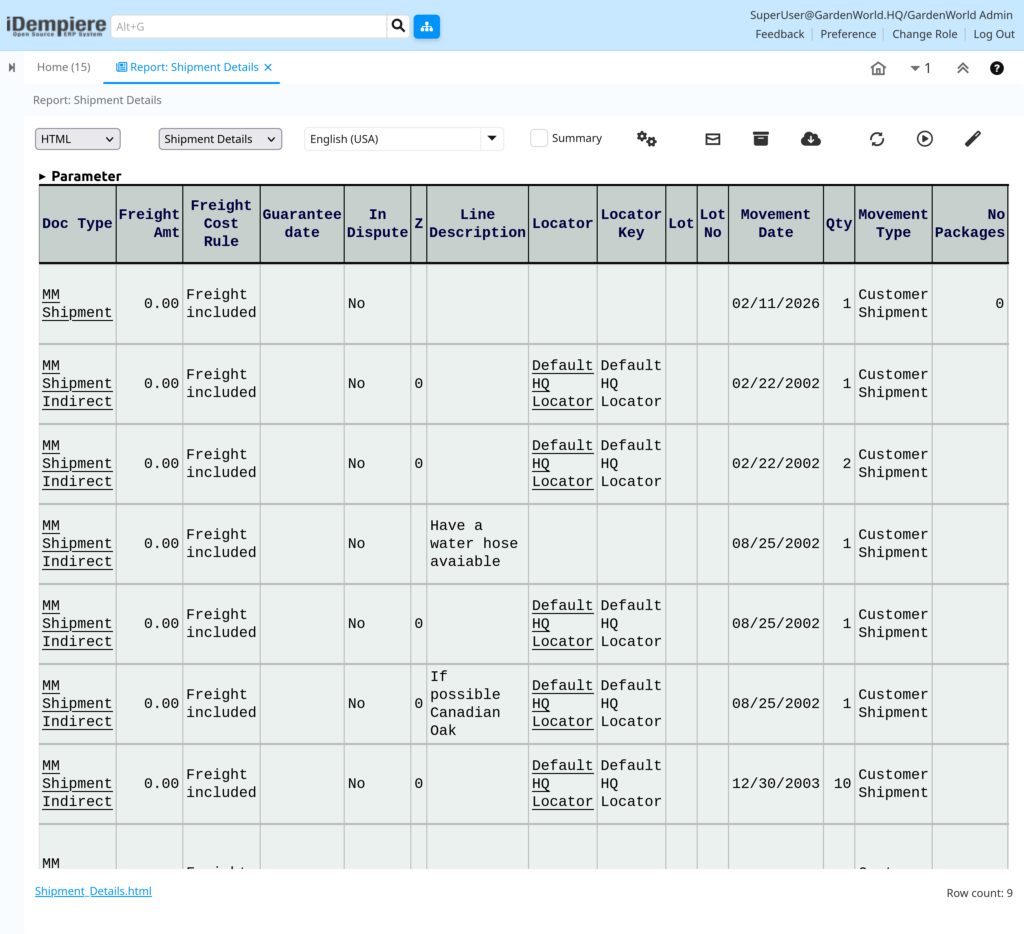
Interpretation Guide
- Each row = one product line in a shipment
- Movement Qty reflects real inventory reduction/addition
- Picked vs Confirmed highlights warehouse accuracy
- Completed status means stock is officially posted
- Locator shows exact warehouse bin movement
- Differences between Target and Movement reveal shortages or over‑delivery
Business Decisions Enabled
- Shipment accuracy monitoring
- Warehouse picking performance
- Inventory reconciliation
- Delivery tracking and escalation
- Customer fulfillment verification
- Process bottleneck detection
Outcome
Management can:
- Ensure correct stock movement
- Reduce delivery errors
- Improve warehouse efficiency
- Maintain real‑time inventory accuracy
- Strengthen customer service