How Does Statement of Accounts Report Works in iDempiere
The Statement of Accounts Report provides a detailed view of accounting transactions for a selected account and accounting period. It displays the opening balance together with all posted accounting entries within the selected date range.
Users can filter the report using multiple accounting dimensions such as Organization, Business Partner, Product, Activity, Sales Region, and Tax. The report helps Finance users verify ledger movements, reconcile balances, and analyze financial transactions.
Business Rules
- Retrieves report parameters from the Statement of Accounts process.
- Accounting Schema and Posting Type are mandatory.
- Uses the selected Period or Account Date range.
- Calculates Beginning Balance before the reporting period.
- Creates detailed accounting transaction lines.
- Supports filtering by Organization, Account, Business Partner, Product, Activity, Sales Region, Reporting Hierarchy and Tax.
- Processes only matching accounting entries.
- Stores data in T_Report Statement.
- Applies the Statement of Accounts print format.
- Supports reconciliation and audit.
Report Parameters
Parameter Window
The Statement of Accounts Report parameter window allows users to filter records before generating the report.
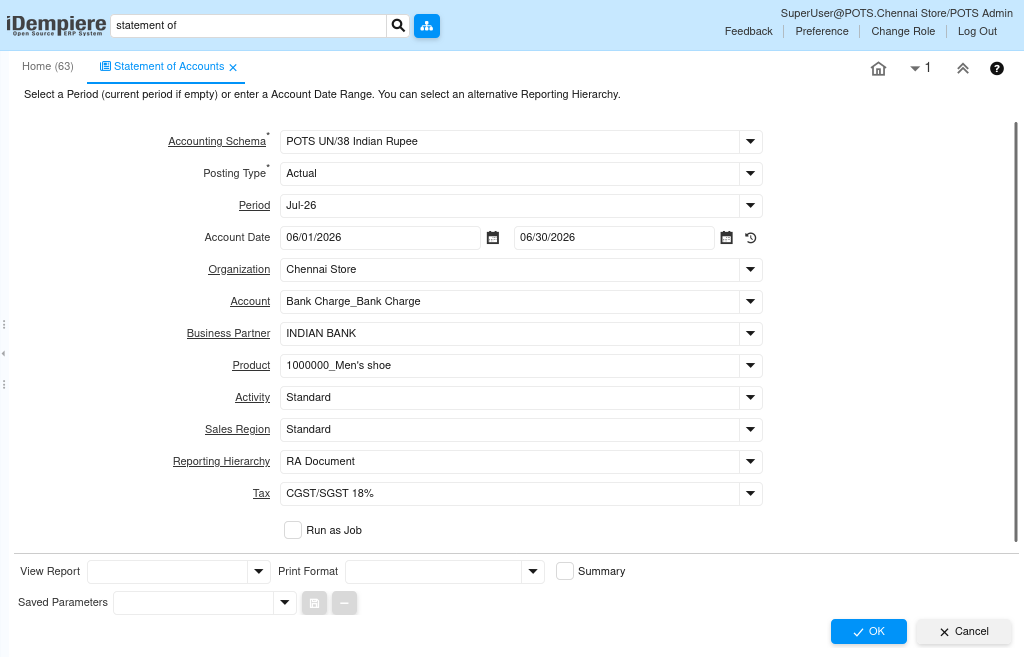
Statement of Accounts Report – Parameter Window
| Parameter | Purpose | Filtering Behavior | Sample Value | |
| Accounting Schema | Choose Accounting Schema | Filters by Accounting Schema. | POTS UN/38 Indian Rupee | |
| Posting Type | Choose Posting Type | Filters by Posting Type. | Actual | |
| Period | Choose Period | Filters by Period. | Jul-26 | |
| From Account Date | Choose From Account Date | Filters from selected date. | 06/01/2026 | |
| To Account Date | Choose To Account Date | Filters to selected date. | 06/30/2026 | |
| Account | Choose Account | Filters by GL Account. | Bank Charge_Bank Charge | |
| Business Partner | Choose Business Partner | Filters by Business Partner. | INDIAN BANK | |
| Product | Choose Product | Filters by Product. | 100000_Men’s shoe | |
| Activity | Choose Activity | Filters by Activity. | Standard | |
| Sales Region | Choose Sales Region | Filters by Sales Region. | Standard | |
| Reporting Hierarchy | Choose Reporting Hierarchy | Filters by Hierarchy. | RA Document | |
| Tax | Choose Tax | Filters by Tax. | CGST/SGST 18% | |
| Run as Job | Run in background | Runs report in background. | Checked | |
The report is executed using the selected parameter values to retrieve matching records.
Report Output
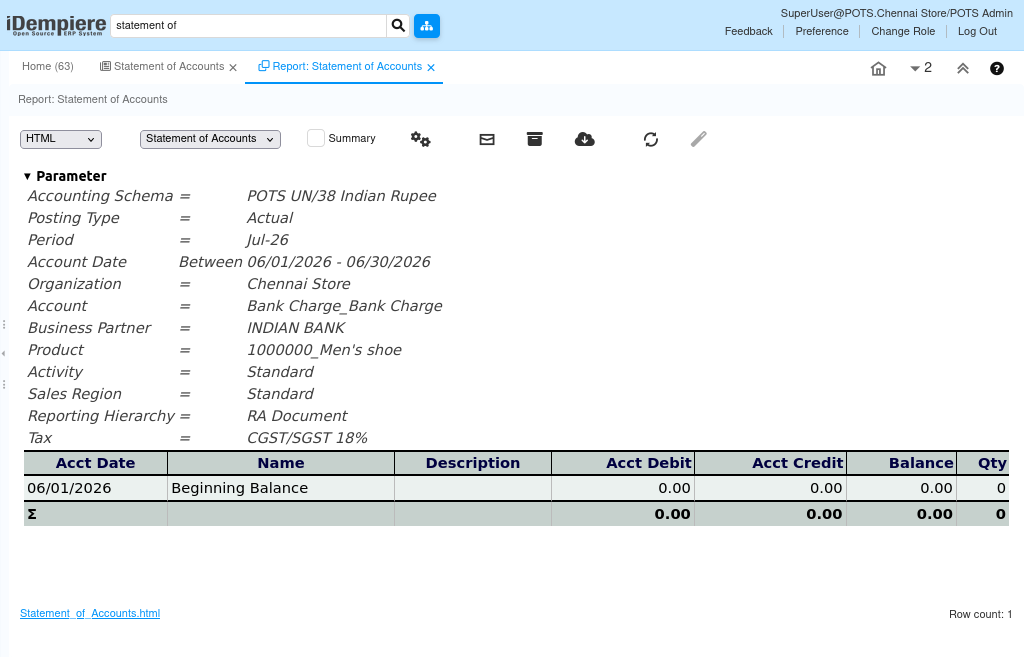
The report displays the beginning balance followed by all accounting transactions recorded during the selected period. It shows debit, credit, balance, quantity, and transaction details, helping users review account movements, reconcile balances, and support financial reporting.